




 22,784
 Like
Like Share
Share
 Report
 One of the small annoyances I’ve been ignoring in Microsoft Word for a while is the punctuation check it is showing as a problem; this is the Oxford comma (also known as the serial comma, series comma or Harvard comma). When separating a list of values, you do so with commas and the final item in the list is preceded by the word and; the Oxford comma includes a comma before the word “and”.
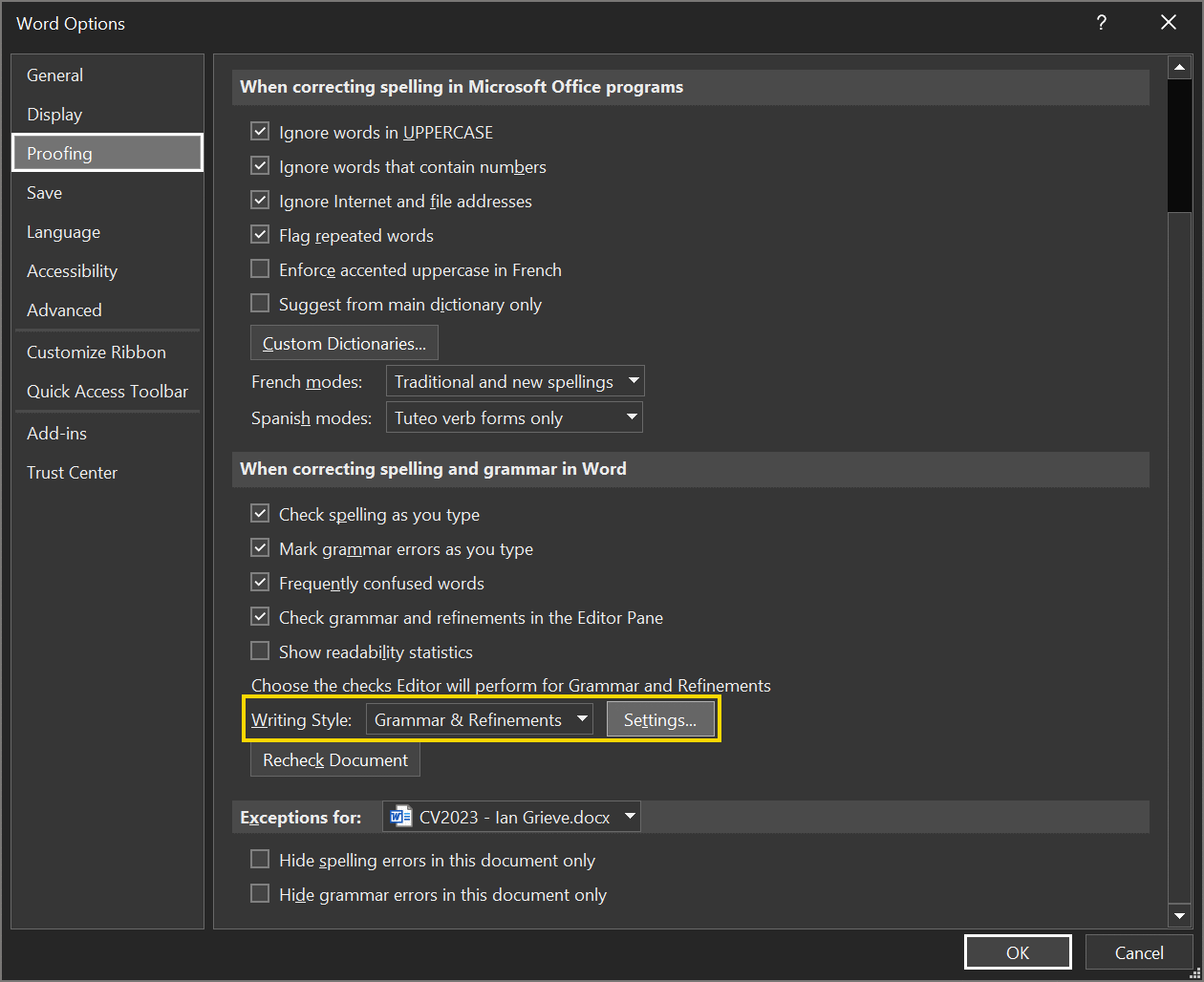
Microsoft Word in Office 365 has the Oxford comma enabled by default (older versions of Word did not); to disable it, open the Word Options from the File tab, select the b]Profing[/b] tab. Find the Writing Style option, set it to Grammar& Refinements and click the Settings button:
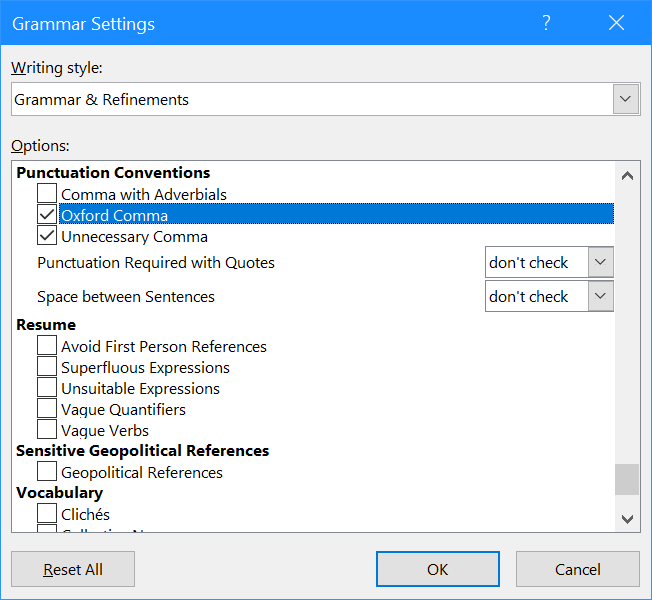
Scroll down and find the Punctuation Conventions section and unmark the checkbox next to Oxford Comma; click OK to save the change:
Read original post Stop Microsoft Word Checking for Oxford Comma at azurecurve|Ramblings of an IT Professional
*This post is locked for comments