




 11,615
 Like
Like Share
Share
 Report
This could be a hiccup for a starter in ERP world. Lets see how to troubleshoot.
Assume that you have done these steps already:
1. You have Price list setup
2. You have couple of Products added
3. Created an Opportunity

When you are trying to add a new Product to that Opportunity as a Line item - no issues with Write-in product. But why the Products already added are not showing up in Existing Product inline lookup search.

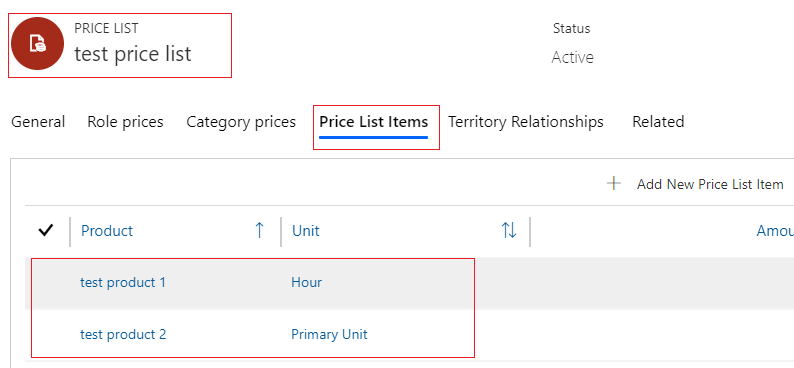
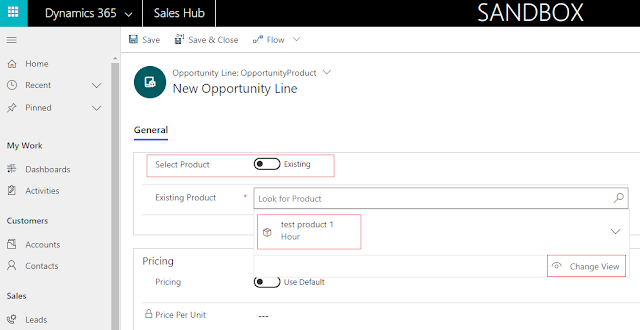 Troubleshooting step 1: Usually the Price list of Opportunity will filter the Product we are looking for & we will get confused. Check it first. (In our case we know these Products are in same Price list)

The default mode of Publishing the Product that are created without being in Draft can be set in System settings.
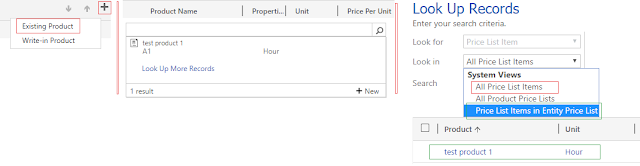
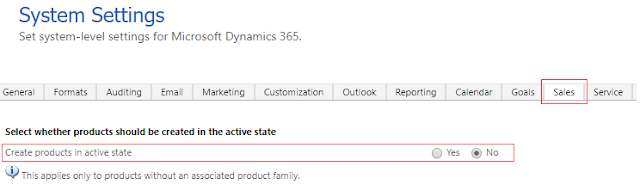 Why this is different now & confusing - like cannot change the view in UCI vs Web is still allowing it. Well that's a Dynamics CRM design change.
Otherwise go to Web & see this in action yourself. Atleast the error is clear to nail down the rootcause of the Missing Product issue.

Assume that you have done these steps already:
1. You have Price list setup
2. You have couple of Products added
3. Created an Opportunity
When you are trying to add a new Product to that Opportunity as a Line item - no issues with Write-in product. But why the Products already added are not showing up in Existing Product inline lookup search.

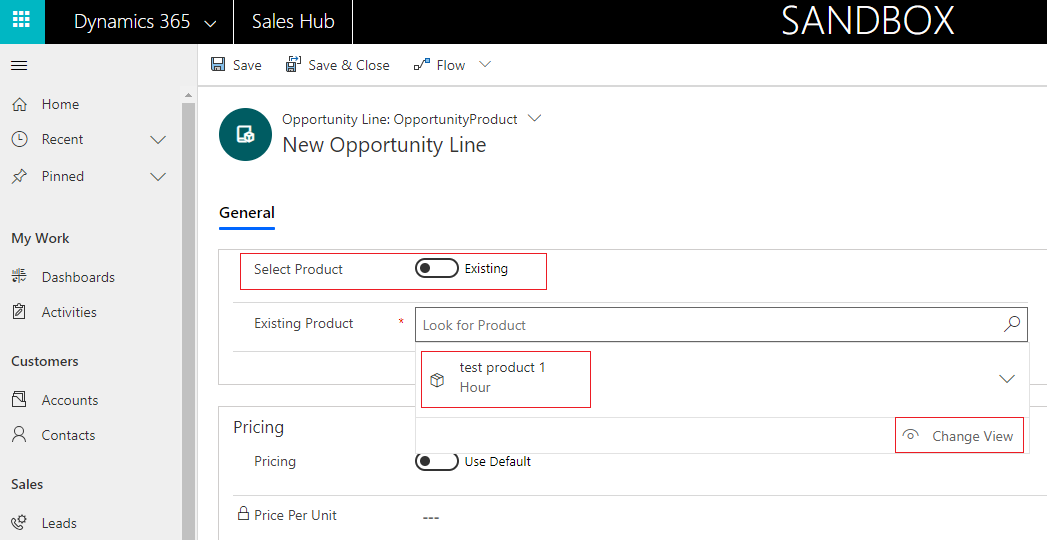
Also since we cannot change the view in UCI we cannot figure out the next troubleshooting step on first glance.
Troubleshooting step 2: Now we have to find out if the created Products are in Active state as the Product could be in Draft mode, so we have to Publish it (Bulk Publish is not possible).

The default mode of Publishing the Product that are created without being in Draft can be set in System settings.

Otherwise go to Web & see this in action yourself. Atleast the error is clear to nail down the rootcause of the Missing Product issue.


*This post is locked for comments