




 Like
Like Share
Share
 Report
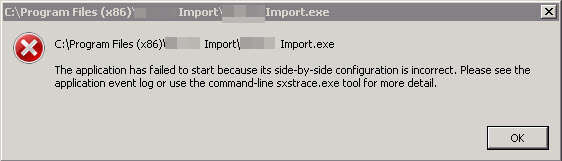
A client recently installed a new .NET eConnect integration for Dynamics GP. After configuring the integration, they received this error when they ran the EXE file:
They also saw this message in Event Viewer, which helped narrow down the cause.
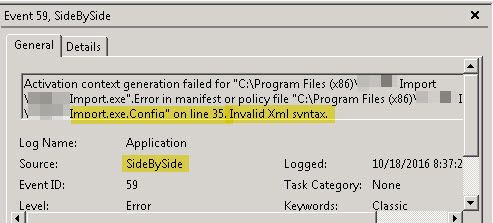
I quickly reviewed the exe.config file, but couldn't find any obvious errors. I tried opening the XML file in Internet Explorer as a quick test, and did see that it didn't load properly, so there did appear to be an issue with the file format.
I then opened the config file in UltraEdit and used it's XML validation, but while it did say there was an error, it gave me a misleading description of the error, pointing to a node that was valid.
So I finally resorted to opening both the customer's config file and my dev config file and flipped between the two to compare line by line. I finally found the problem.

One of the closing value tags had been accidentally deleted when the file was edited.
Once I added back the close value (< / value >) tag, the import worked properly.
Steve Endow is a Microsoft MVP for Dynamics GP and a Dynamics GP Certified IT Professional in Los Angeles. He is the owner of Precipio Services, which provides Dynamics GP integrations, customizations, and automation solutions.

*This post is locked for comments