




 841
841 Like
Like Share
Share
 Report
In this blog I will demonstrate how to create vendor user and create purchase orders to be shown in vendor collaboration.
Vendor user creation in Dynamics 365:
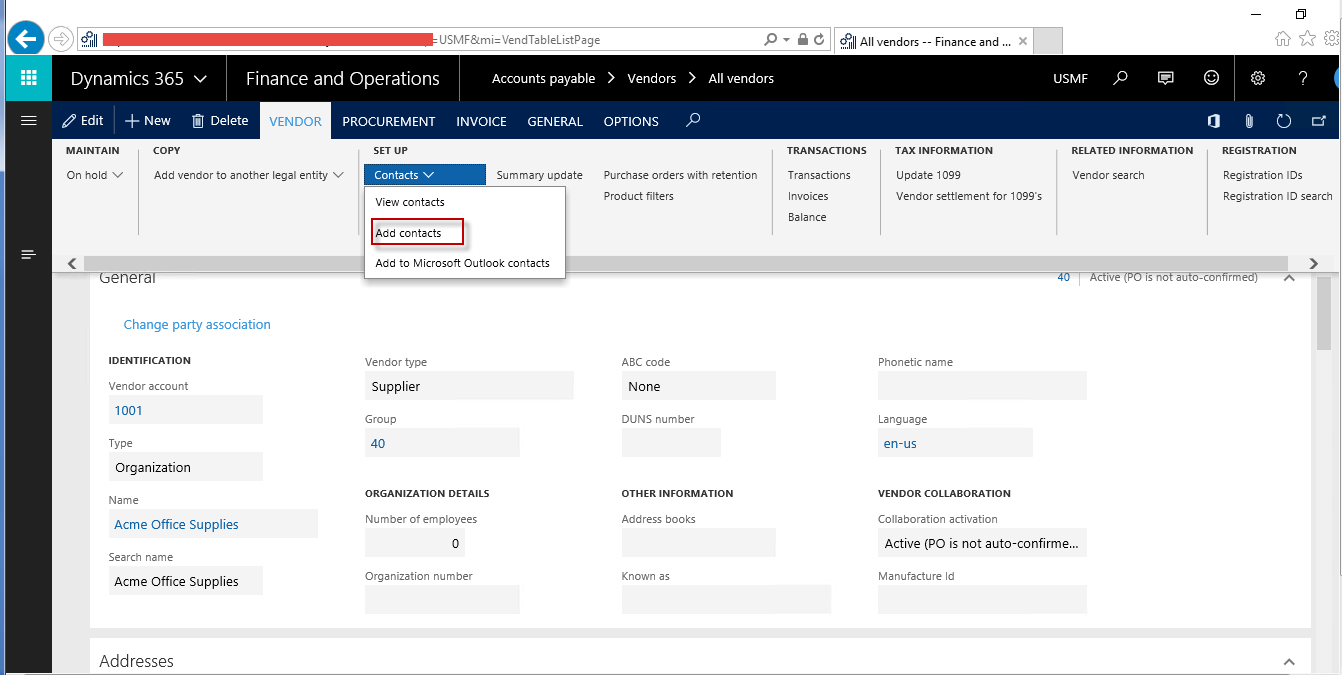
Create Primary contact on vendor using navigation shown below.
Create user and assign the following roles on user.

Purchase order creation:
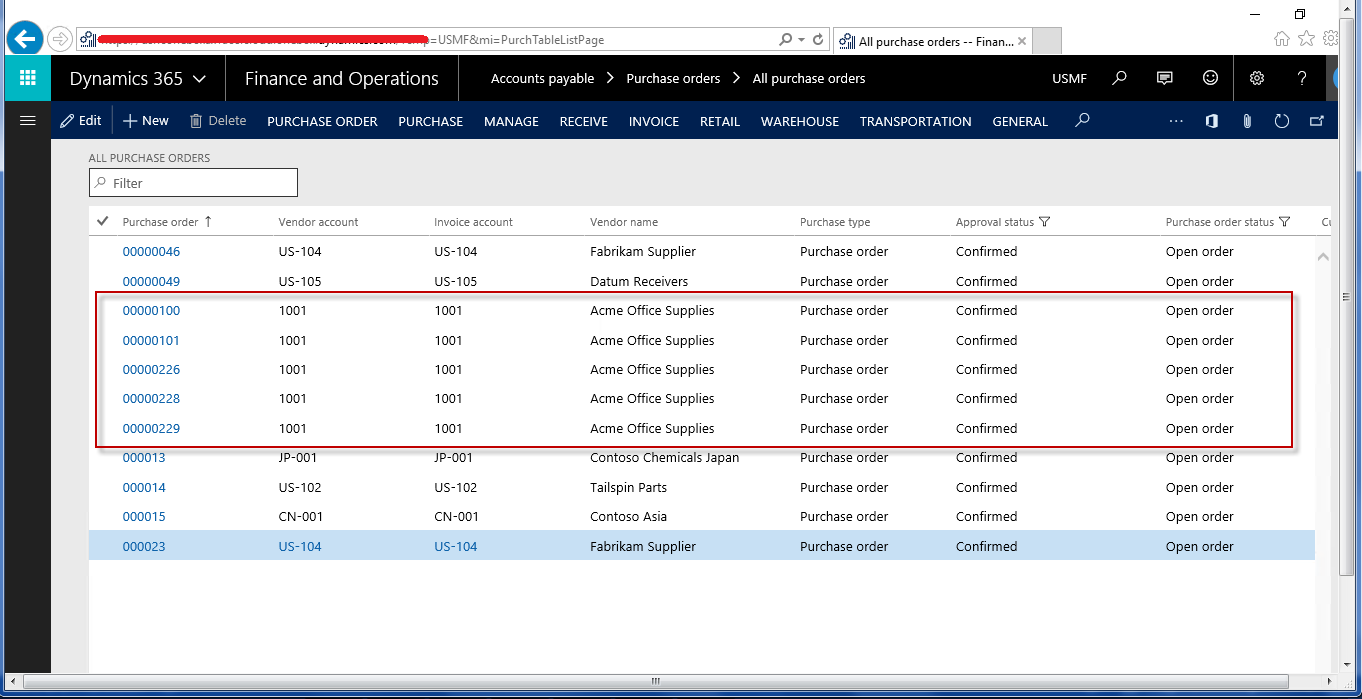
Create Purchase order of your vendor, add lines and confirm the Purchase order.
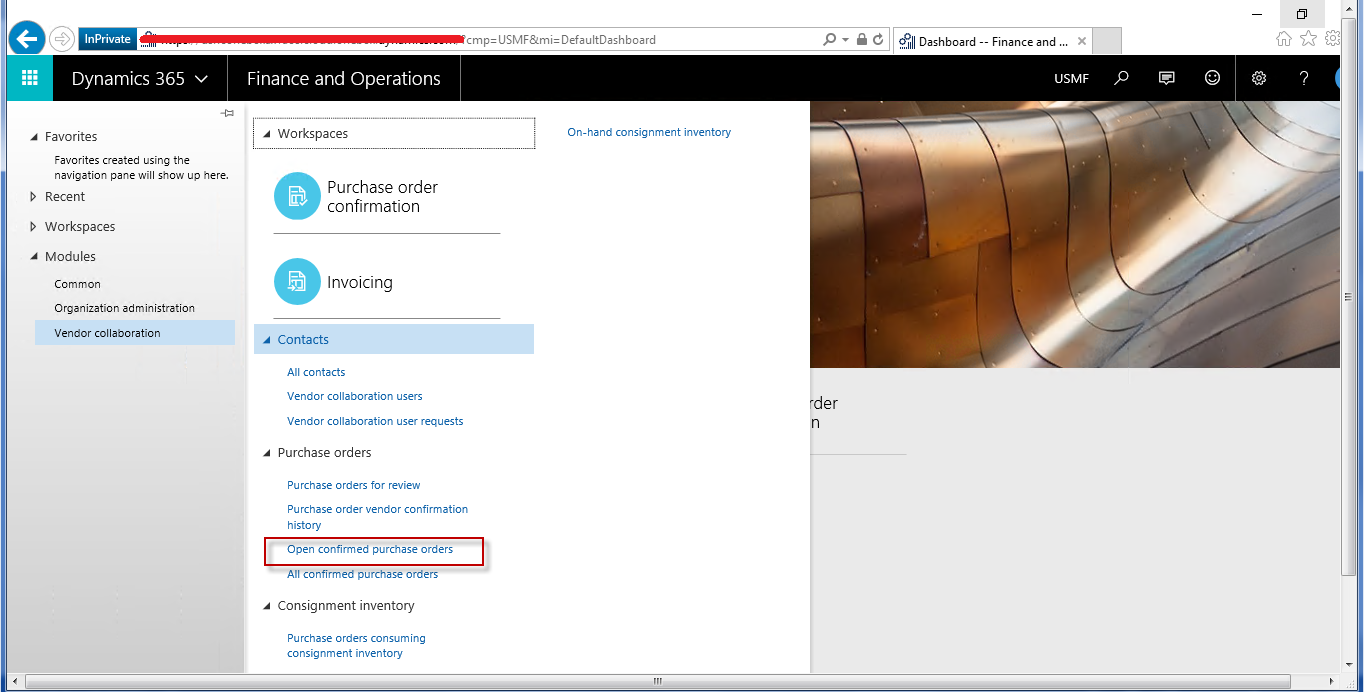
Now login from newly created user and navigate the following location.
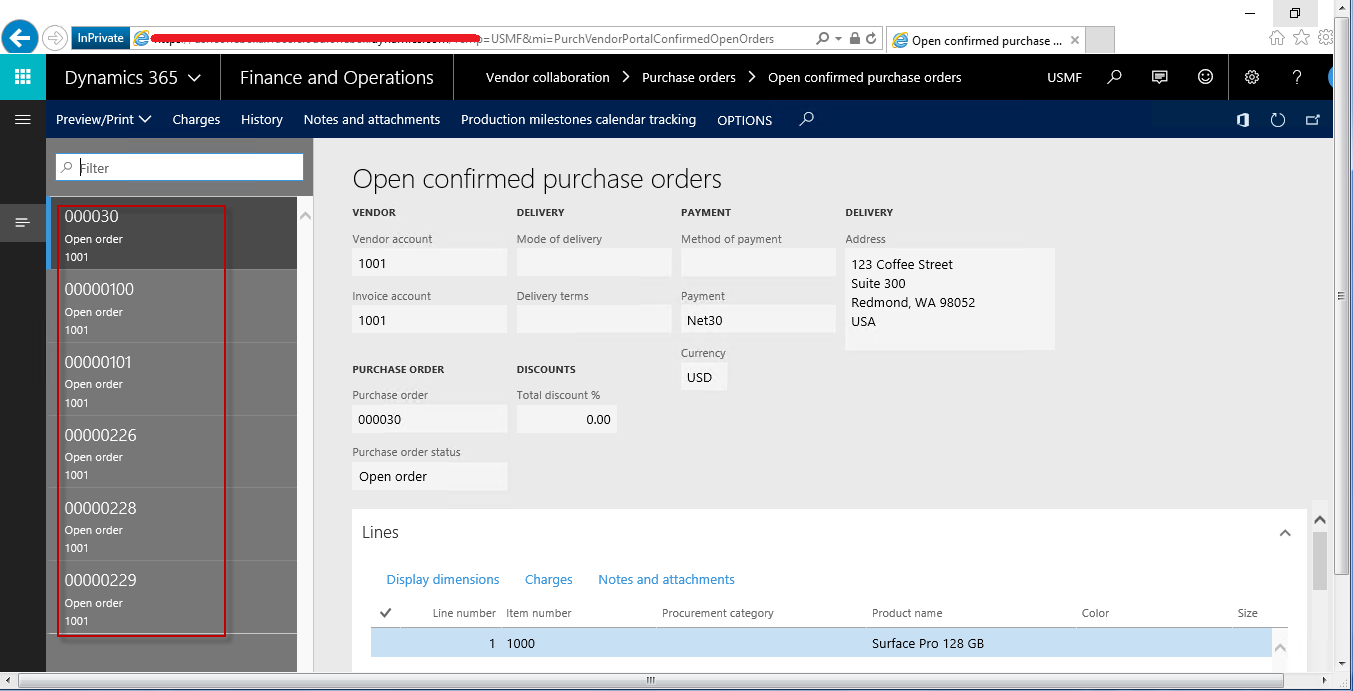
At this stage user can see its open and confirmed purchase order which be shown under vendor collaboration section.
*This post is locked for comments