




 335
335 Like
Like Share
Share
 Report
I recently had a request to help with cleaning up some templates in one of the reports. Some people are managing this through SQL queries, which works ok, but it is never a good idea to administrate through the database when there is a way to do it through the interface. So here is the step by step starting from the report generation screen (or ROI):
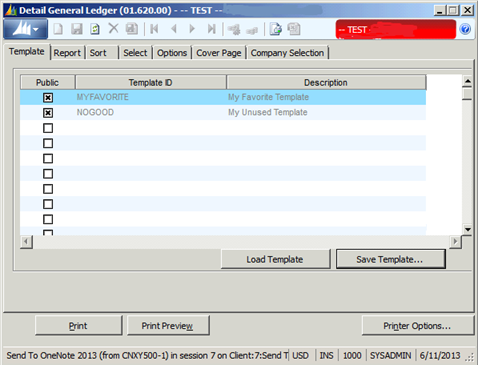
- Click on the Dynamics “sailboats”

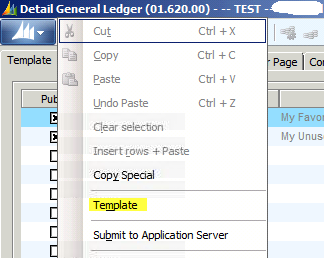
- Select Template from the menu
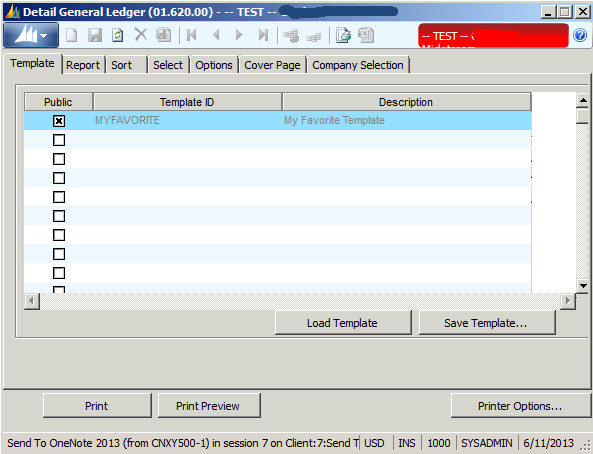
- When the Template Form (98.230.00) comes up, F3 from the Template ID field and Edit or delete the template as desired.

- You have the option to rename the template, change the description and make it public or private.
- Click Save if you are just editing something or delete if you want it removed, then close all the windows and restart the report
Butch Adams
Managing Consultant
Conexus SG
Dallas, Texas
The post Managing Dynamics SL Report Templates appeared first on Conexus SG Dallas Fort Worth TX.
*This post is locked for comments