


 17,887
 Like
Like Share
Share
 Report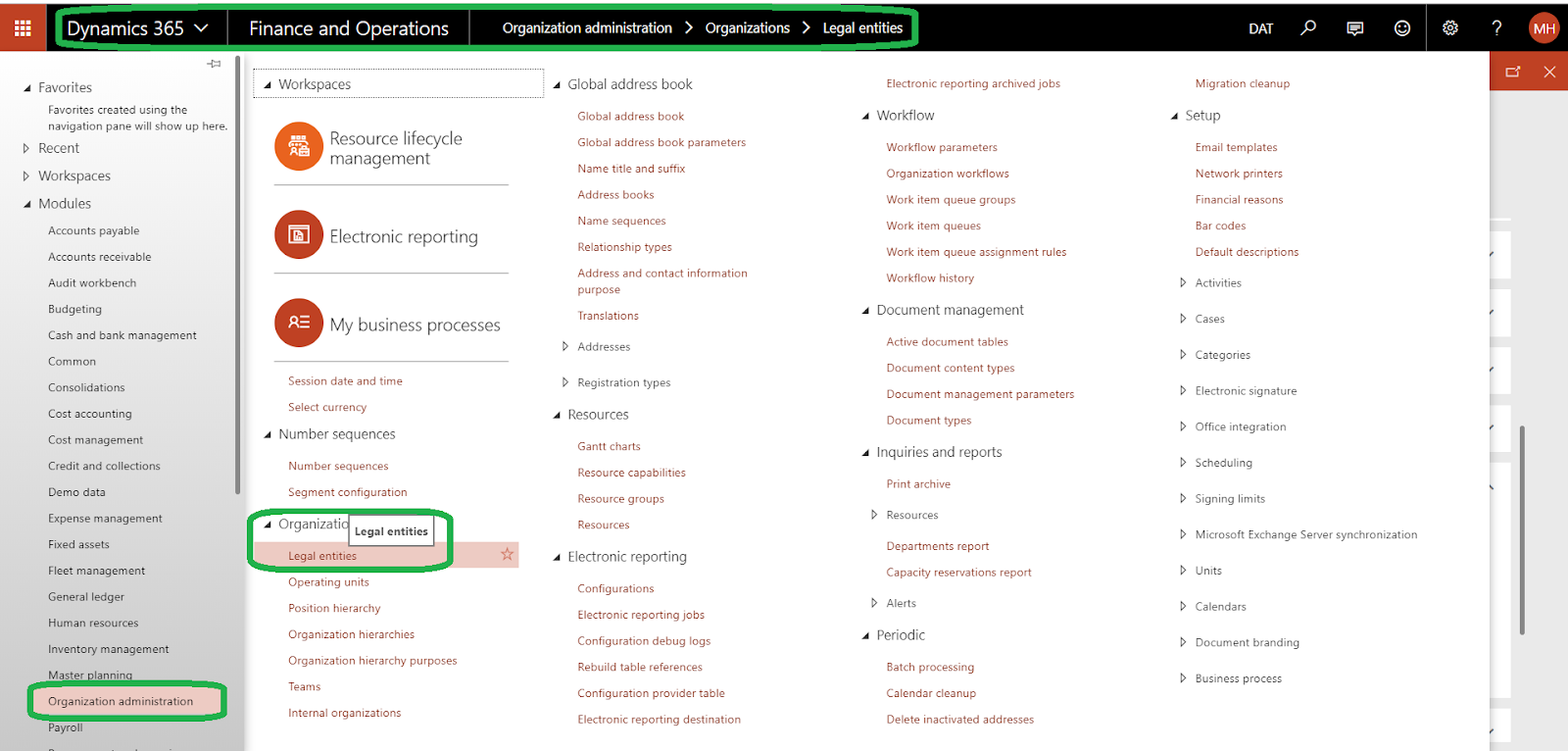
In the list on the left, select the legal entity for which you want to update the banner or logo. If it is already selected,
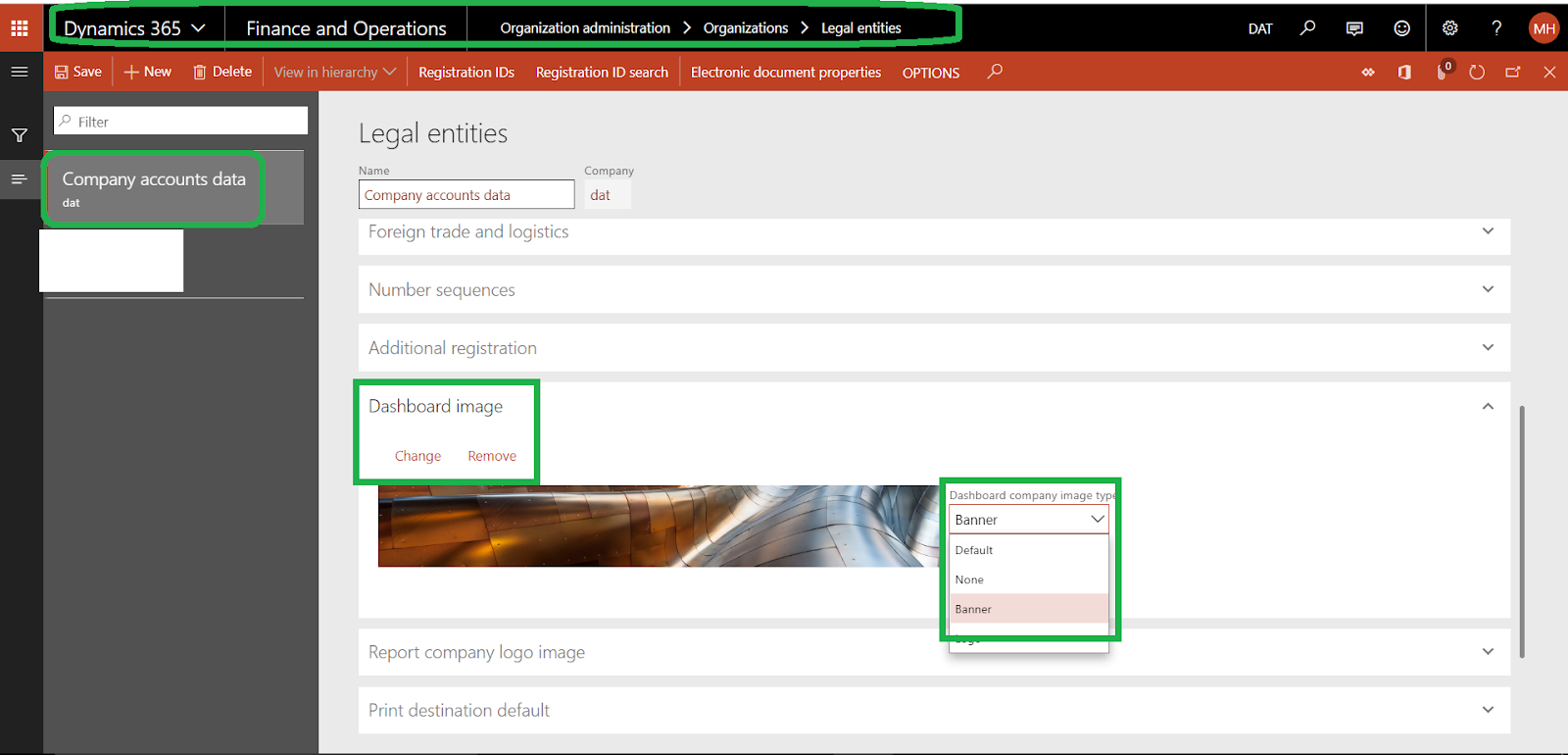
click edit and select banner from Dashboard company image type

Tip: The ideal resolution for a banner image is 1920 x 281 pixels. The ideal width for a logo image is 350 pixels.
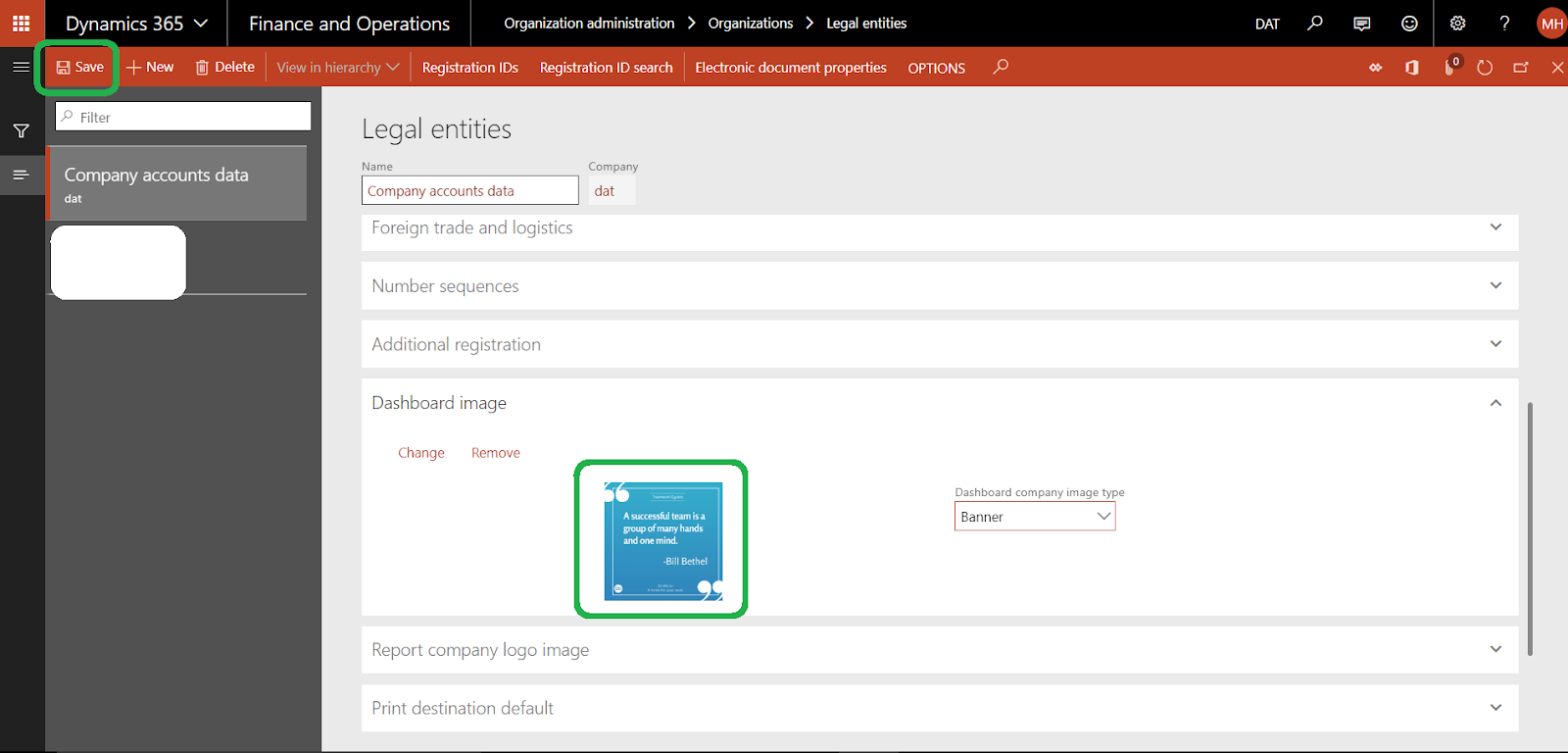
select your image and click Save
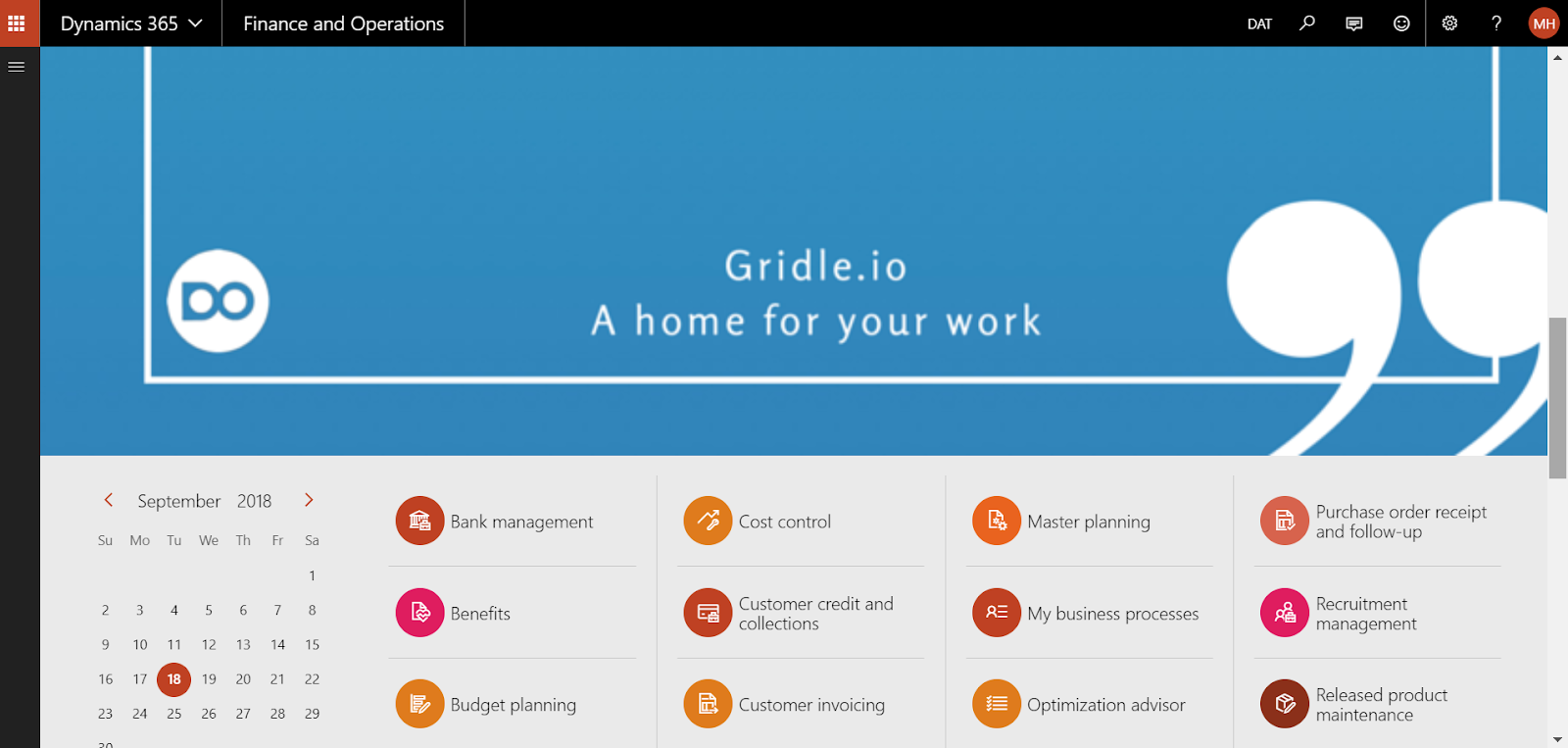
Go to Common > Common > Default dashboard
you can see the new banner as the below
Thanks.
*This post is locked for comments