




 22,784
 Like
Like Share
Share
 Report
 This post is part of the In Microsoft Dynamics 365 Business Central, how do I… series which I am posting as I familiarise myself with Microsoft Dynamics 365 Business Central.
There are two ways that a sandbox environment can be created in Dynamics BC. The first way, and the way I’m going to show in this post, will only create a sandbox environment containing the Cronus sample company; the second way is to make a copy of the production environment which I’ll show in a later post in this series.
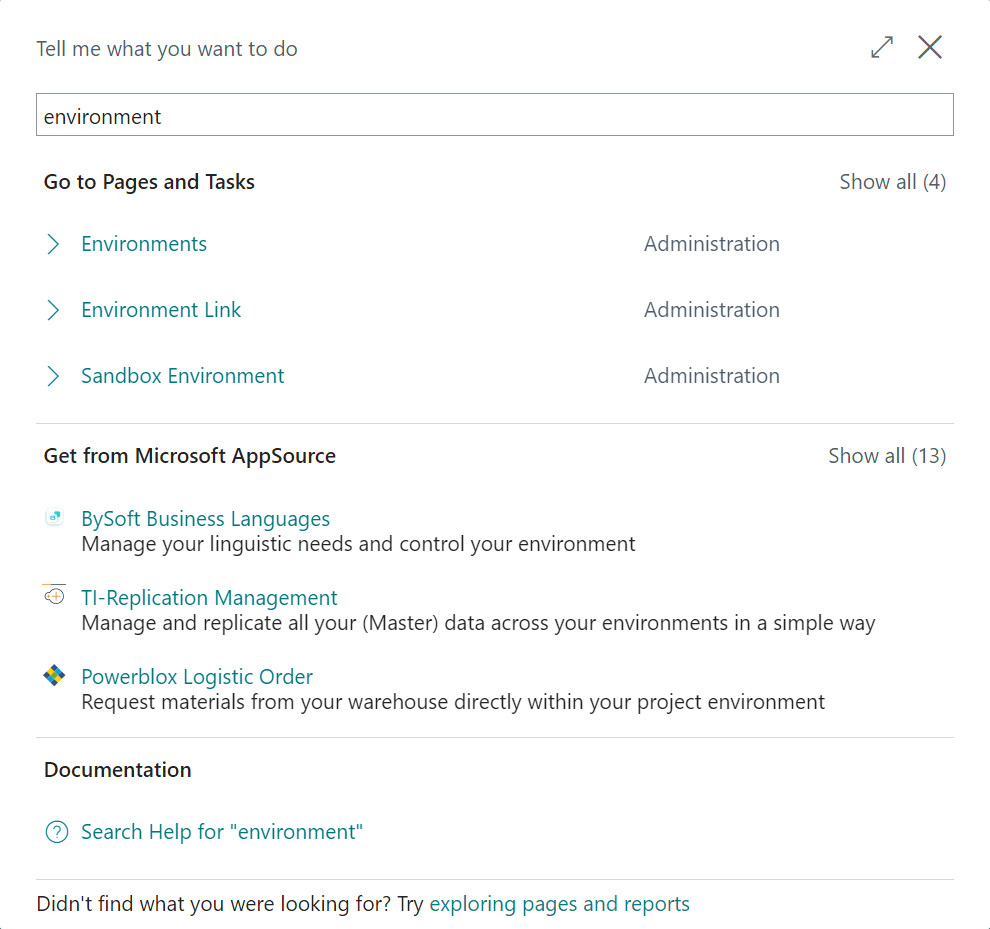
To create the sandbox with Cronus, Click the “Tell me what you want to do” magnifying glass in the top right corner and type environment; click on Sandbox Environment:
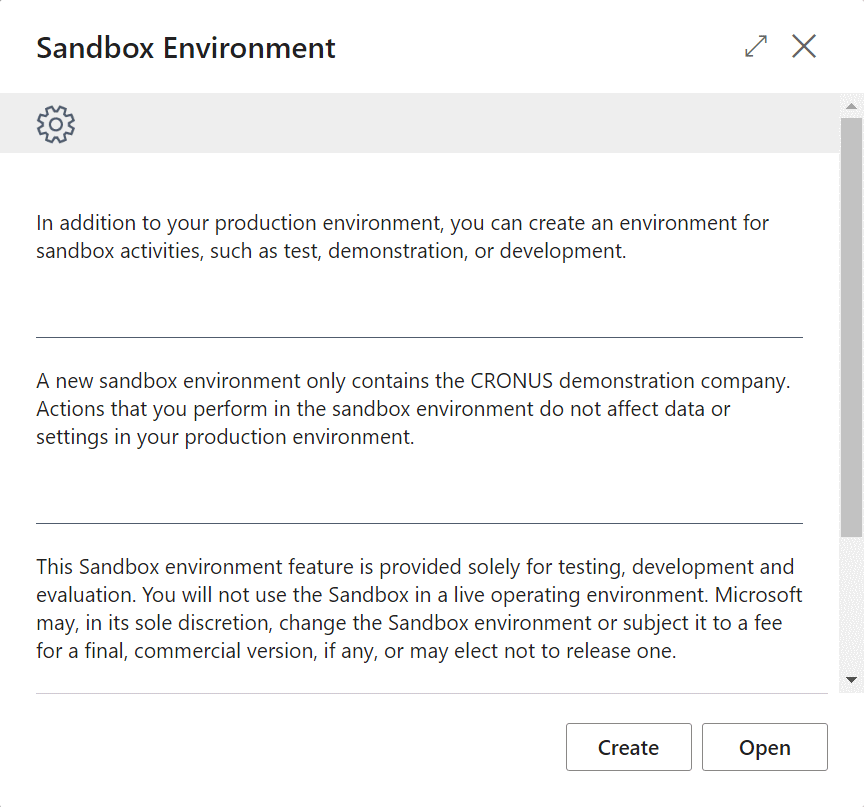
The Sandbox Environment dialog will be displayed which explains that it will contain only the Cronus demonstration company; click the Create button:
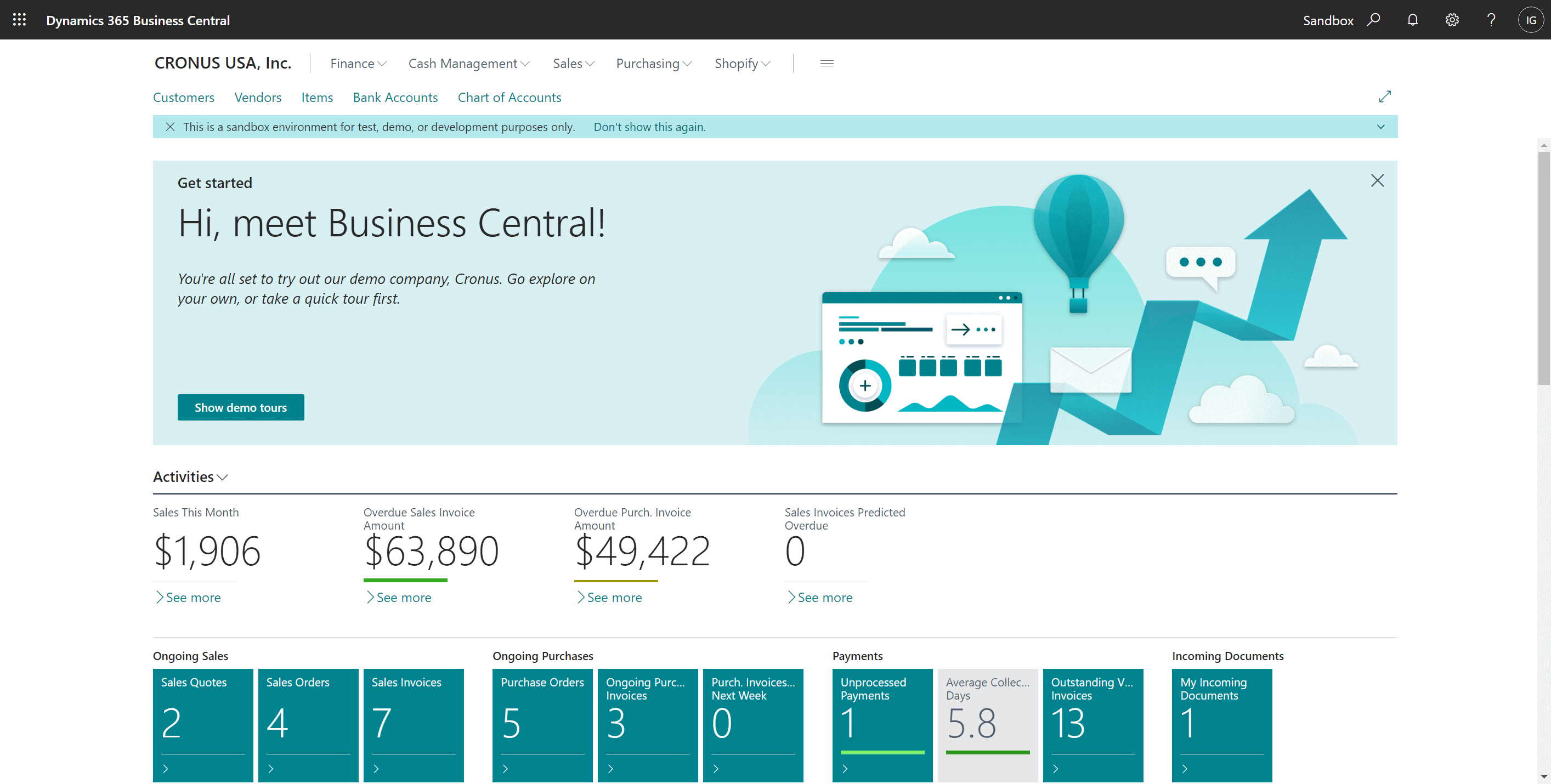
It may take a short time to create the new sandbox environment, but once finished you will be taken to the new environment; you can easily tell that you are working in a sandbox by the Sandbox label in the top right corner of the main page:
In Microsoft Dynamics 365 Business Central, how do I…
In Microsoft Dynamics 365 Business Central (Administration), how do I…
Read original post In Microsoft Dynamics 365 Business Central, how do I… Create a Sandbox Environment With Cronus at azurecurve|Ramblings of an IT Professional
*This post is locked for comments