




 Like
Like Share
Share
 Report
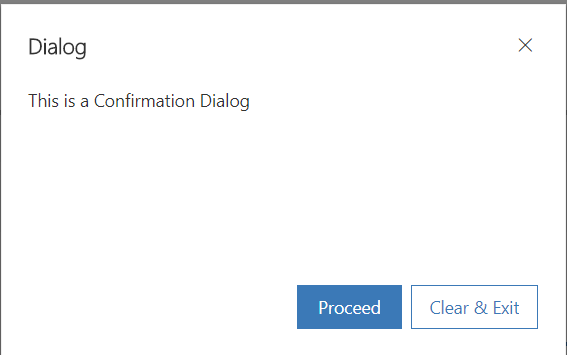
Below is a quick code snippet and output that can be used for customized confirm dialog
Code Snippet:
Code Snippet:
 var dialogLabelAndText = { confirmButtonLabel: "Proceed", cancelButtonLabel: "Clear & Exit", text: "This is a Confirmation Dialog", title: "Dialog" };
   var dialogOptions = { height: 200, width: 450 };
   Xrm.Navigation.openConfirmDialog(dialogLabelAndText, dialogOptions).then(
     function (success) {
       if (success.confirmed)
         Xrm.Navigation.openAlertDialog({ confirmButtonLabel: "Yes", text: "Process completed!" });
       else
         Xrm.Navigation.openAlertDialog({ confirmButtonLabel: "Yes", text: "Exit and Clear Process!" });
     });
Output:
*This post is locked for comments