




 46,633
 Like
Like Share
Share
 Report
Here's a question that popped up on one of the GP forums the other day. 'Is it possible to put a customer on SOP process hold if an order exceeds their credit limit?'. The answer is yes and here's how you do it.
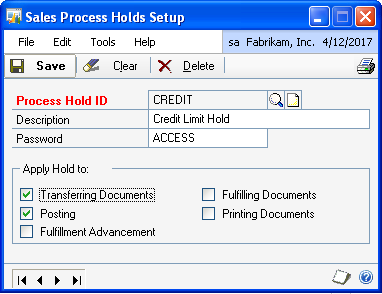
1. Setup a Credit Process Hold disallowing transfer or posting of the order document.
Tools>Setup>Sales>Process Holds


* click image to enlarge
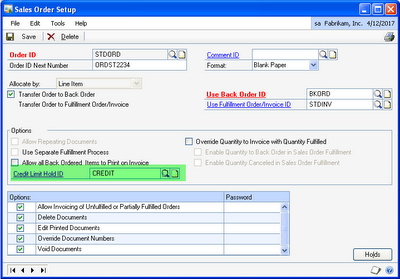
2. In the Sales Order Processing Setup window, choose the Order ID to assign the Hold to and enter the Hold in the Credit Limit Hold ID field.
Tools>Setup>Sales>Sales Order Processing>Sales Document Setup>Order

* click image to enlarge
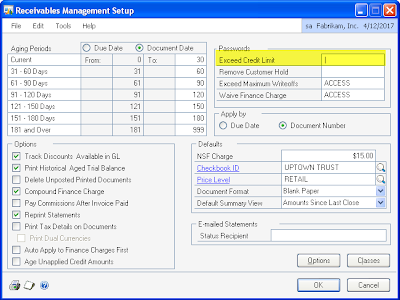
3. In the Receivables Management Setup window, remove the 'Exceed Credit Limit' password.
Tools>Setup>Sales>Receivables

* click image to enlarge
Now, when you enter a sales order that exceeds the customer's credit limit, a Process Hold will be placed on the order when you save it. Transferring the order to an invoice will be prevented by the Hold unless you provide a password to override it. The Hold on the order is signified by the Stop Sign on the Holds button.

* click image to enlarge

*This post is locked for comments