




 Like
Like Share
Share
 Report
Introduction:
Difference in configuration of Role Center between Microsoft Dynamics NAV and Microsoft Dynamics 365 Business Central.
Pre-requisites:
- Microsoft Dynamics NAV
- Microsoft Dynamics Business Central
Solution:
In Microsoft Dynamics NAV After creation of Role Center. When assigning the Role Center Page to the User the following process is followed.
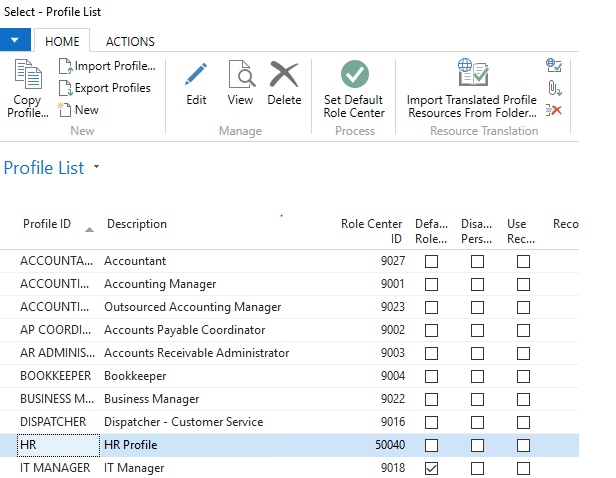
1. Creating a new Profile in NAV for the and assign the Role Center Page ID .
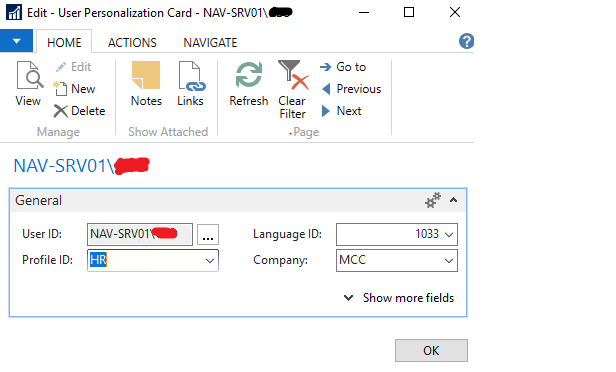
2. Assigning the User Profile in User Personalization.
In Microsoft Dynamics Business Central:
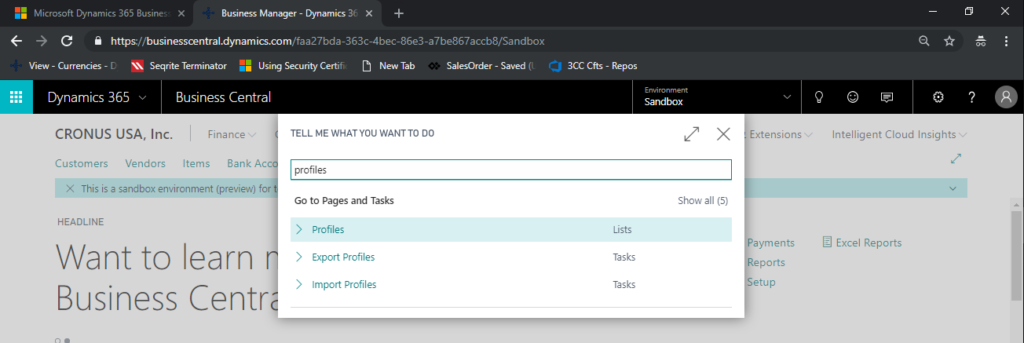
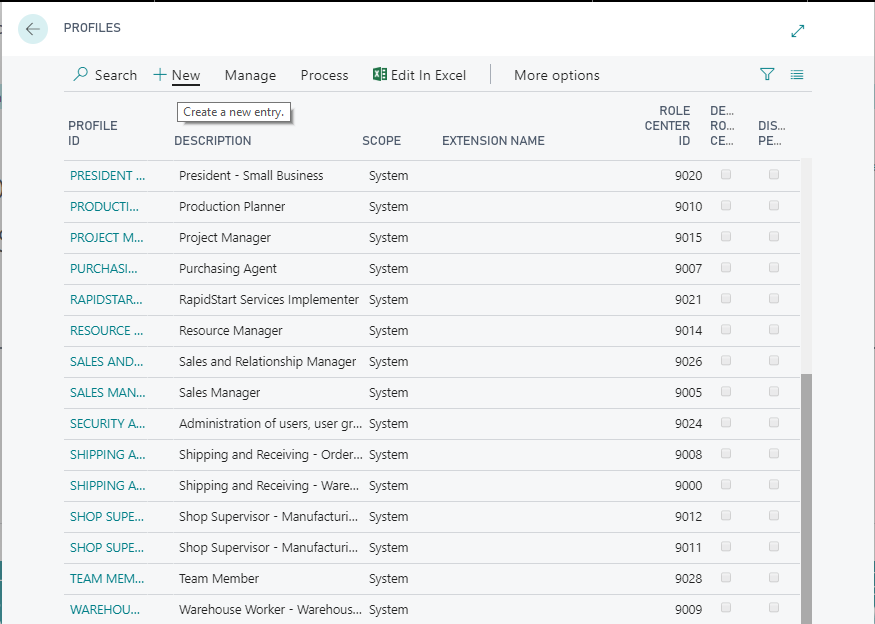
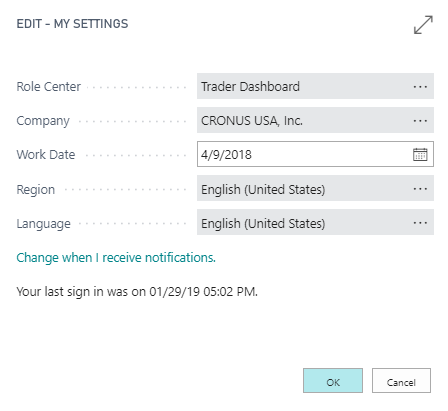
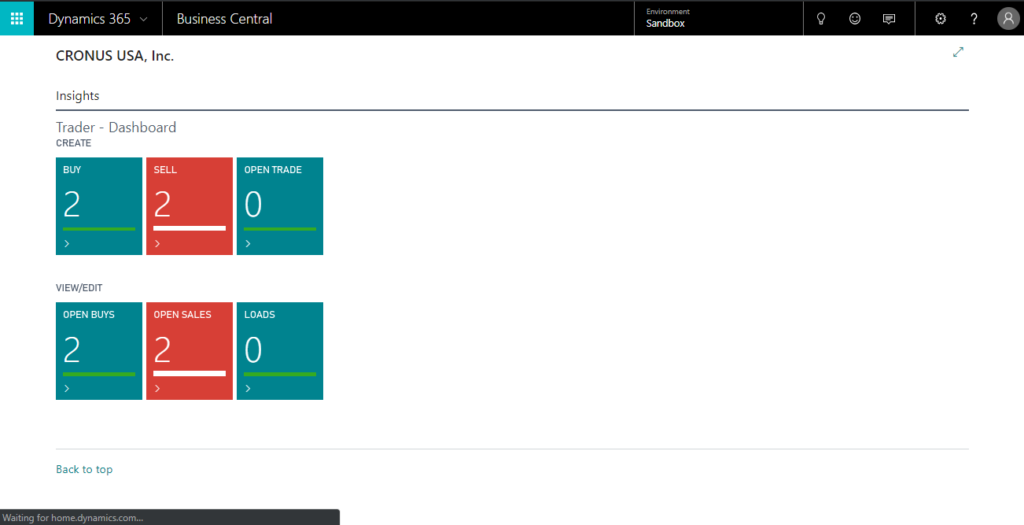
1. Creating a new Profile in Business Central for the required Role Center and assign the Role Center Page ID.
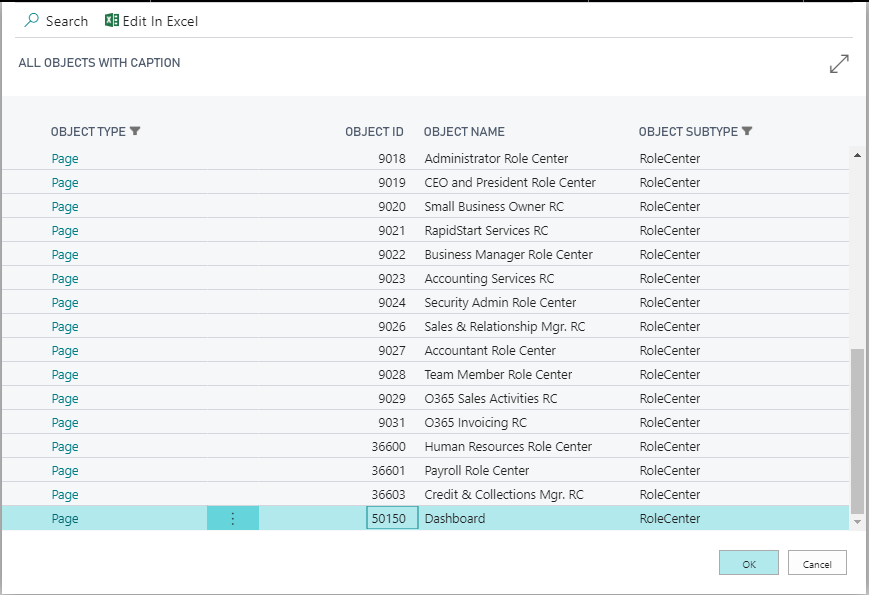
2. Selecting the User Profile directly in the Settings.
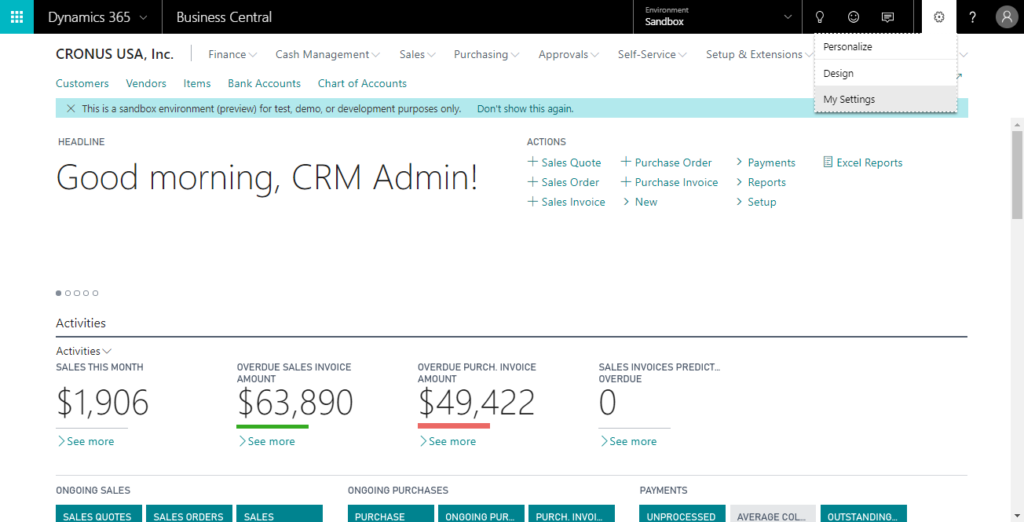
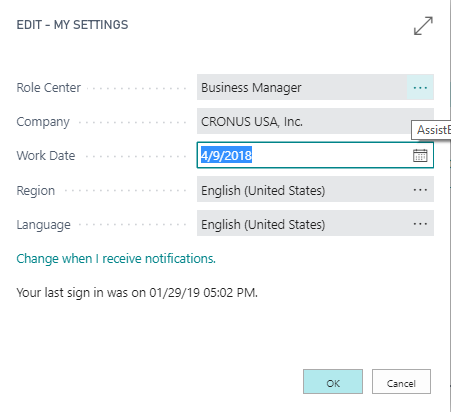
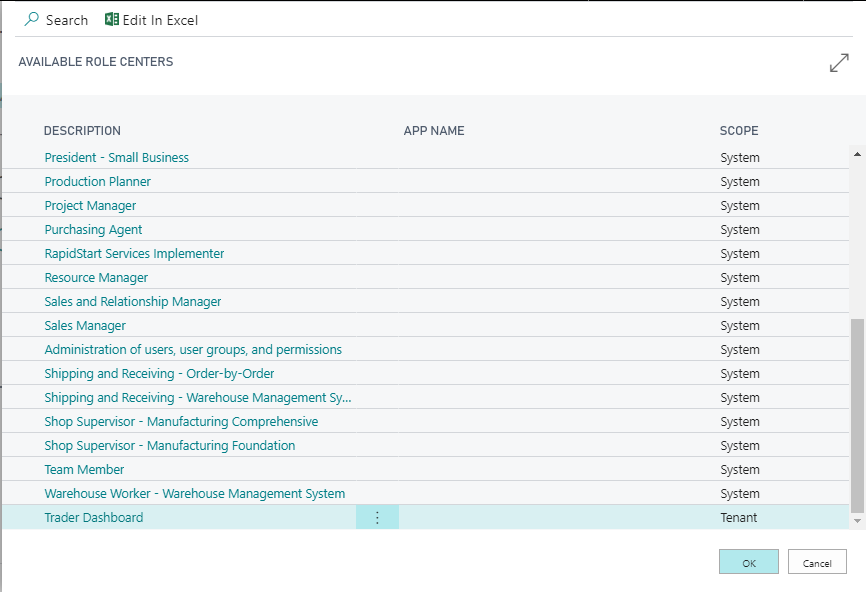
Conclusion:
This is the difference when configuring Role Center Page in NAV and Business Central
The post Difference in configuration of Role Center between NAV and Business Central. appeared first on CloudFronts - Microsoft Dynamics 365 | Power BI | Azure.
*This post is locked for comments