




 Like
Like Share
Share
 Report
Introduction:
We had requirement where we wanted to send Email using Power Automate. We had already implemented this using Work Flow. While implementing this using Power Automate, we started receiving mentioned issue “You are not authorized to send mail on behalf of the specified sending account.”
We had similar issue while implementing the same using Work Flow, But it did not work for the Ms Flow, after doing RND we came to know that we need to give permission to send the mail on behalf of another user.
Solution :
Please follow the below steps to give permission to specific user.
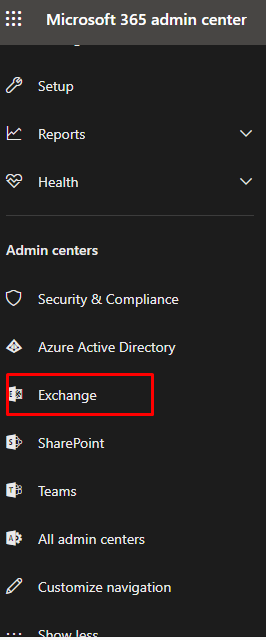
Step 1: Go to Admin Center -> Select Exchange Admin Center.
Step 2: Click on Recipients and Select User you want to give permission and follow the steps as shown below.
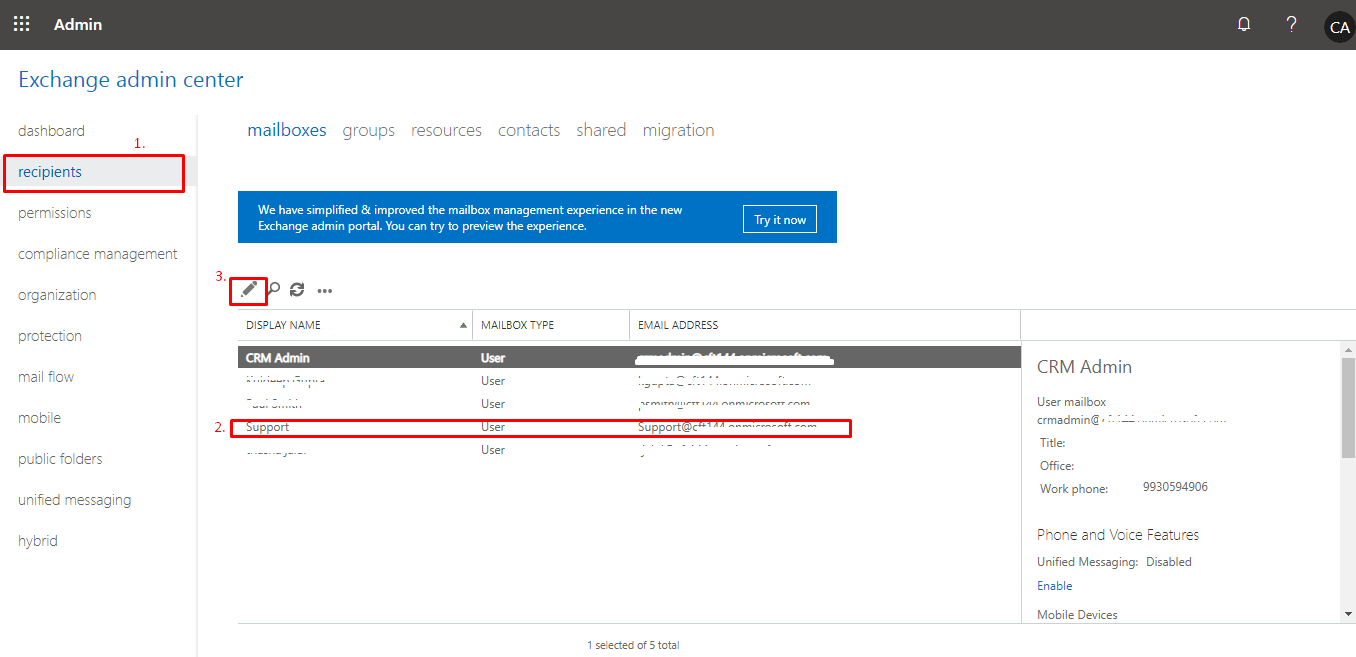
Step 3: In this scenario, We wanted to send Email from Admin on behalf of Support User.
Below are the Steps to Give the Permission:
i. Go to mailbox delegation.
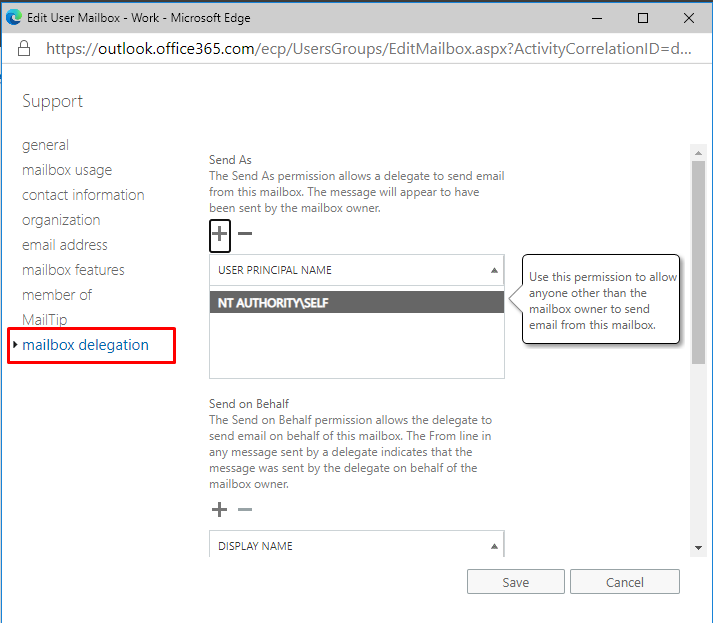
ii. Click on the “+” icon and add User from which you want to send Email.
In this scenario, we wanted to the send Email by Support. So, add Admin into Send as and Send on behalf and Full Access. ->Save and try to run the flow.

Hope this will help you while sending an Email on behalf of the another User.
The post “You are not authorized to send mail on behalf of the specified sending account.” – Resolved. appeared first on .
*This post is locked for comments