



 Like
Like Share
Share
 Report
With the release of Dynamics CRM 2015, Microsoft made available the related tools including the new Report Authoring Extension (the download link is listed under my Resources page).
The Report Extension (required to build FetchXML reports) is now compatible with Visual Studio 2012.
SQL Server Data Tools - Business Intelligence for Visual Studio 2012 must be installed, together with .NET Framework 4.5.2: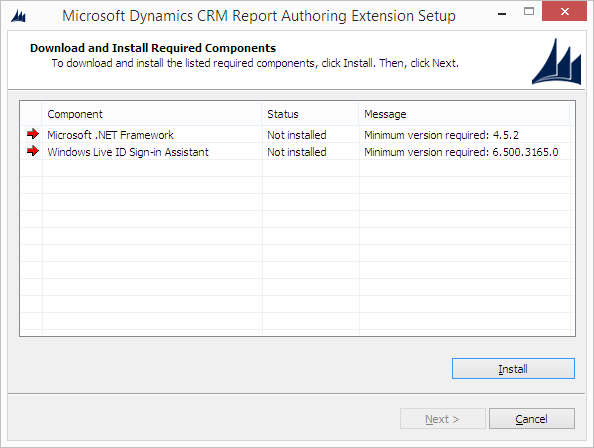
Because I had in my machine the CRM 2013 Report Extension, the setup prompted me for Repair or Uninstall:
In this case you need to click Uninstall and relaunch the setup in order to install the 2015 version because choosing Repair will return an error.
After the installation is completed, the template Business Intelligence is available inside Visual Studio:
CRM 2015 Report Extension and Visual Studio 2012
Views (4859)
 Guido Preite
 54,086
Moderator
54,086
Moderator
This was originally posted here.
*This post is locked for comments