




 Like
Like Share
Share
 Report
Why is this a good thing? Well, some organizations don't necessarily have a need to deploy reports out to a number of users. Sometimes, it's just one or two users who want to create and generate reports for themselves-- as opposed to developing reports for others. In those situations, you can just download the Report Builder and get going!
Download Report Builder 3.0....
http://www.microsoft.com/en-us/download/details.aspx?id=6116
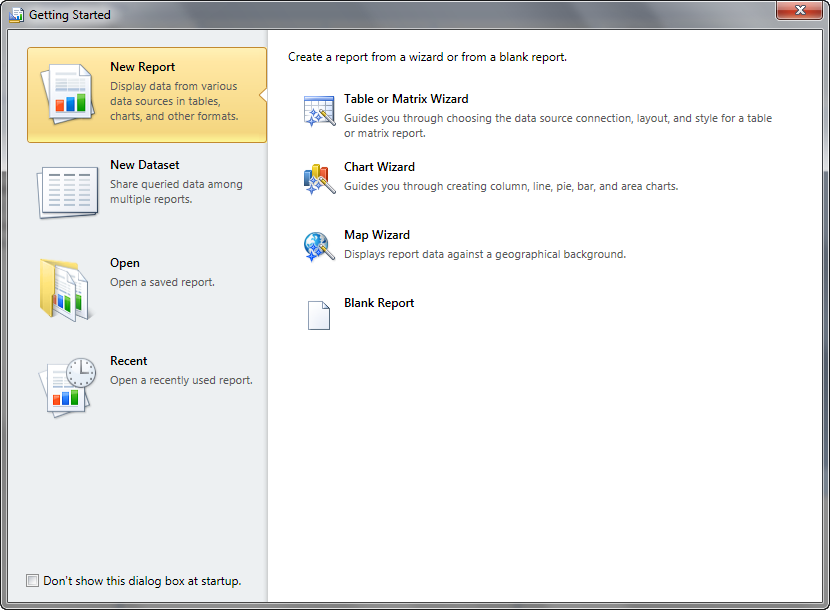
When you launch the Report Builder, you will be greeted with a Getting Started window like this:
One other concept I should toss out there, if you are going to give Report Builder a whirl, and you have not previously worked with SQL Reporting Services-- the concept of Data Source -vs- Dataset. In Report Builder and SSRS, you have a data source (just like you would with Crystal Reports) that stores the information necessary (e.g., database, server, user login) to connect to the database you want to report on. But in Report Builder and SSRS, you then also have the concept of a Dataset. In the most basic terms, the Dataset is the query used to pull information from the database. For example, a dataset might select data from tables or views in your database. Or it might execute a stored procedure to return results to be used on your report. If you choose to use one of the report wizards to create your report, you will be guided through the process of creating both a dataset and a data source for your report. Also, I should note a couple interesting things about data sets...
1. You can create shared data sets to be deployed to SSRS and used on multiple reports
2. An individual report can actually contain multiple datasets, which can be unrelated...this is particular useful if you are designing a dashboard-style report with different information displayed in different regions of the report
Hope this little bit of introduction to Report Builder, and how you can start using it NOW, helps!
Christina Phillips is a Microsoft Certified Trainer and Dynamics GP Certified Professional. She is a supervising consultant with BKD Technologies, providing training, support, and project management services to new and existing Microsoft Dynamics customers. This blog represents her views only, not those of her employer.

*This post is locked for comments