




 17,887
 Like
Like Share
Share
 Report
Unfortunately, it’s not available in the current version and replaced by another useful tool called Security diagnostics tool.
In the previous Post, we talked about using Task recording and how it works.
also, I talked about the security from visual studio before in this post
Today, how to use this recording in security diagnostics tool?
firstly, we can create new Test role like "CreateCustomer"
1-create security role
go to system administration / security/security configuration
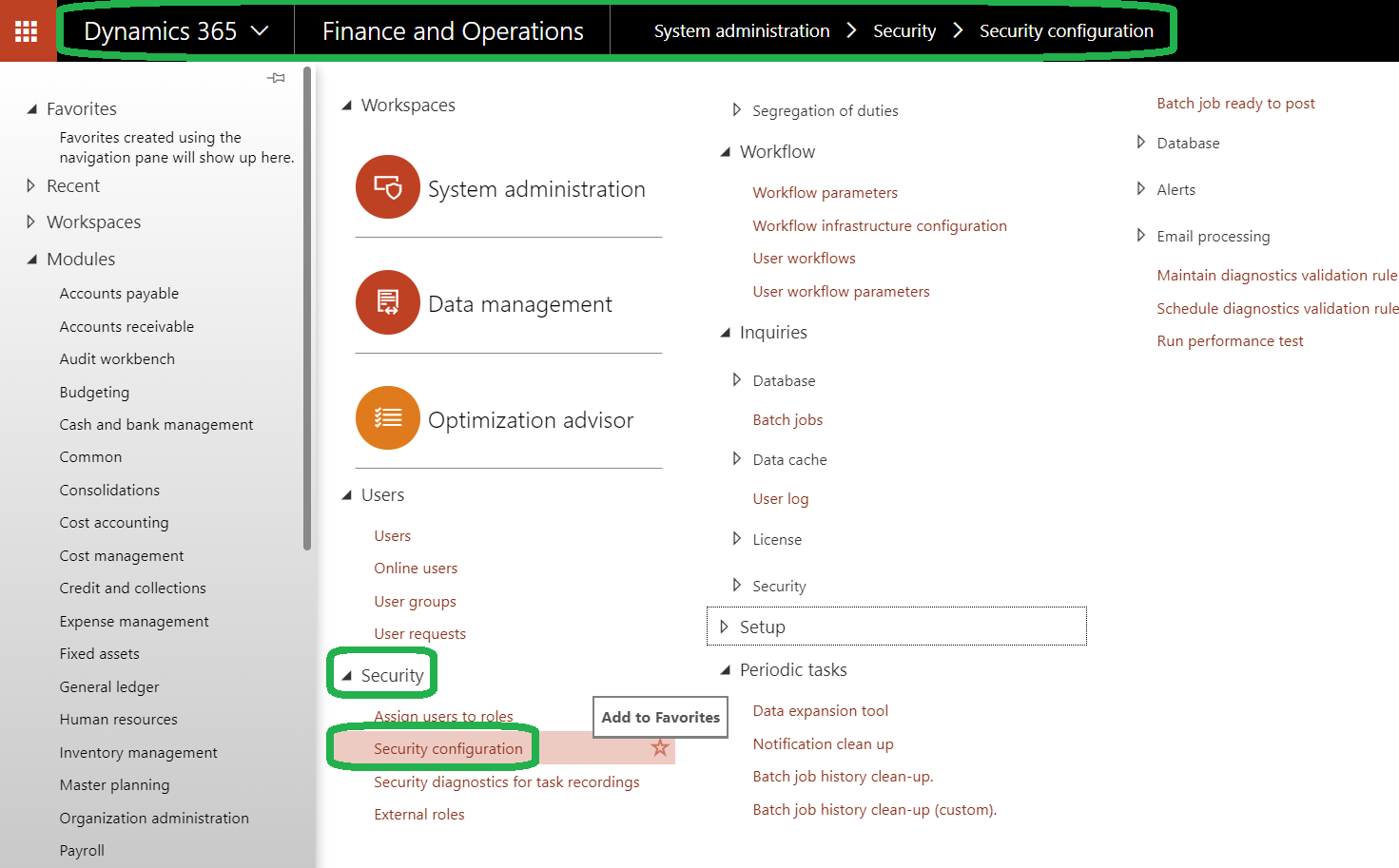
and click create a new role as "CreateCustomer"
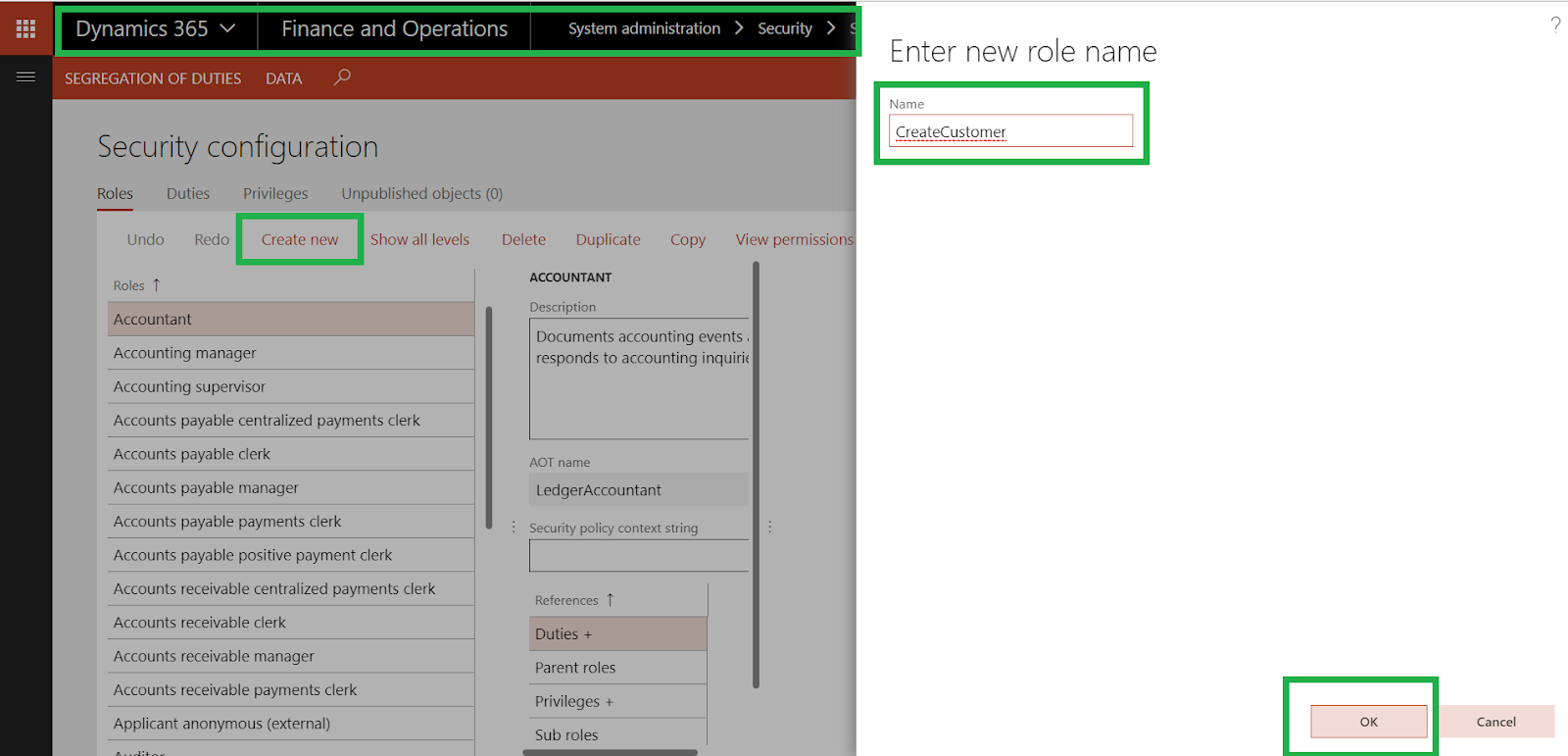
go to unpublished objects tab and click publish all or select your role and click publish selection

note // you can not assign this role for the user until publish
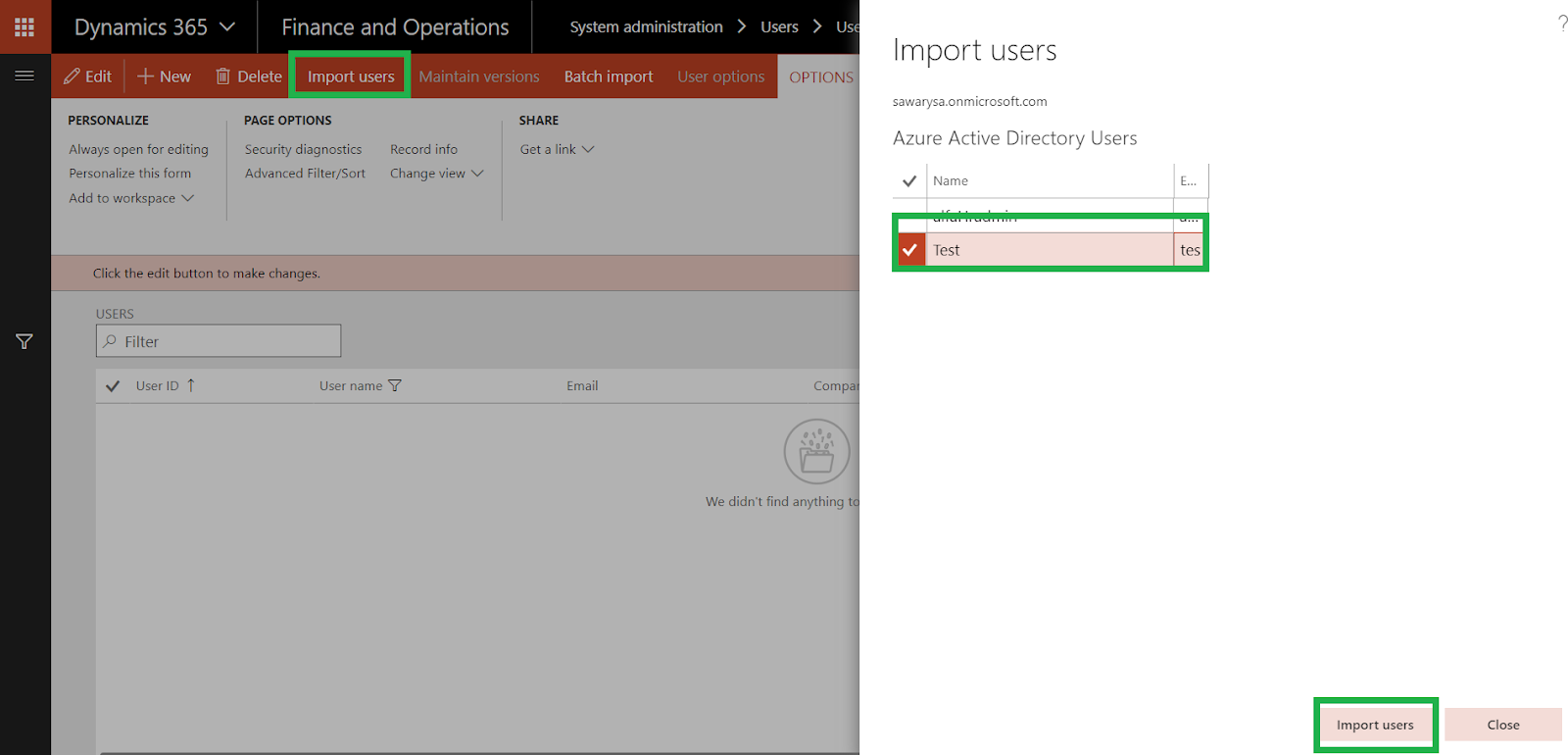
2- import user Test
go to system administration/users/users
and click import user
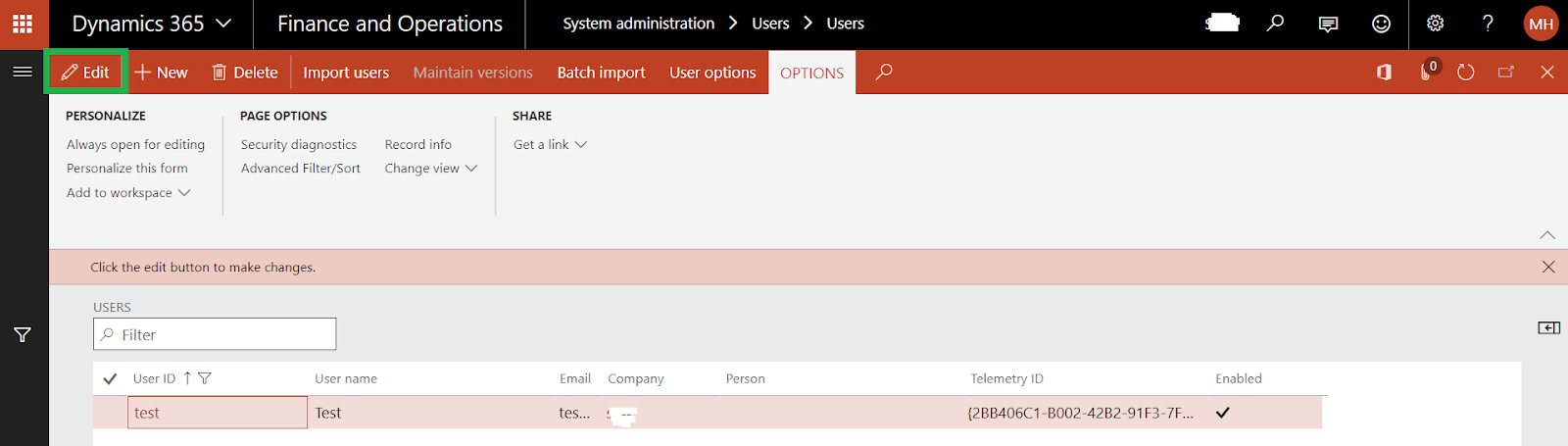
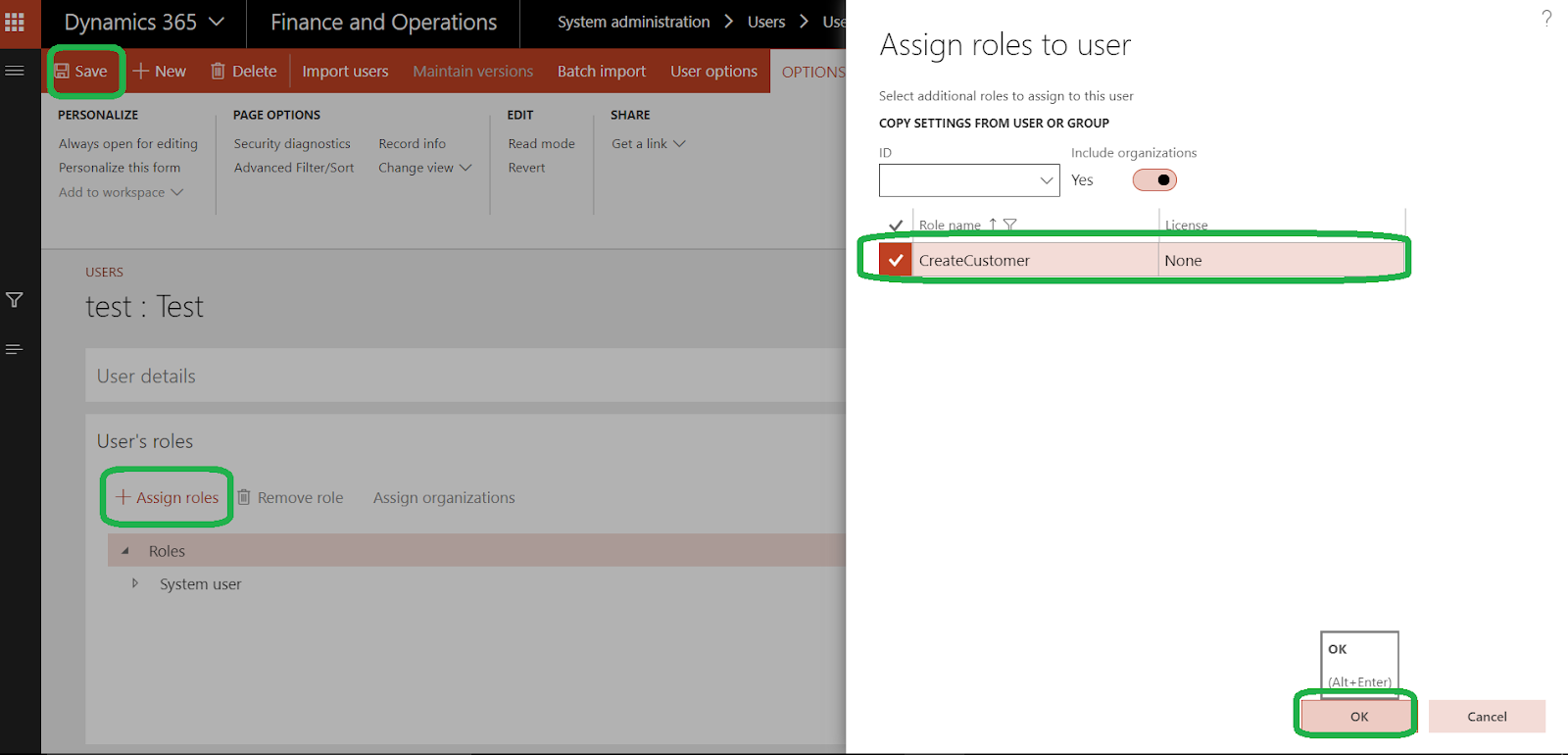
click edit to assigns CreateCustomer role security to user Test
click add roles and select CreateCustomer and click ok, then save
3- import the recording
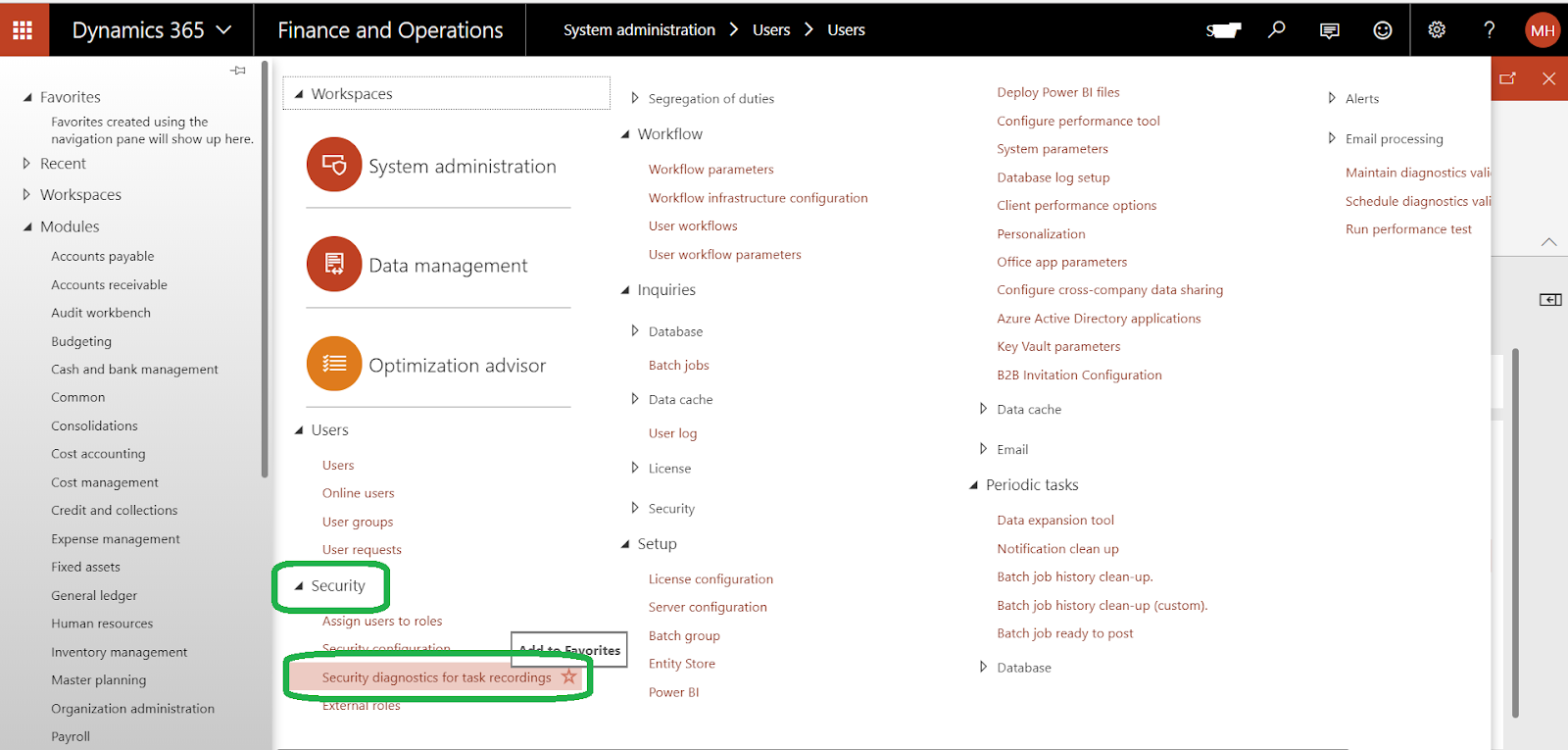
go to system administration/security/security diagnostics for task recording
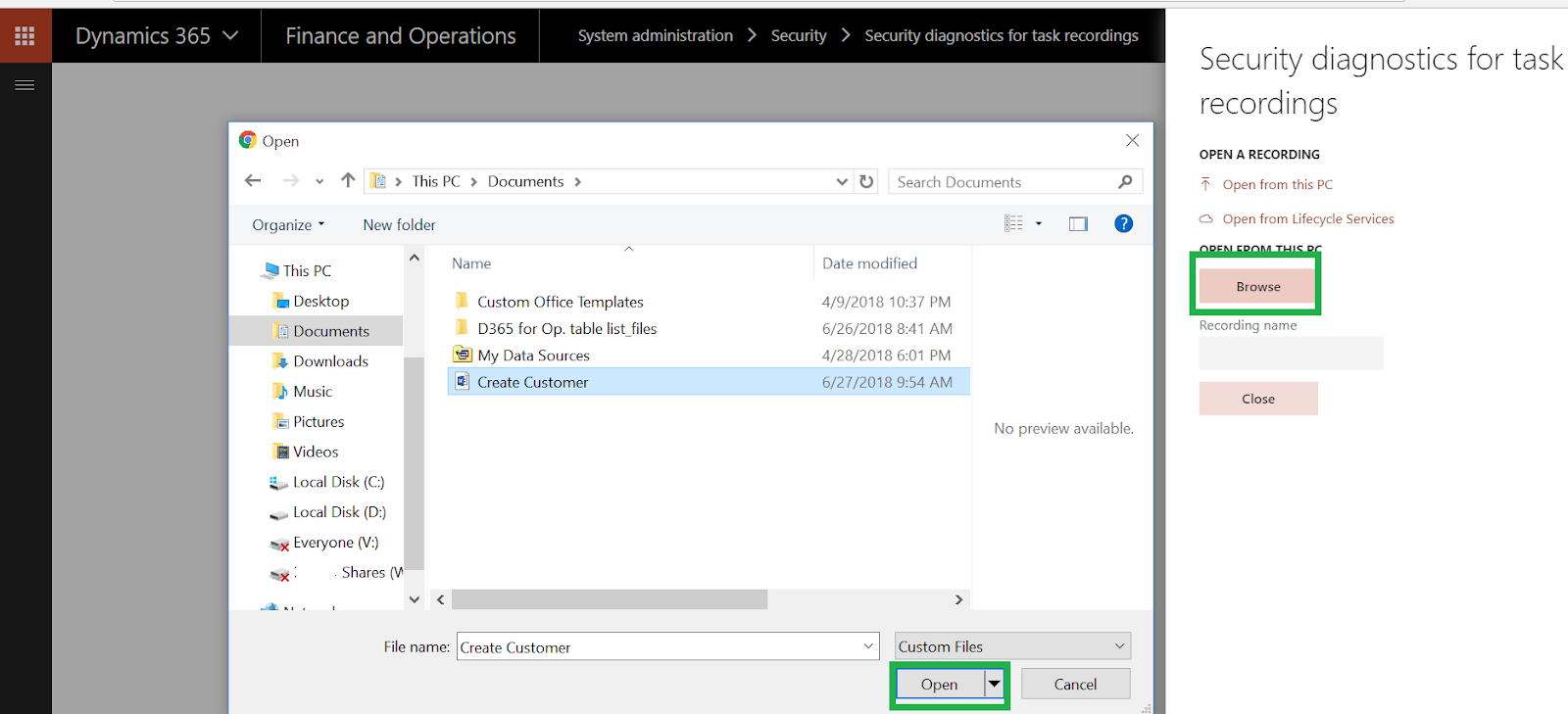
as we mention in this post , you can save your recording to your pc or lifecycle services LCS
already I save this recording to my PC and I will open it to grant permission for Test User

browser your file and click open

click add reference to add the missing permission
in this form, you can see the list of security objects that grant the active security entry point.
so, you can add a role to this user as the below
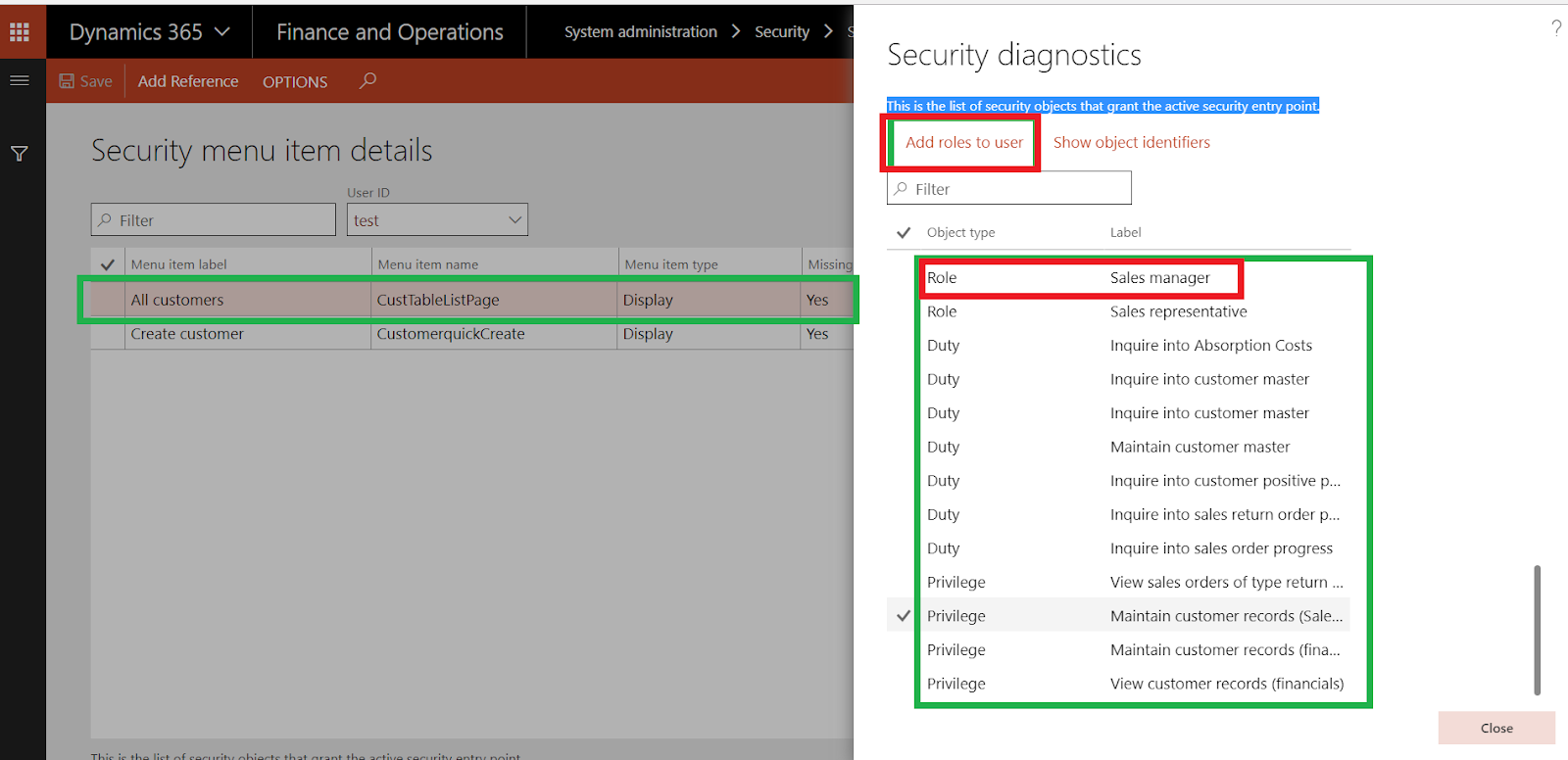
or add duty to the assigned CreateCustomer role
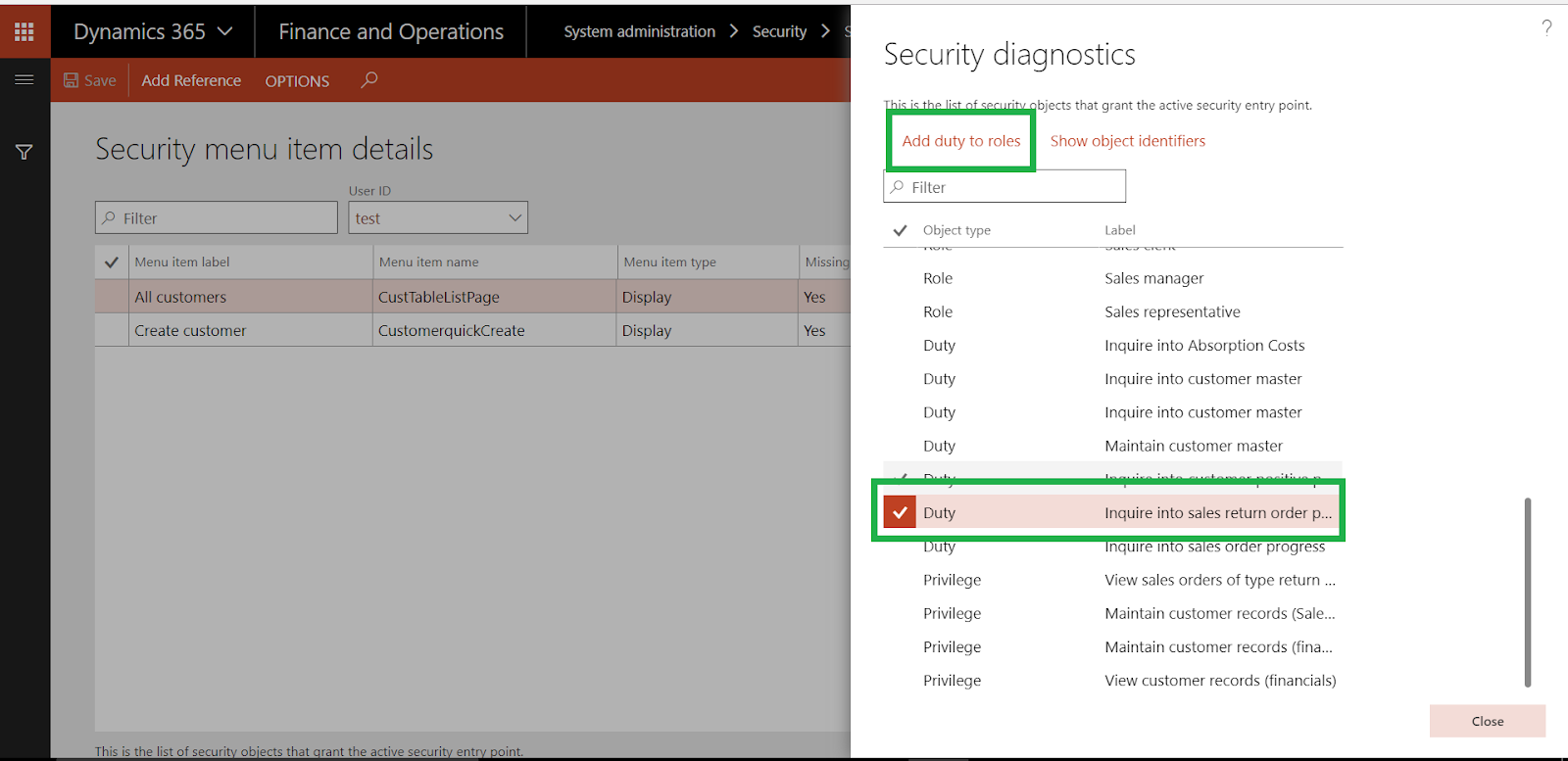
select user test and CreateCustomer role
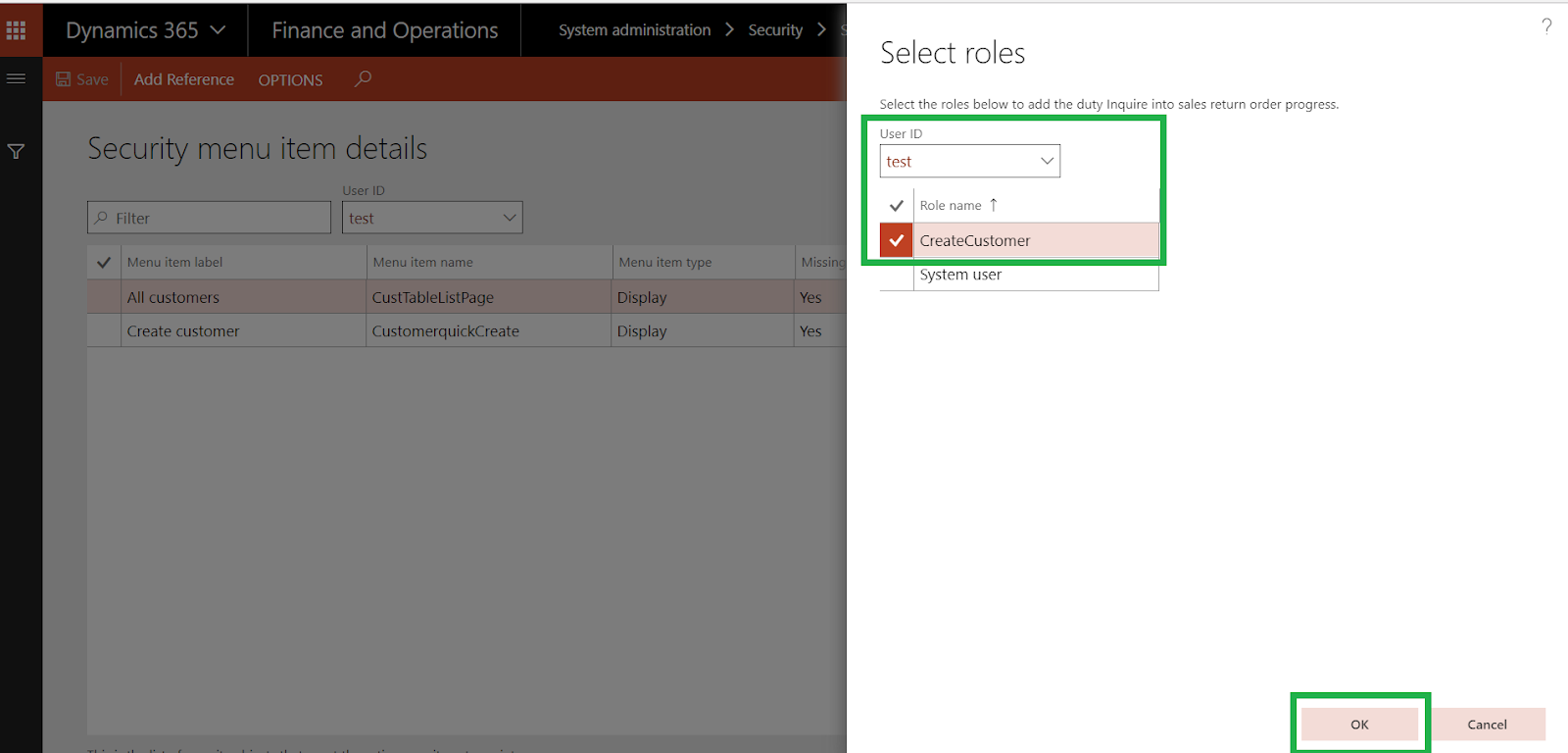
click OK
if you go to security configuration again, you can see this duty published to the role

you can see more details about Security diagnostics here
Thanks.
*This post is locked for comments