




 34,477
 Like
Like Share
Share
 Report
We were investigating the option of using non-interactive user account for automated deployment, and it was all going great until we ran into the error below while importing the solution:
“This process cannot be activated or deactivated by someone who is not its owner. If you contact support, please provide the technical details.”

Actually, I remember having seen this error before. As in, a few years ago it would be normal to see it. Then it went away somehow, so, normally acting as a System Administrator, I have not seen it for a while. Apparently, what we saw this time had something to do with the permissions granted to our non-interactive account – it was set up as System Customizer.
So, just in case you run into it and to save you some time, here is the permission you’ll need to add to the System Customizer role in this scenario – took us a bit of testing to figure it out:
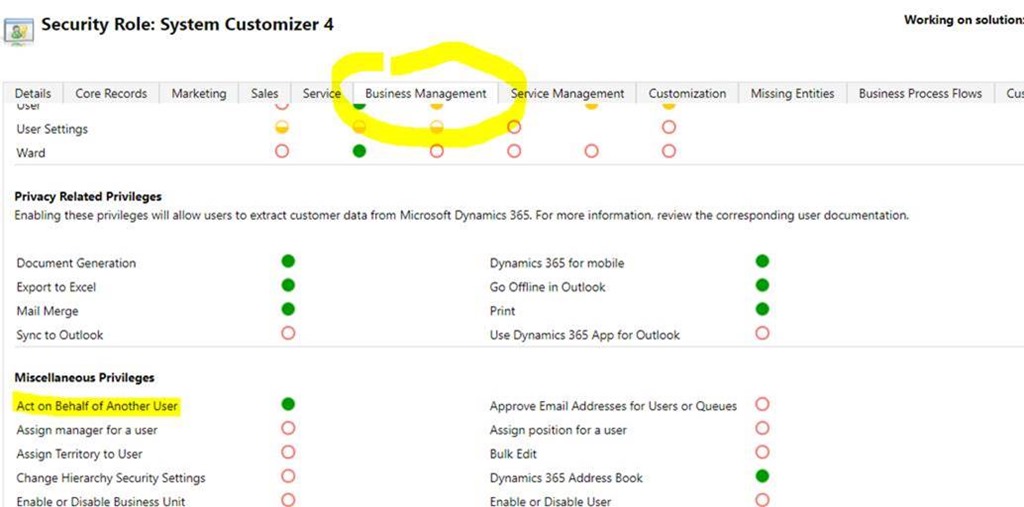
(I also noticed that it may take a minute to “apply” this permission.. then it all starts to work)
*This post is locked for comments