


web
You’re offline. This is a read only version of the page.
close
Skip to main content

Announcements

No record found.

News and Announcements icon
Community site session details

Community site session details

Session Id :

EDT Array Elements in Dynamics AX2012 & AX7 / D365

dasdasd Profile Picture dasdasd 841
In AX2012 or AX7 / D365, we have a feature of an extended data type in the Application Object Tree (AOT) that contains multiple elements. This enables you to store multiple data elements in a single field that is based on this extended data type. Typically this is done by creating an extended data type (EDT) that is an array type, and then using the EDT as the type for a field in a table. 

When I work for one of my projects in dynamics, I have a scenario in which user wants to see multiple sales orders, based on some conditions in grid. 
So on that point I have two options:
1- I should create 100 columns in my table. Or;
2- I should create a single edt containing 100 array elements.
As per good programming practice & more effective architectural design
I used option No 2. Which is shown in below image. It is more easy to handle and
more suitable.

Create EDT with Array Elements: (Sales Id Type)


Add EDT in Table:
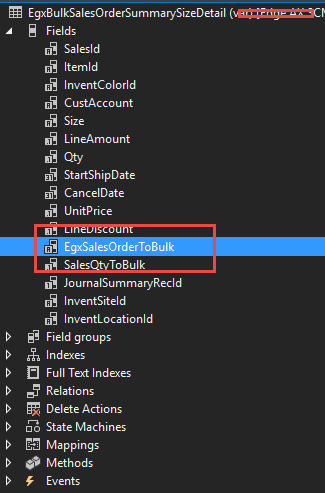

When you add your table as datasource in Form. It creates array elements as fields.


This was originally posted here.

Comments

*This post is locked for comments