






How to disable recently used records in lookup fields in CRM and Dataverse?
Views (38)
 Ram Prakash Duraisamy
 2,289
2,289
 Like
Like Share
Share
 Report
Introduction:
In this blog we will see how to disable recently used records lookup field values in MSCRM or Dataverse
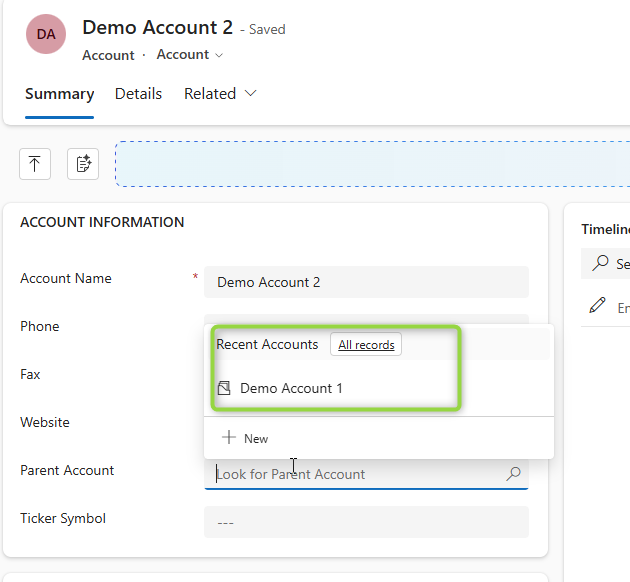
In my case, I want to hide the “Recently Used” section in the Parent Account lookup so that only recently created records are shown. Let’s see how we can achieve this.
In my case, I want to hide the “Recently Used” section in the Parent Account lookup so that only recently created records are shown. Let’s see how we can achieve this.
Implementation Steps:
- Navigate to https://make.powerapps.com
- Select Tables
- Look for Account Tables
- In the Account Tables select the Forms
- Open Account Form
- Once the Form Opened select the field PARENT ACCOUNT
- At the right side you can see an Option to Select "Disable most recently used items"
- Click Save and Pubish
- Now open the Model Driven App and click the same field you cannot see the Recent Accounts
Conclusion:
By following above steps we can easily disable most recent records from Lookup.
By following above steps we can easily disable most recent records from Lookup.
This was originally posted here.
*This post is locked for comments