




 Like
Like Share
Share
 Report
As reported by Andre “I’ve got 88 in my handle” Margono:
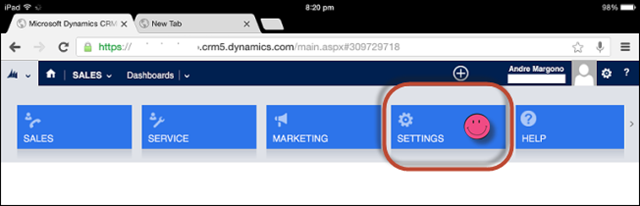
Recently I stumbled across a question in Dynamics CRM Forum regarding “How to see CRM Settings on a tablet browser”
Out of my curiousity, I tried something on my iPad. The steps that I used to achieve this is using Google Chrome on iPad (never bother to check it on Safari though, as I never use that):
- Open a new Tab, navigate to Dynamics CRM instance.
- On Google Chrome option (the three lines at the right hand side of url bar), select “Request Desktop Site”
- It will redirect to https://<crmserverinstance>/m/default.aspx change it to https://<crmserverinstance>/main.aspx
- Voila, the Settings button is there and works! It’s quite slow though.
*This post is locked for comments