




 9,267
9,267 Like
Like Share
Share
 Report
I read several blog articles how easy it is to use realtime workflow based auto number solution with a new auto number entity.
In one of the recent project I thought I will use this approach instead of a third party solution.
It worked fine but I struggled with this issue:
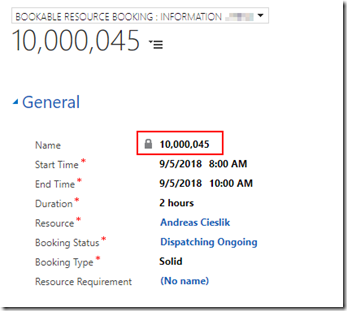
As you can see the value has decimal separators.
So I was upset and thought about how to solve it.
A blog article wrote about how we could change the user and the global format settings to work around this issue.
I did not like this approach neither would my customers like it.
Finally, I smart tip was found on this blog article written by Prashant Shukla:
http://dynamicscrmcoe.com/auto-numbering-real-time-workflows-no-customization-no-add/
Quote:
“To remove the comma from the Auto-Number field (whole number), copy it to a calculated field of Single Line of Text.”
Only thing after the creation of this new field I had to update the workflow to reference the new calculated field which ended in this perfect result:
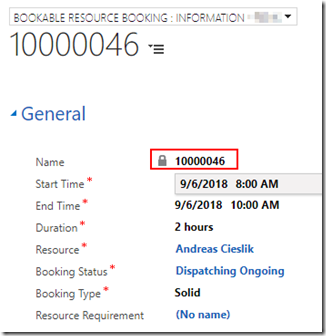
Most articles forget to mention this issue and I thought this would be a nice addendum to all of those.
*This post is locked for comments