




 17,887
 Like
Like Share
Share
 Report
as the below

but in Dynamics 365, you can export data by a different way
for Example, export all customers
go to accounts recivables\customers\all customer
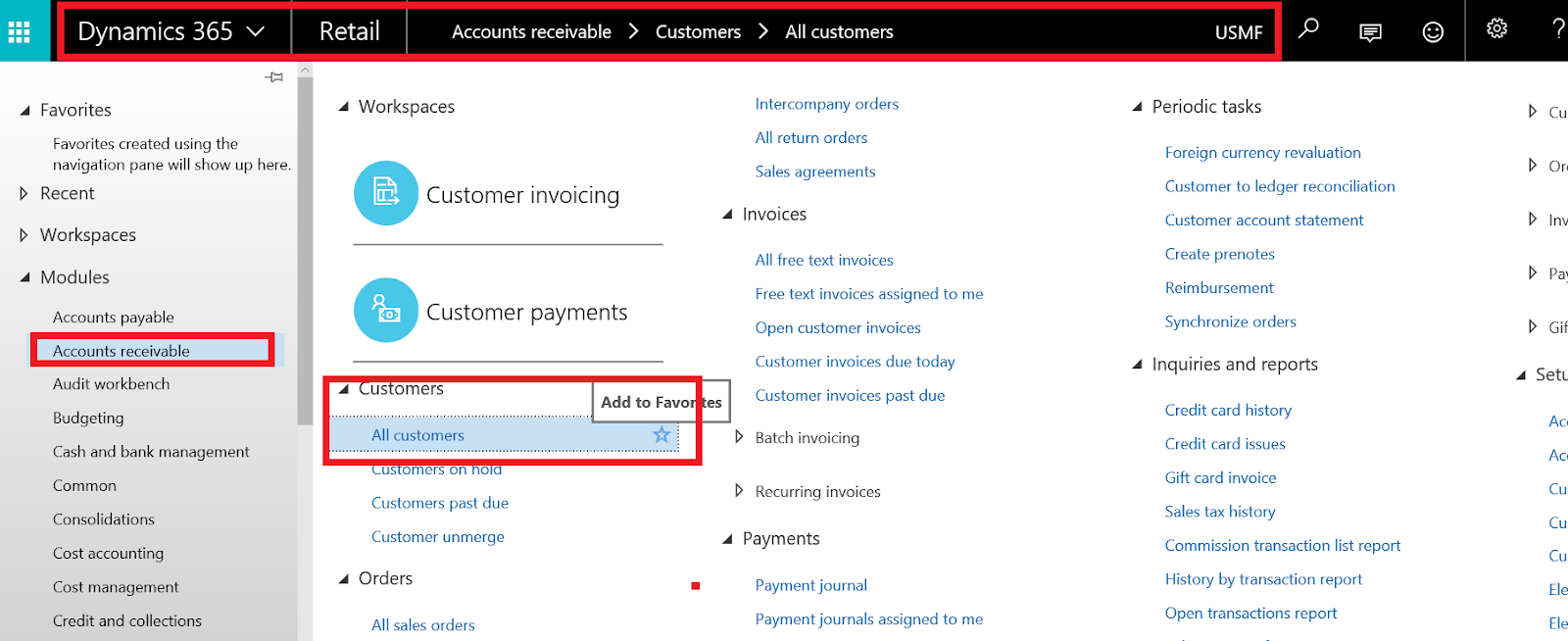
select specific data or select all

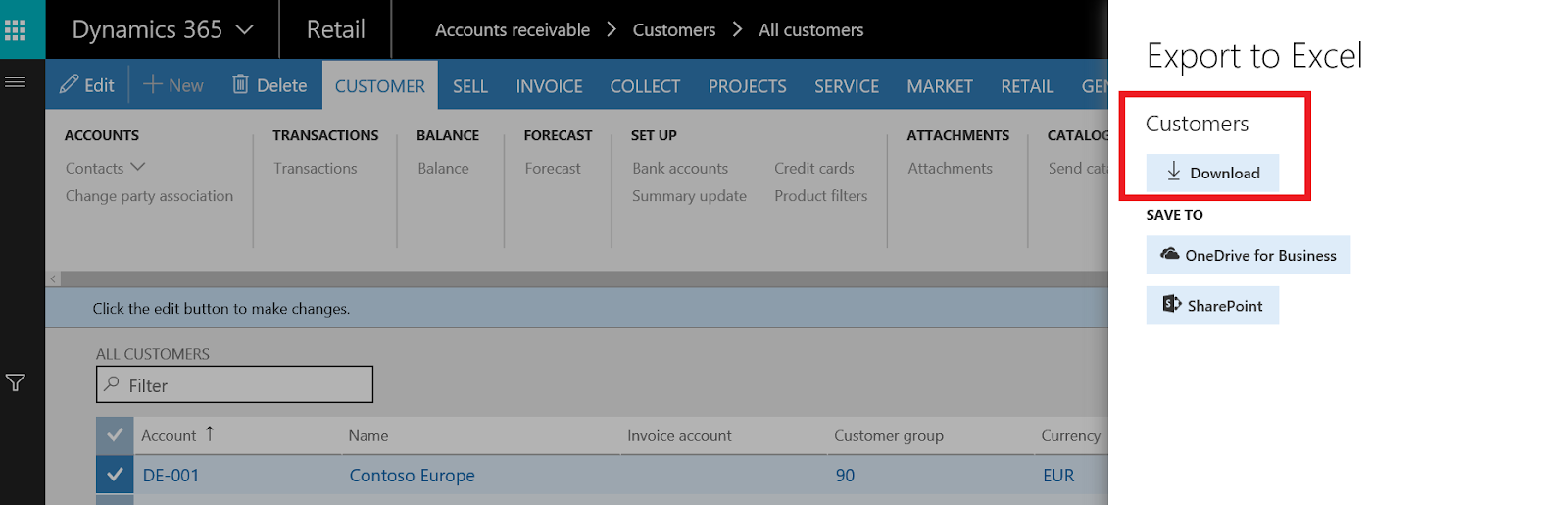
in the right side, you can select export to excel from the menu

click export to excel and click download
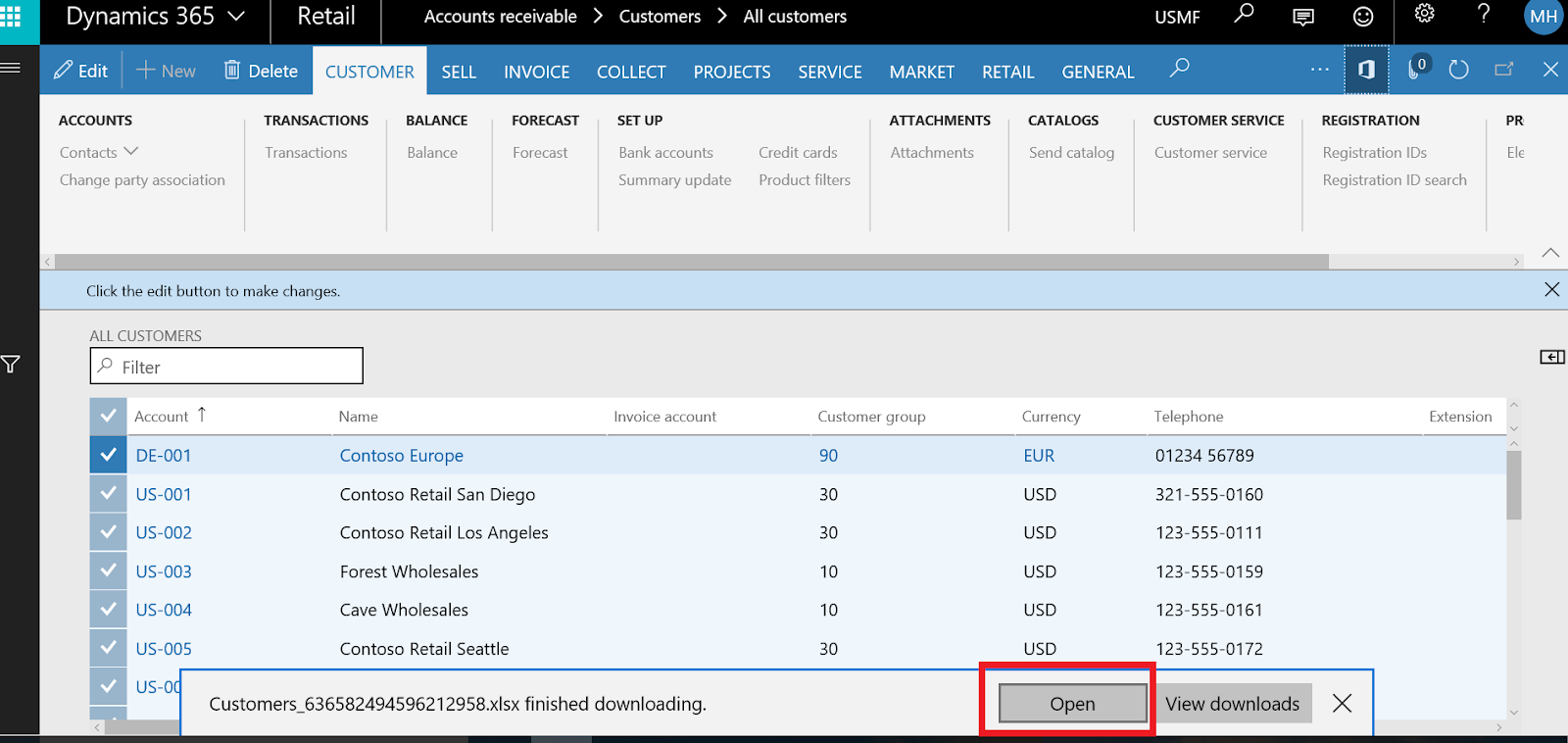
just open the downloaded sheet
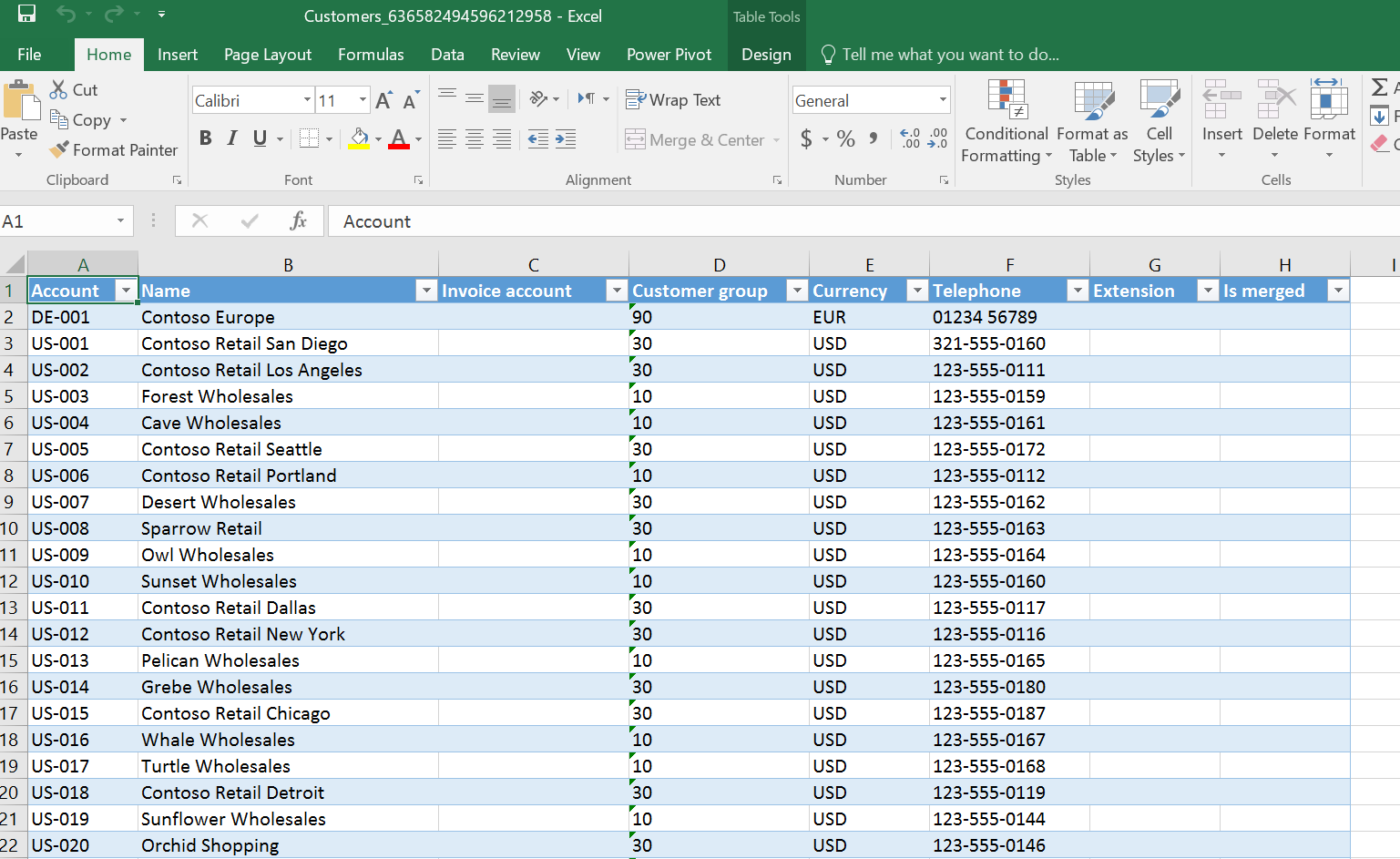
data exported successfully
Thanks
*This post is locked for comments