




 22,784
 Like
Like Share
Share
 Report
 This post is part of the In Microsoft Dynamics 365 Business Central (Administration), how do I… series and of the wider In Microsoft Dynamics 365 Business Central, how do I… series which I am posting as I familiarise myself with Microsoft Dynamics 365 Business Central.
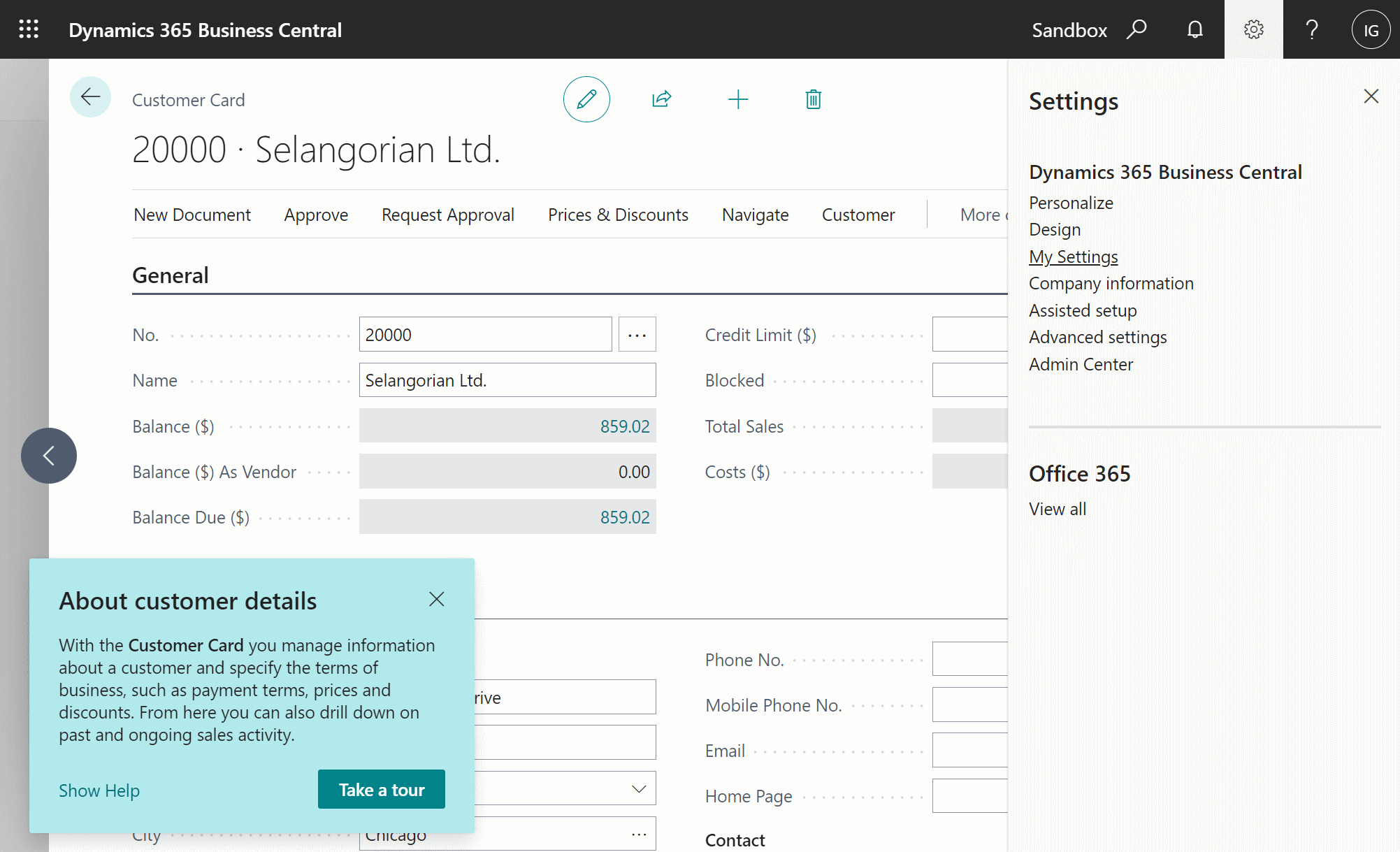
Teaching tips are a standard part of Dynamics BC which displays a light blue popup box providing a link to the help and offering to allow the user to take a tour; these are perhaps useful to some people, but I rapidly got tired of them and looked for a way to disable them.
The screenshot, below, shows an example of the teaching tips on the Customers Card; to disable, click the Settings cog icon in the top right corer of the page and click on My Settings:
The Teaching Tips toggle is at the bottom of the top section of settings; click this to disable the teaching tips for your user; you can click it again to re-enable in future if you want them back:
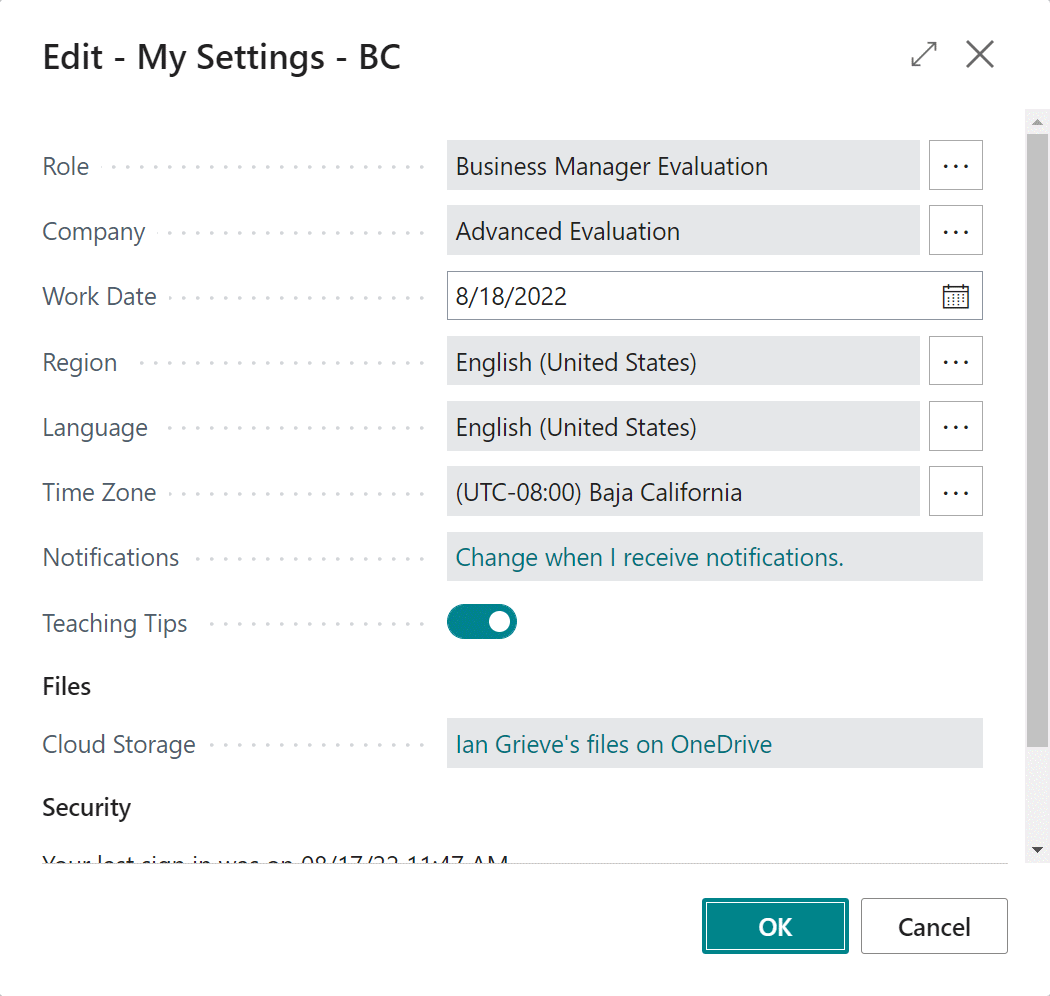
Click OK to close the Edit – My Settings window; teaching tips will now be disabled for your user in all companies of the environment you’re in.
In Microsoft Dynamics 365 Business Central, how do I…
In Microsoft Dynamics 365 Business Central (Administration), how do I…
Read original post In Microsoft Dynamics 365 Business Central, how do I… Hide the Teaching Tips at azurecurve|Ramblings of an IT Professional
*This post is locked for comments