




 Like
Like Share
Share
 Report
I dedicate today’s tip to Steve Mordue, who asked me how to do this.
Let’s say you have the Dynamics 365 App for Outlook configured against D365 instance A, but you are moving instances and want to use it with instance B.
- Log in to https://outlook.office365.com/owa/
- Click the settings gear in the upper right corner
- Select Manage Add-Ins
- Select “My Add-Ins”
- Tap the … on the Dynamics 365 Custom Add-In tile
- Select “Remove”
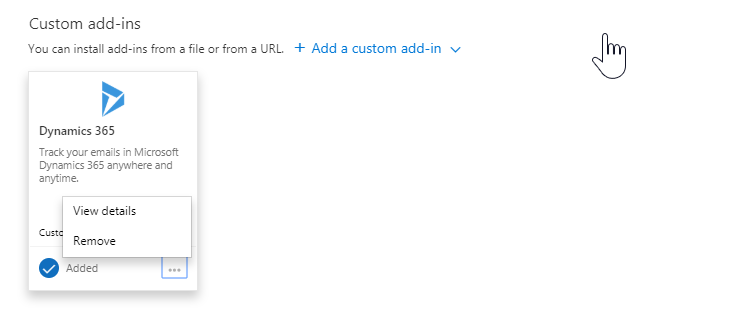
- Install the Outlook app from Dynamics 365 instance B
*This post is locked for comments