




 401
401 Like
Like Share
Share
 Report
The businesses often ask how to adjust Exchange Rate on the document level. Here are the steps.
1. On the Purchase Invoice, navigate to Invoice Details Tabs and click on the ellipsis:

2. In the opened window, you can make an adjustment to the Exchange Rate and the changes will be applicable on this document level.

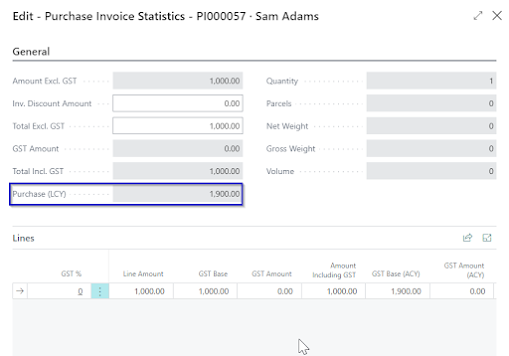
3. The review the result of the updated Exchange Rate, navigate to Invoice and choose Statistics.

#businesscentral #msdyn365bc #erponsulting #technologythesedays #microsoft #dynamics365businesscetral #currencies #foreigncurrency #exchangerates
*This post is locked for comments