




 Like
Like Share
Share
 Report
Introduction:
Pre-requisites:
Microsoft Dynamics NAV
Microsoft Dynamics Business Central
Demonstration:
NOTE: You cannot undo a posting if purchase credit memo is posted.
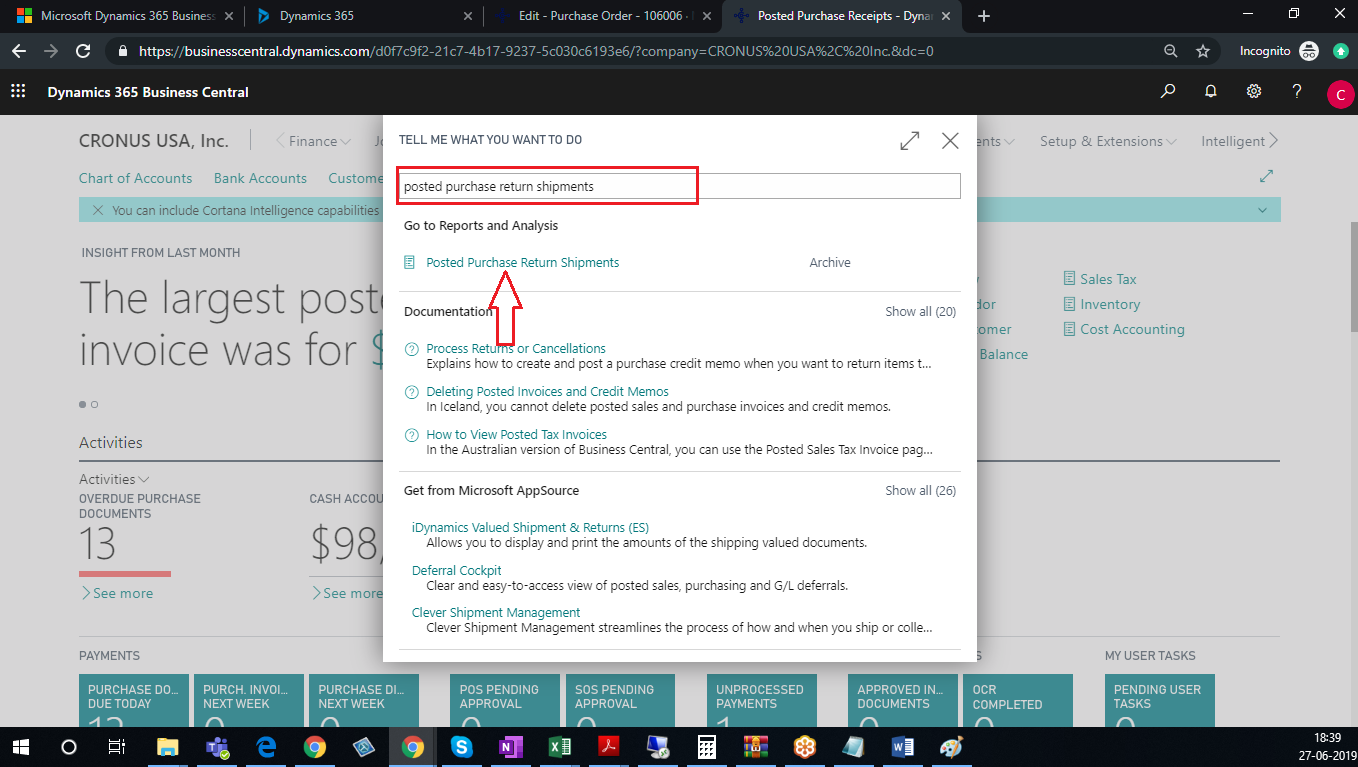
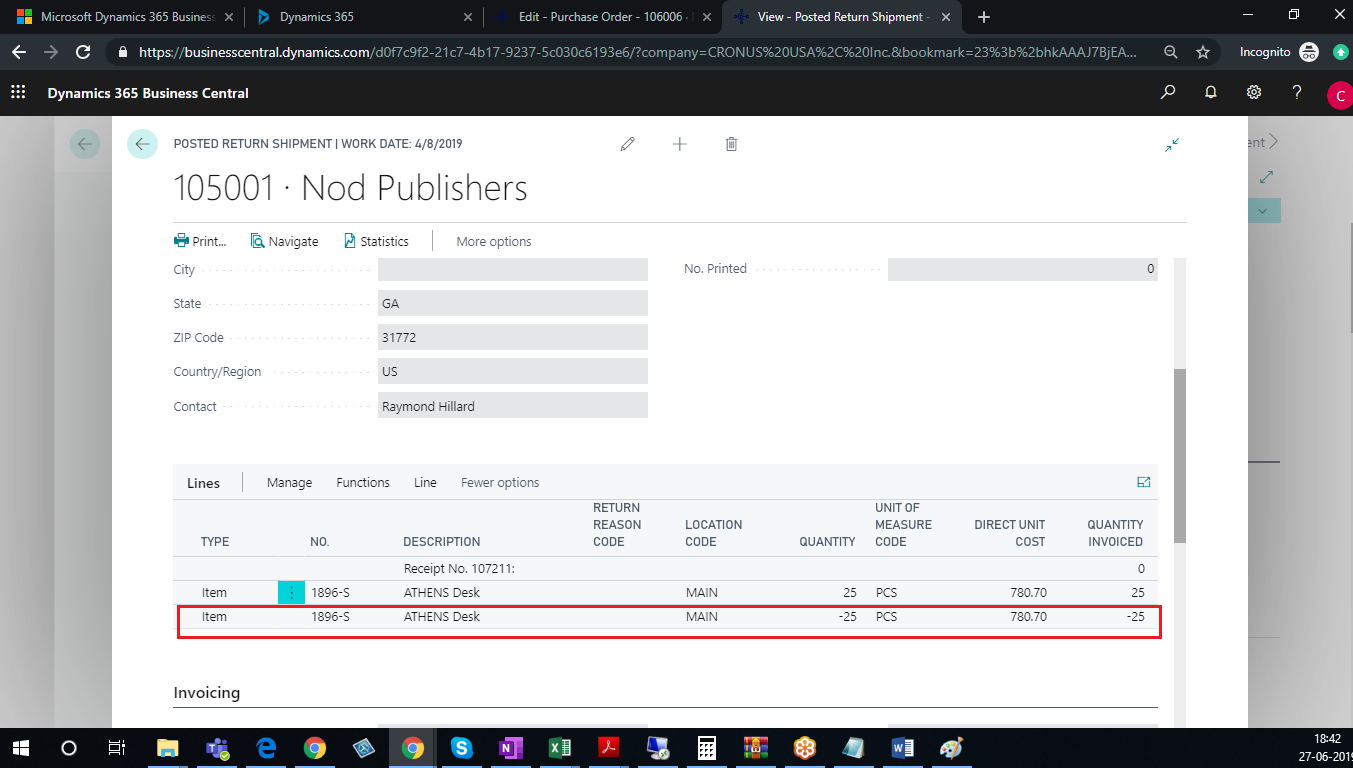
1. In the search option, enter Posted Purchase Return Shipment and then choose the related link.
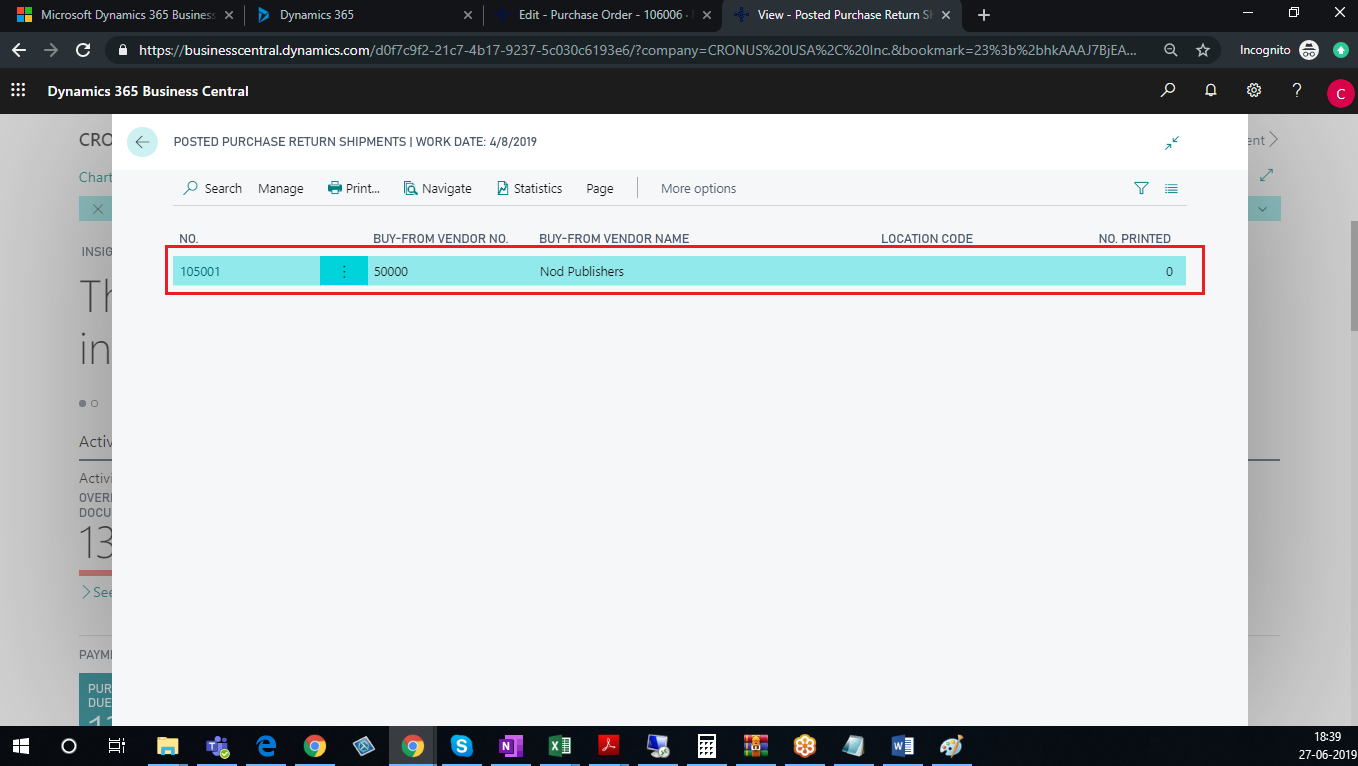
2. Open the Posted Purchase Return Shipment that you want to undo.
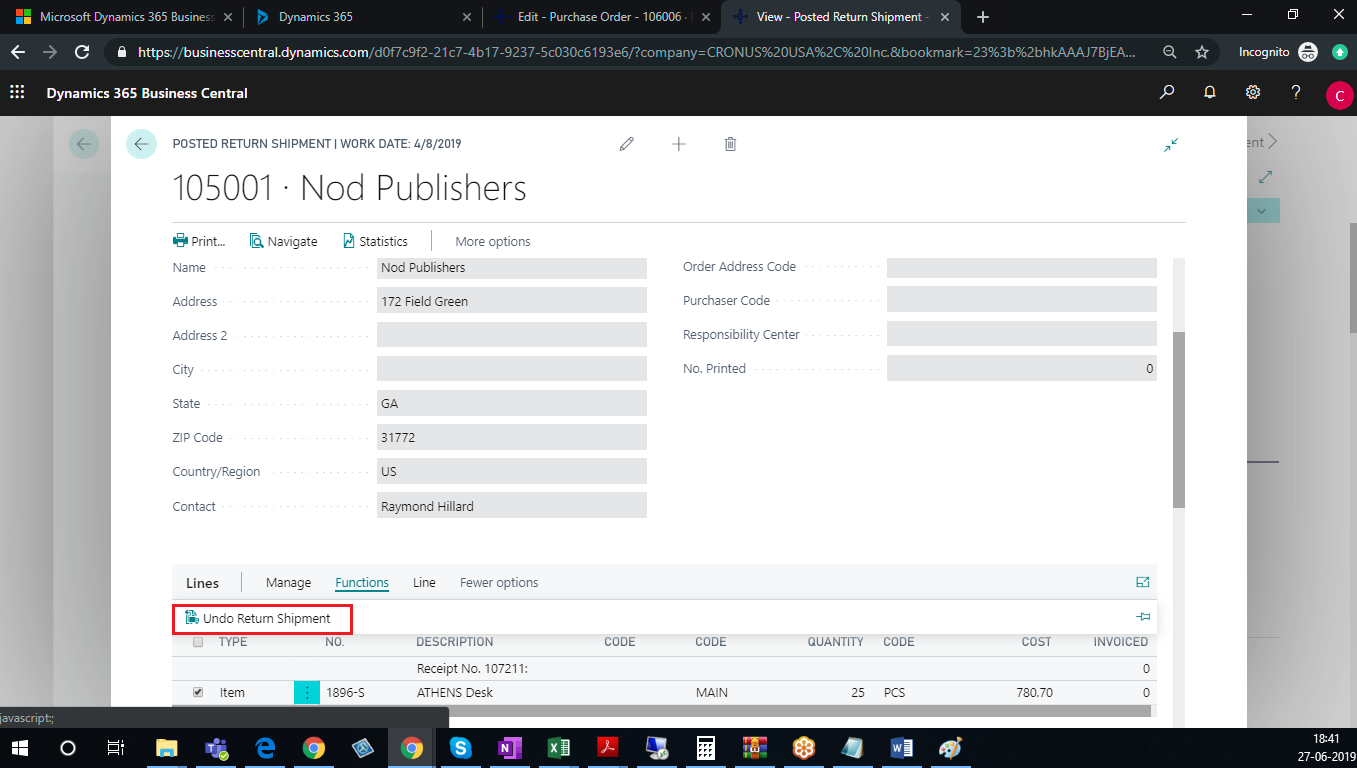
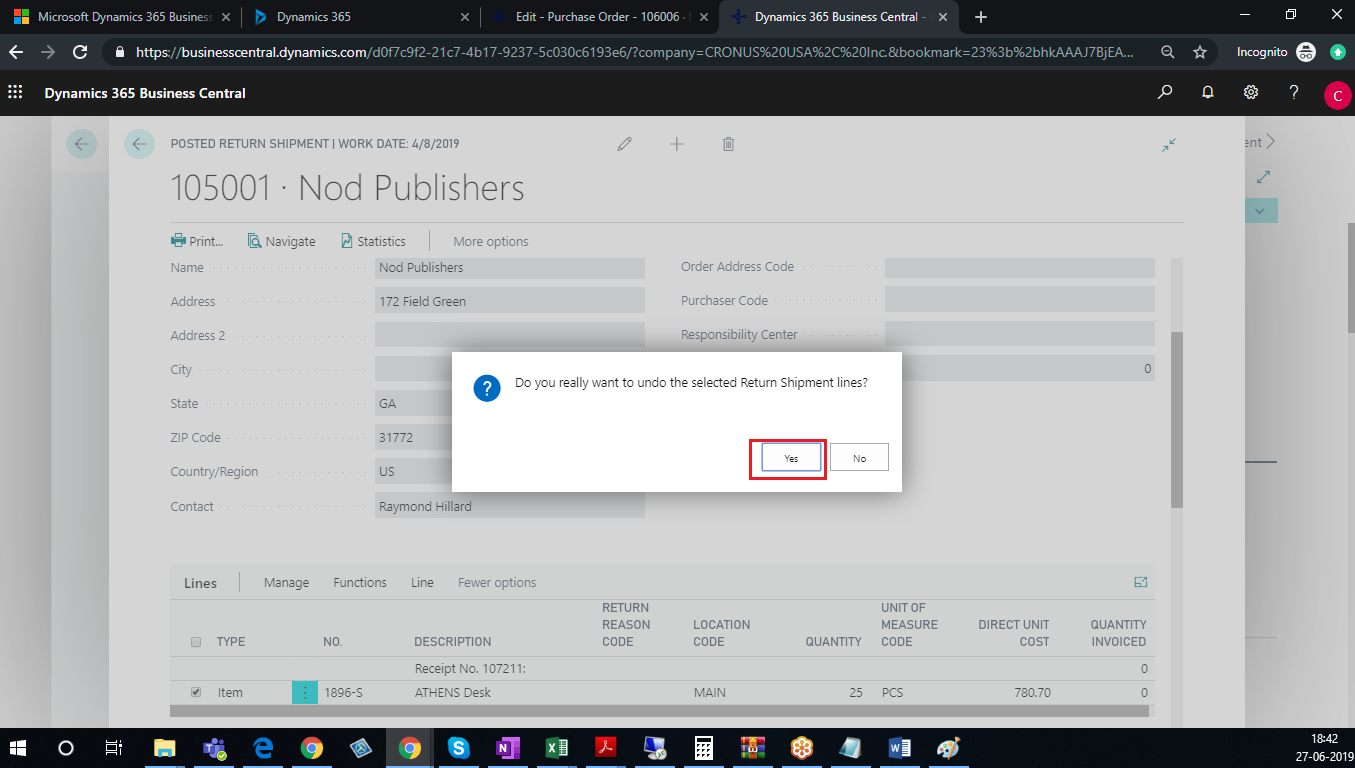
3. Select the Posted Purchase Return Shipment Lines that you want to
undo.


Conclusion:
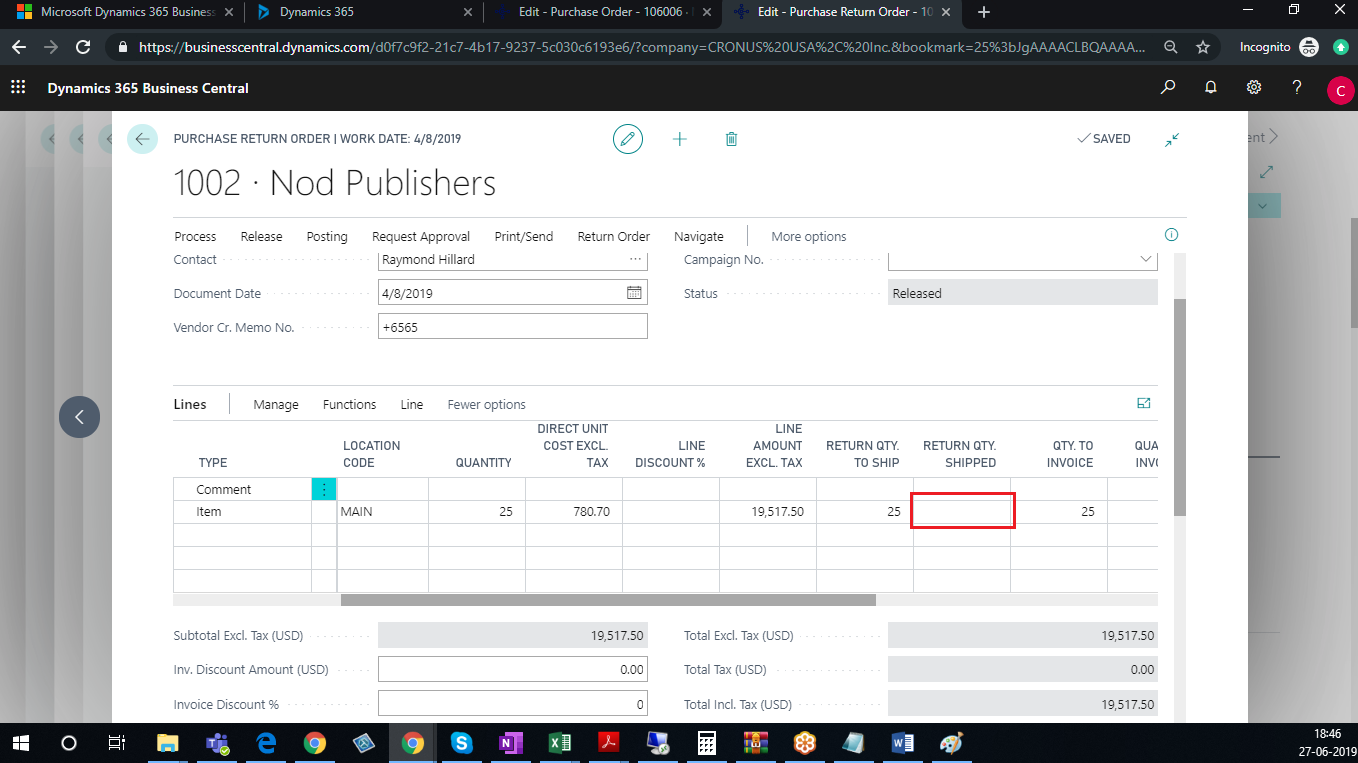
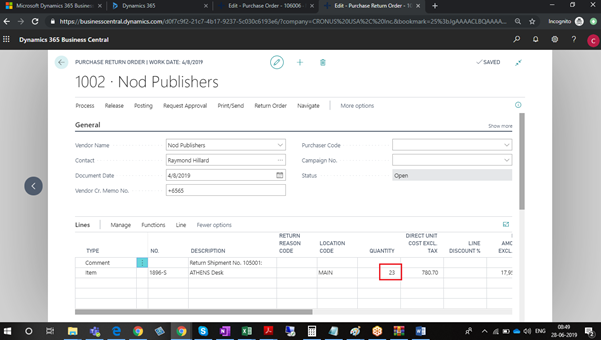
The functionality helps the user to reverse the Purchase return shipment so the user can Post Purchase Return Order with correction.
The post How to Undo and then Redo Quantity Posting on a Posted Return Shipments in Microsoft Dynamics 365 Business Central appeared first on Cloudfronts - Microsoft Dynamics 365 | Power Bi | Azure.
*This post is locked for comments