




 Like
Like Share
Share
 Report
In CRM 2013 SP1, the Associate View subgrid of contacts no longer displays the “Add Existing” button. This is fine if you don’t use it, but what if you wish to link existing contacts to an account?
To make it show up, create a solution that just includes the Contact entity
Open the solution in the Ribbon Workbench.
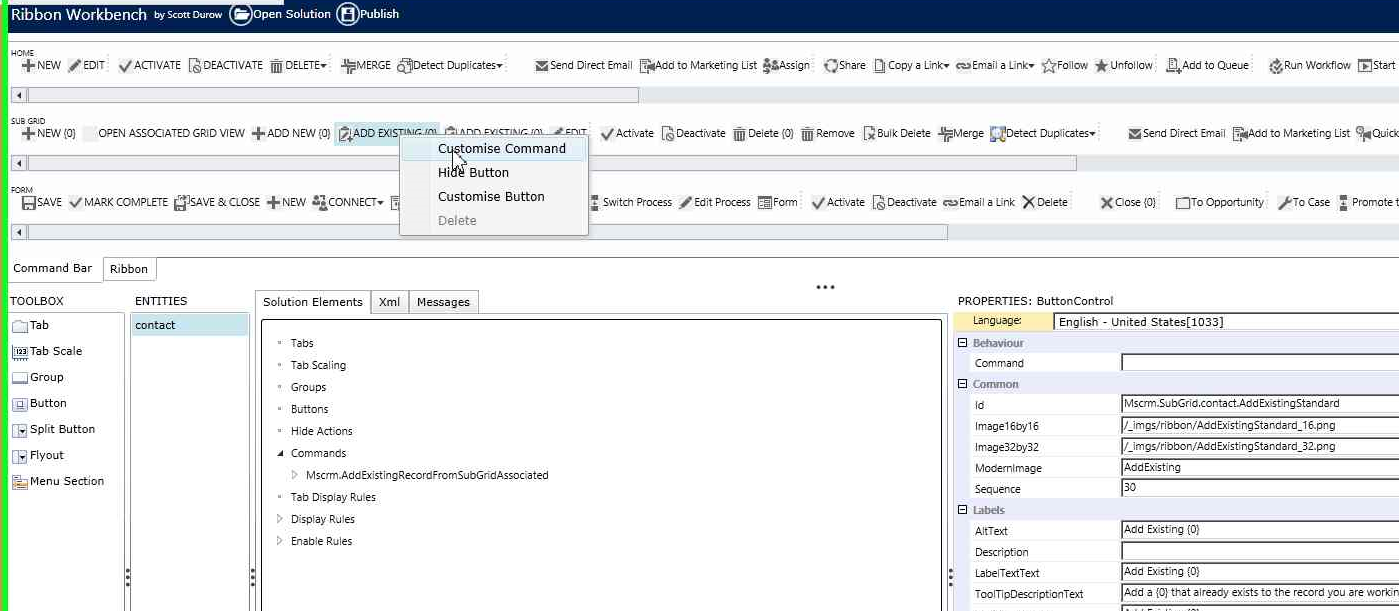
On the contact subgrid, you will see two buttons that say “Add existing.” Right click on each of them and select “Customize Command.”
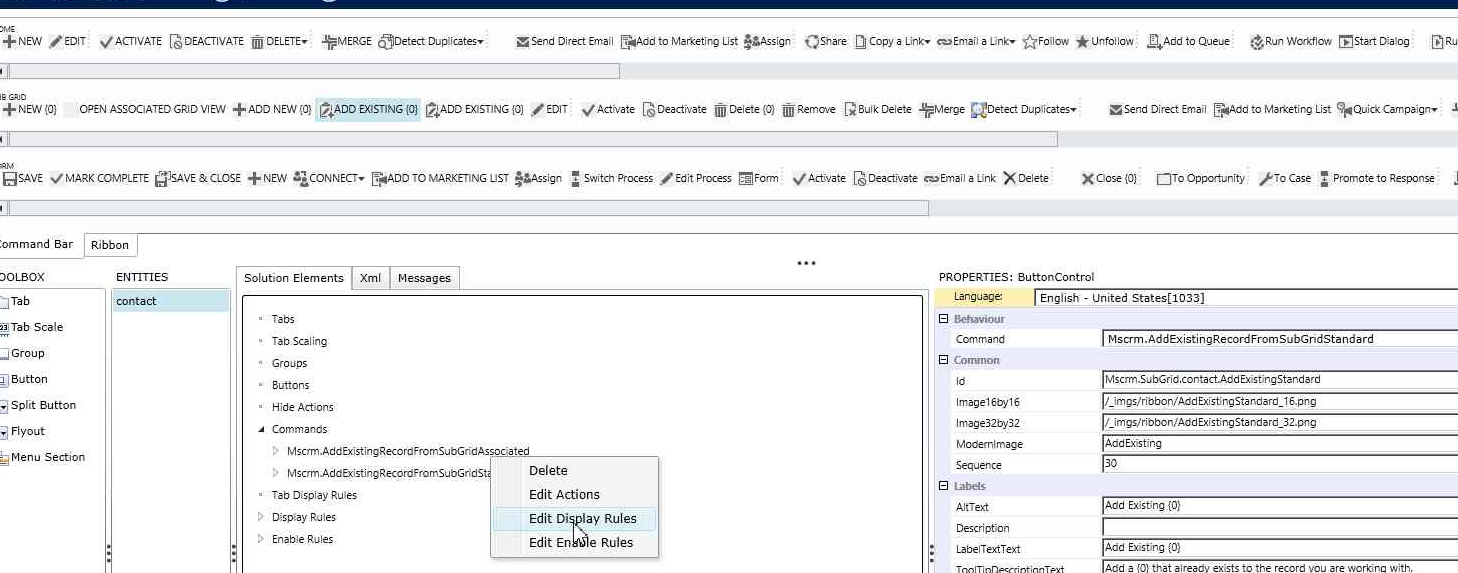
Right click on the command for MSCRM.AddExistingRecordFromSubGridAssociated and select “Edit Display Rules.”
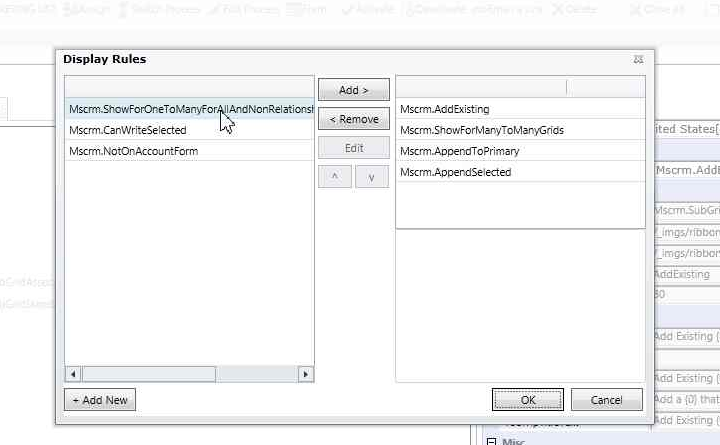
On the left pane of the display rules selector, select the rule called “MSCRM.ShowforOneToManyForAllAndNonRelationship…” and click “Add”
Publish your changes, and you should now see the “Add Existing” button on the contacts subgrid from an account.
*This post is locked for comments