




 886
886 Like
Like Share
Share
 Report
Last week I posted an approach for generating complex text files from Dynamics 365 with KingswaySoft and XSLT that uses a custom script component to apply an XSL transformation to an XML document generated with the the SSIS XML merge component from the KingswaySoft SSIS productivity pack.
After I shared that post, Daniel Cai at KingswaySoft told me the premium derived column component in the SSIS productivity pack can also be used to apply the XSL transformation. In today's post I will show how I reworked my earlier example to use that approach for a no-code solution.
Assuming you have XML generated like I showed in my previous post, switching from the script component to the premium derived column for the XSLT step is easy. The premium derived column has a few different XML functions that you can see in the screenshot below:
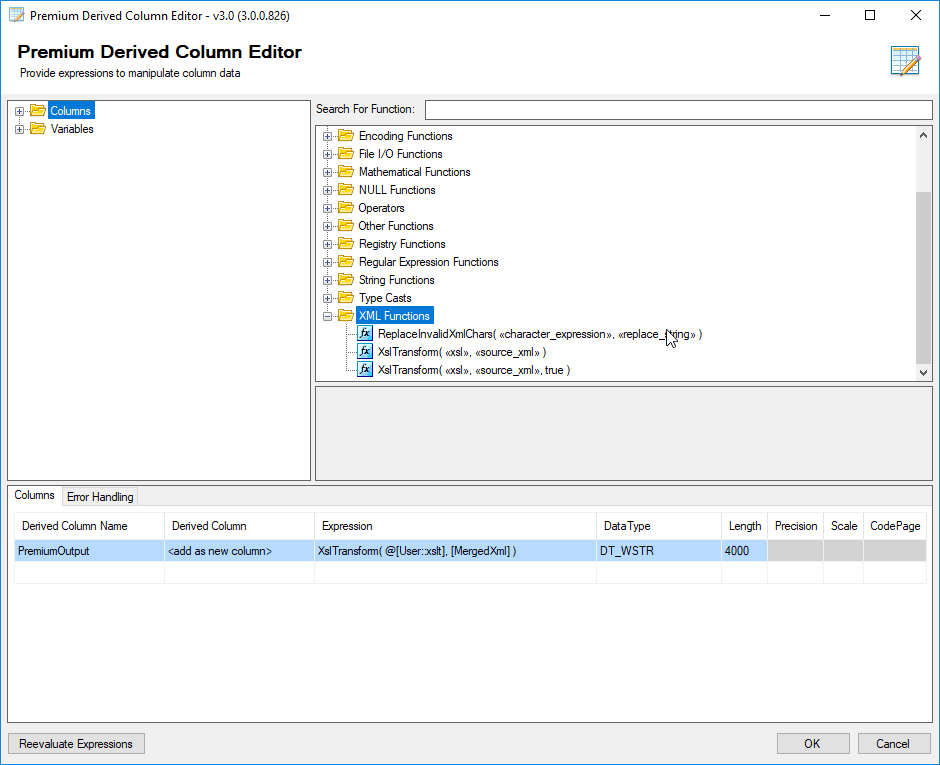
You can pass in XSLT directly to the XslTransform functions, but I've decided to use a variable instead to make this easier to manage. Note that when you set the derived column expression, the length will automatically be set to a length that's based on the length of your XSL. This is almost certainly going to be too short, which will cause your package to fail, so make sure you manually set a more reasonable value, which is 4000 in my example.
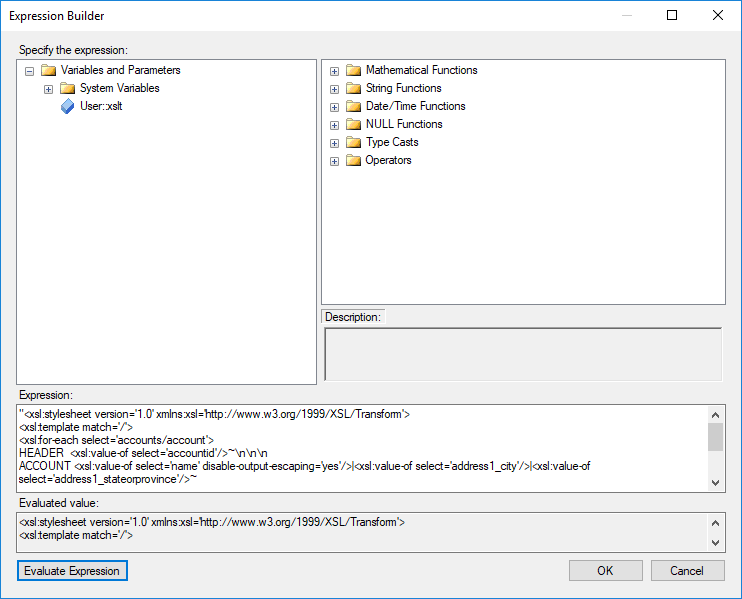
As far as the variable, it's just a string variable, but I'd advise you not to set the string value directly. If you do that, getting the formatting right with the line breaks can be tricky. If you set the variable via an expression, getting the formatting right is much easier.
*This post is locked for comments