




 670
670 Like
Like Share
Share
 Report
One complaint I hear quite often and a huge gap in the current D365FO offering from a security perspective is that there is not a good way to compare security between environments. This becomes especially difficult when upgrading to a new D365FO version or when wanting to confirm that no new security changes have been added between a testing environment and production along with many other possible business scenarios.
Up until now this was a manual process that involved pulling multiple reports and doing your best to validate if the security was the same, I have now created a solution to help with this problem.
The solution is not ready to be released quite yet, but I was too excited about this not to share with the community!
The D365FO Security Comparison Utility
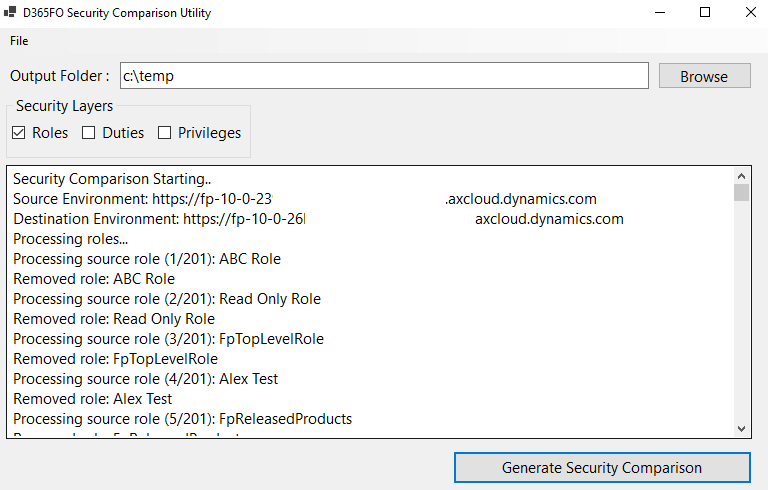
The utility I wrote is an desktop application that allows you to connect to multiple D365FO environments (a ‘source’ and ‘destination’ environment) and then run a security comparison between the two. It performs the following operations:
- Gets a list of roles from the ‘source environment’
- Checks to see if the role exists in the ‘destination environment’
- If it does not then the role was removed
- If it does then we compare the access between them
- Then we get a list of roles from the ‘destination environment’ and check to see if it exists in the ‘source environment’
- If it does not, then the role was added
- If it does, we do not have to do anything as we already compared the access in the previous step
- The same process is performed at a Duty and Privilege level (if selected)
- It then outputs all of the findings to an Excel document
The connection screen is where you would provide your the ‘source’ and ‘destination’ environment credentials:
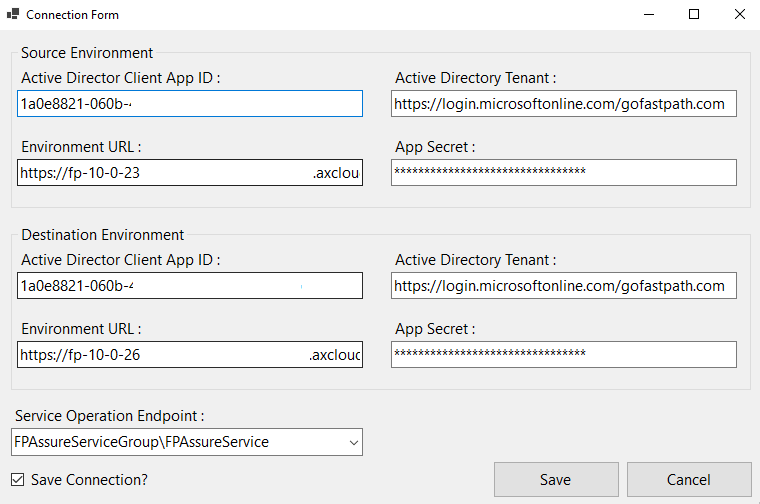
I’ve developed the solution so everyone (not just Fastpath customers) can utilize the application by changing the service operation endpoints they are using.
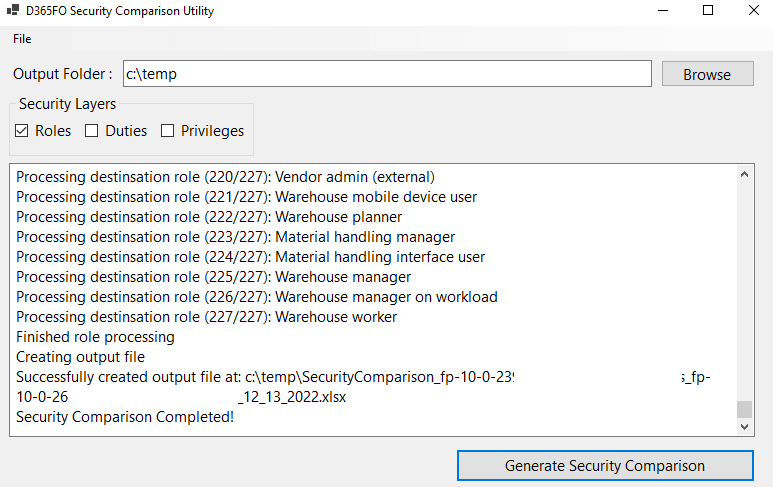
Once completed an Excel file is generated showing the changes.
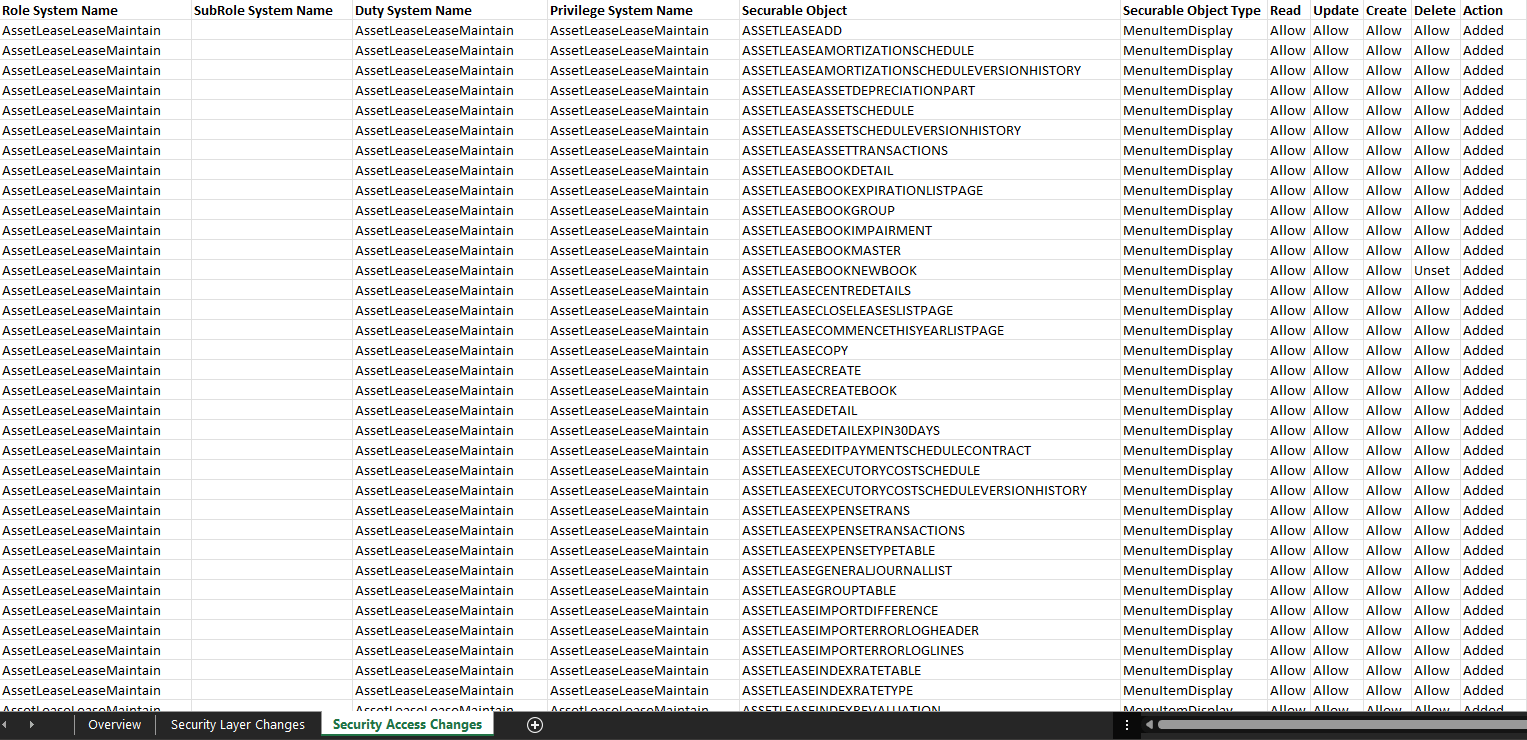
The Excel file contains 3 tabs:
– An overview tab which shows the number of added,modified,and removed roles, duties, and privileges as well as a date time when the comparison was ran and the source and destination environments.
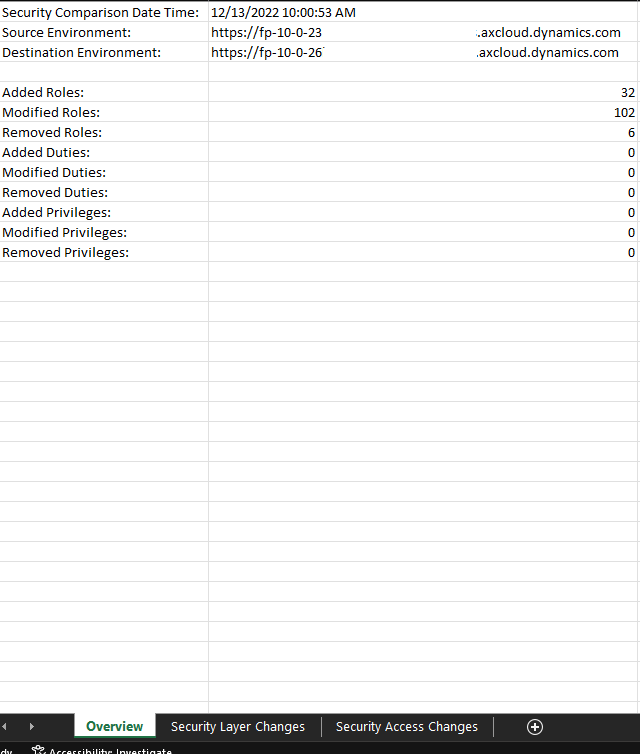
The next tab will show which security layers were added, removed, or modified.
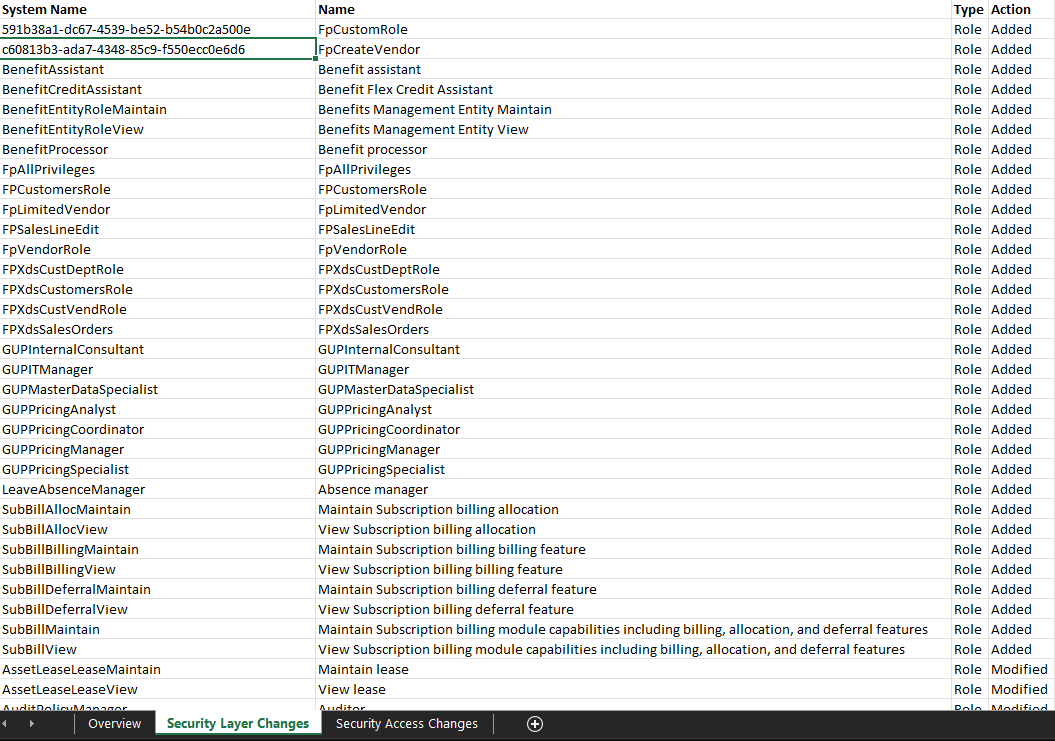
The final tab shows the detailed access changes that were made:
Next Steps
The next steps are to perform some additional testing as well as hopefully find some beta testers to get some overall feedback before I plan to release this solution to the community via my GitHub page within the coming weeks.
If you are interested in being a beta tester please feel free to reach out at alex.itguy@gmail.com, you would need access to at least 2 different D365FO environments and be willing to install a deployable package to create the necessary endpoints used in the solution.
The post Comparing Security Between D365FO Environments – Beta Solution appeared first on Alex Meyer.
*This post is locked for comments