
I attempted to enable it from Power Platform Admin Center by navigating to:
Environment → Settings → Product → Features and toggling the option there.
However, I’m encountering an error while doing this, and I’m not able to understand what’s causing the issue.
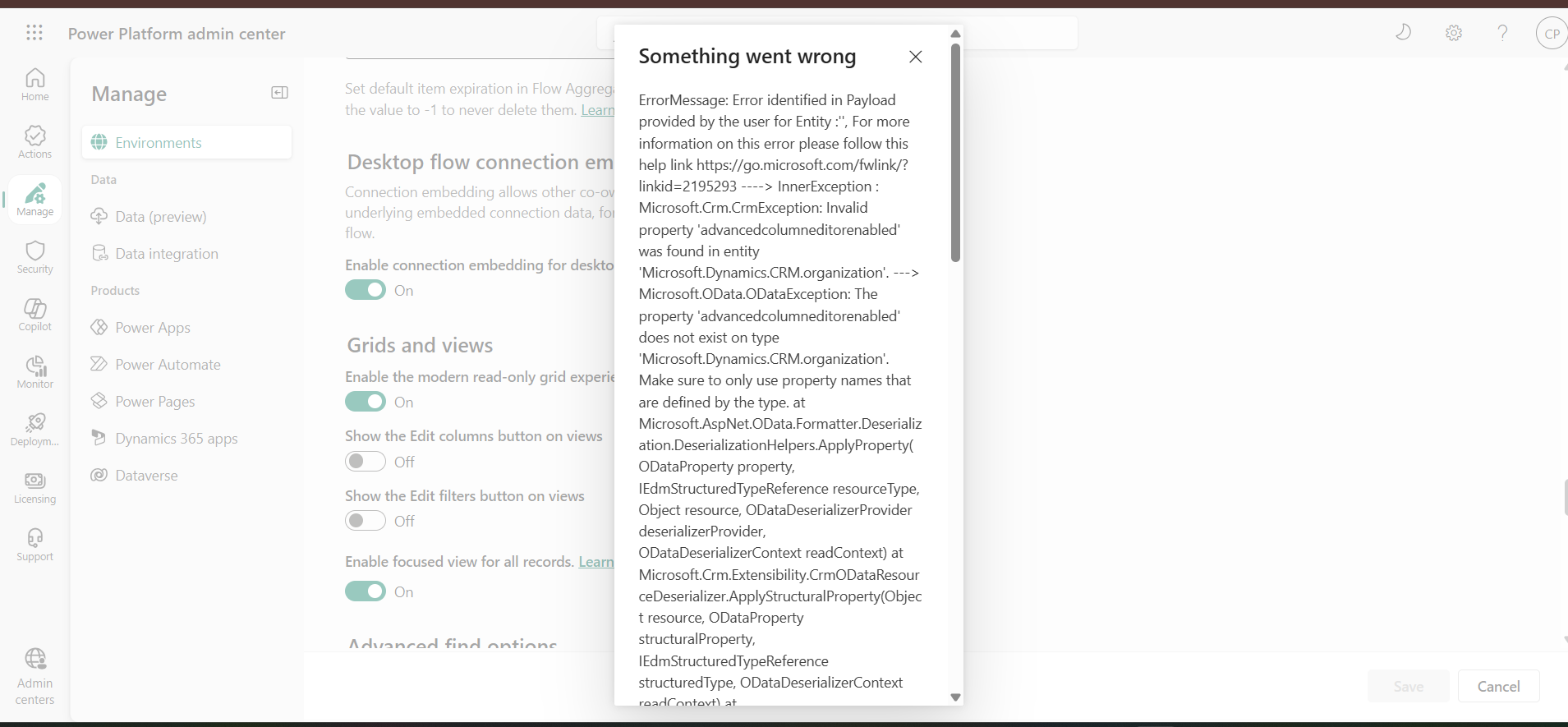
ErrorMessage: Error identified in Payload provided by the user for Entity :'', For more information on this error please follow this help link https://go.microsoft.com/fwlink/?linkid=2195293 ----> InnerException : Microsoft.Crm.CrmException: Invalid property 'advancedcolumneditorenabled' was found in entity 'Microsoft.Dynamics.CRM.organization'. ---> Microsoft.OData.ODataException: The property 'advancedcolumneditorenabled' does not exist on type 'Microsoft.Dynamics.CRM.organization'. Make sure to only use property names that are defined by the type. at Microsoft.AspNet.OData.Formatter.Deserialization.DeserializationHelpers.ApplyProperty(ODataProperty property, IEdmStructuredTypeReference resourceType, Object resource, ODataDeserializerProvider deserializerProvider, ODataDeserializerContext readContext) at Microsoft.Crm.Extensibility.CrmODataResourceDeserializer.ApplyStructuralProperty(Object resource, ODataProperty structuralProperty, IEdmStructuredTypeReference structuredType, ODataDeserializerContext readContext) at Microsoft.Crm.Extensibility.CrmODataEntityDeserializer.ApplyStructuralProperty(Object resource, ODataProperty structuralProperty, IEdmStructuredTypeReference structuredType, ODataDeserializerContext readContext) --- End of inner exception stack trace --- at Microsoft.Crm.Extensibility.CrmODataEntityDeserializer.ApplyStructuralProperty(Object resource, ODataProperty structuralProperty, IEdmStructuredTypeReference structuredType, ODataDeserializerContext readContext) at Microsoft.AspNet.OData.Formatter.Deserialization.ODataResourceDeserializer.ApplyStructuralProperties(Object resource, ODataResourceWrapper resourceWrapper, IEdmStructuredTypeReference structuredType, ODataDeserializerContext readContext) at Microsoft.Crm.Extensibility.CrmODataEntityDeserializer.ApplyStructuralProperties(Object resource, ODataResourceWrapper resourceWrapper, IEdmStructuredTypeReference structuredType, ODataDeserializerContext readContext) at Microsoft.Crm.Extensibility.CrmODataResourceDeserializer.ApplyResourceProperties(Object resource, ODataResourceWrapper resourceWrapper, IEdmStructuredTypeReference structuredType, ODataDeserializerContext readContext) at Microsoft.Crm.Extensibility.CrmODataResourceDeserializer.ReadResource(ODataResourceWrapper resourceWrapper, IEdmStructuredTypeReference structuredType, ODataDeserializerContext readContext) at Microsoft.Crm.Extensibility.CrmODataResourceDeserializer.ReadInline(Object item, IEdmTypeReference edmType, ODataDeserializerContext readContext) at Microsoft.AspNet.OData.Formatter.ODataInputFormatterHelper.ReadFromStream(Type type, Object defaultValue, IEdmModel model, ODataVersion version, Uri baseAddress, IWebApiRequestMessage internalRequest, Func
1 getODataRequestMessage, Func2 getEdmTypeDeserializer, Func
2 getODataPayloadDeserializer, Func1 getODataDeserializerContext, Action
1 registerForDisposeAction, Action1 logErrorAction). ClientRequestId: e2c094ac-9082-451e-a779-e367e2722b16
Could someone please help clarify why this error occurs and how I can successfully enable the Edit filters feature?
Thank you in advance for your support.









 Share
Share Report
 All responses (
 Answers (
 6
6






