Hello,
I am working with purchase order workflow and after customizations, now we are searching how to deliver this to the users for the first time. I researched and the mask where the users should approve purchase orders is "work items assigned to me" (or mobile approval which will be configured in the near future). Question:
Why if I go to this mask I see a split screen when consulting purchase requisitions, which makes life easier to consult what is this about

But when I click on a purchase order, then this split is lost? I only can see details if I click over ID, but this is not the best when somebody has a lot of documents to analyze, and in general, I dont understand why we have this difference.
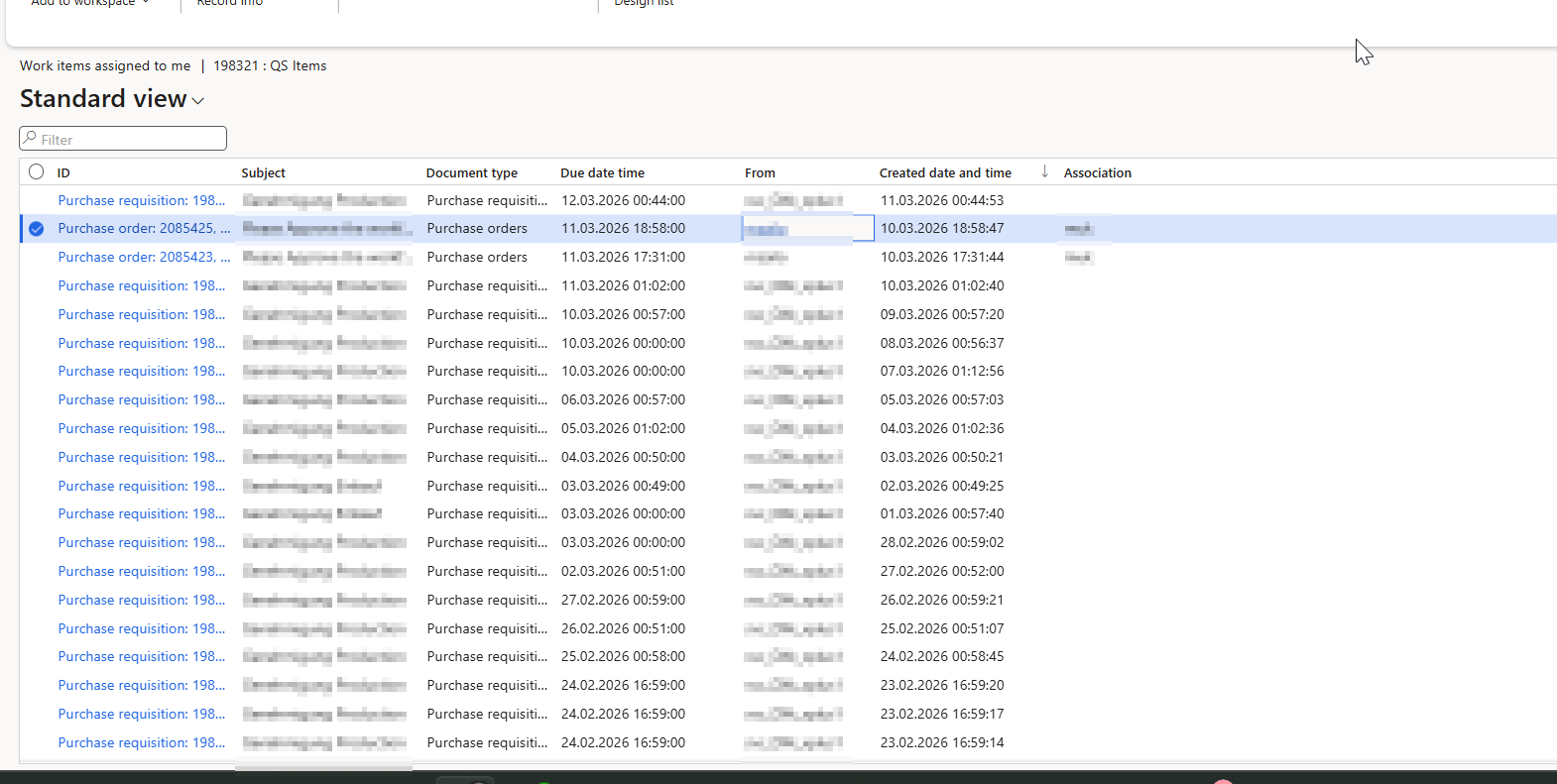
On the other hand some extra topics:
-is there another way to approve purchase orders? (other than this and mobile app)
-there seems to be a bug in the saved views in "work items assigned to me", as if I save a view for document type "purchase orders", then it filters, but I cant pin it as default because if I enter to the form again there is an error stating a conflict because of my saved default view. On the other hand, I also have this problem:
Standard view

Then i switch to purchase orders (saved view based on filter: document type=purchase orders), all OK

but if I switch back to standard, all empty

Same if I go to purchase orders view again, it remains empty. I am not sure why this happens, but looks like a bug. I would like to confirm if somebody of you have this problem as well.
Thanks!


