web
You’re offline. This is a read only version of the page.
close
Skip to main content

Notifications

Announcements

No record found.

Community site session details

Community site session details

Session Id :
Small and medium business | Business Central, N...
Answered

Opening, Received, and Closing Stock per location Report

(0) ShareShare
ReportReport
Posted on by 90

Greetings Experts,

Kindly advise on the data items that I can use I designing a report that shows Opening, Received, and Closing Stock per location at a specific date

I have the same question (0)
  • Suggested answer
    Nitin Verma Profile Picture
    21,698 Moderator on at

    Hi,

    You can try with Item Ledger Entry Data Item.

  • Suggested answer
    Inge M. Bruvik Profile Picture
    1,105 Moderator on at

    Or you could use the Item table and set a flowfilter covering the location and period you want to have a look at.

    I think that would be easier then using the item ledger entry table. Especially if it is only the inventory level you want to look at.

  • Suggested answer
    Dallefeld Profile Picture
    211 User Group Leader on at

    To add to Inge's comment.

    Filter Item Ledger to location and date filter (..beginning date)

    Filter Item Ledger to location and date filter (beginning date..ending date)

    Filter Item Ledger to location and date filter (..ending date)

  • Suggested answer
    YUN ZHU Profile Picture
    95,449 Super User 2025 Season 2 on at

    Hi, There is no perfect inventory report in NAV. I recommend developing a simple Query using Item ledger Entries.

    PS: If you use Item to query, you can query the results through Limit Total, but you need to check each location separately. (because only one inventory is shown)
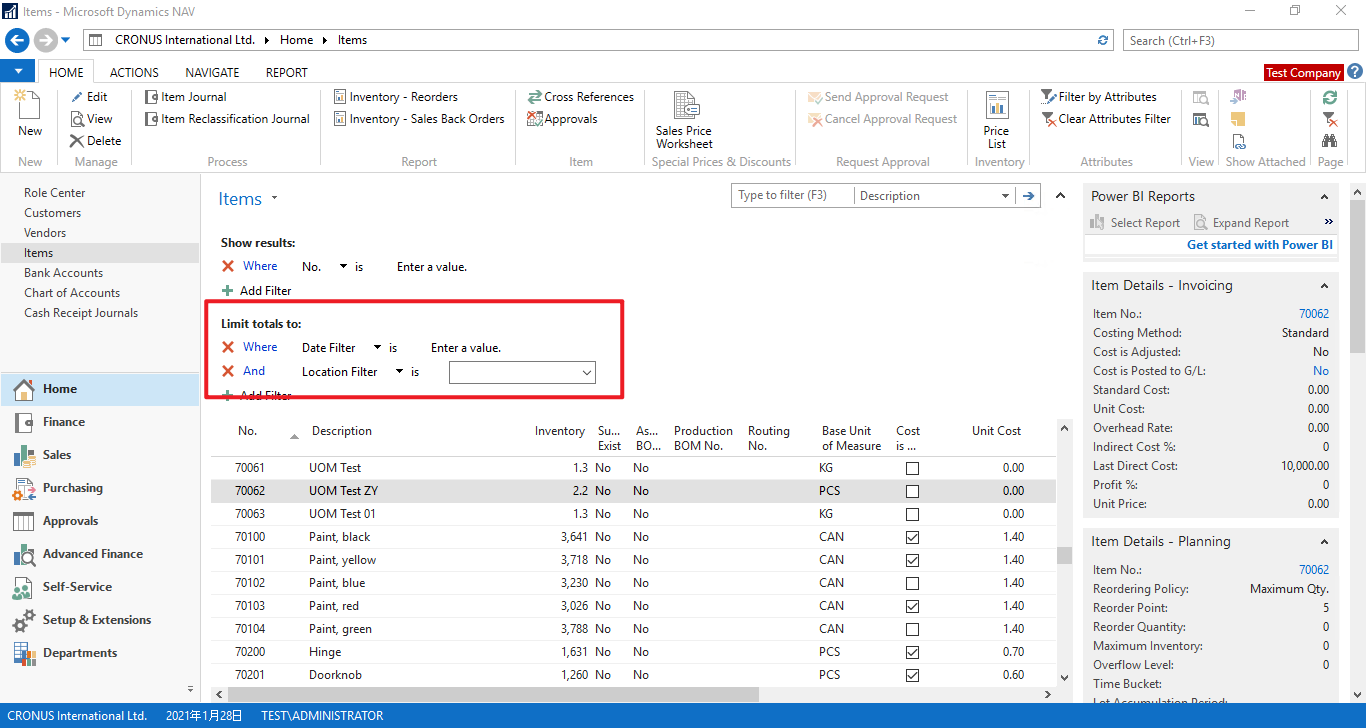
    pastedimage1649896995247v1.png

    If you use Item Ledger Entries to query, there are only line records, no summary.
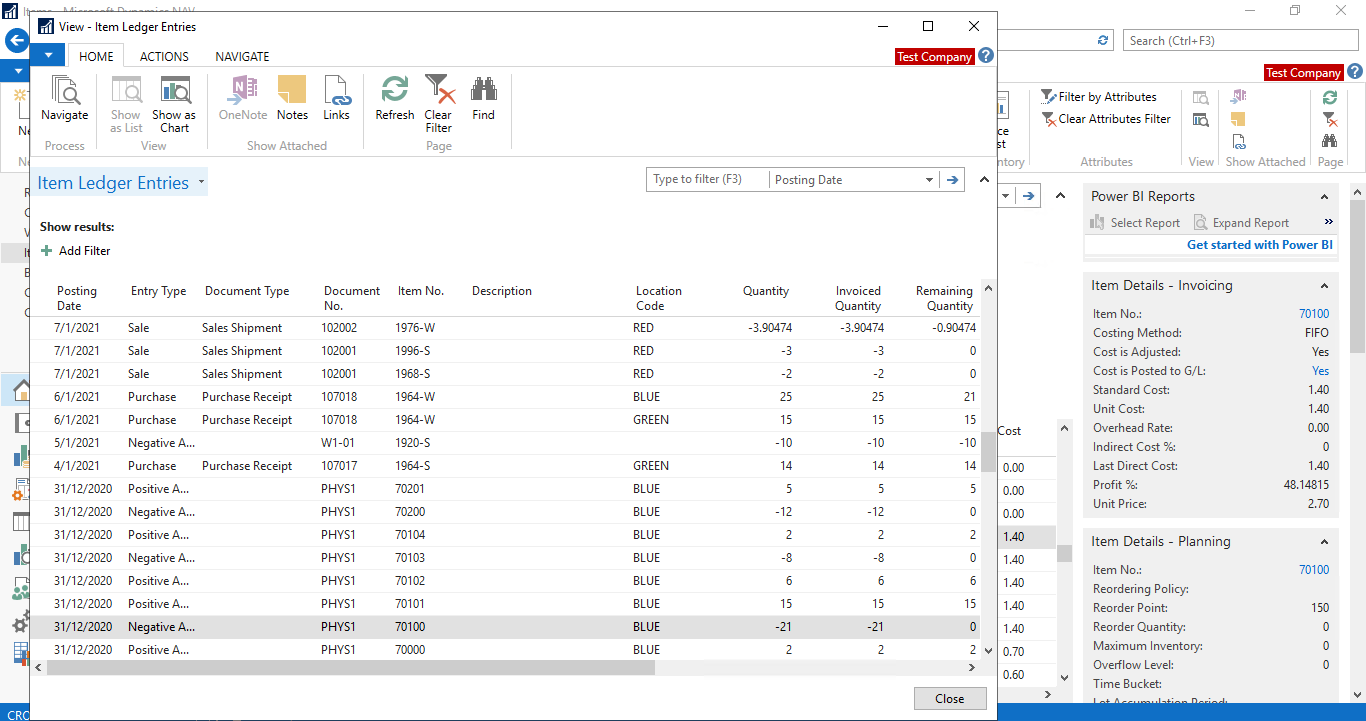
    pastedimage1649897129167v2.png

    Hope this will help.

    Thanks.
    ZHU

  • Verified answer
    Dynamics 365 F7O Profile Picture
    90 on at

    Wow!! Thank you guys

  • Suggested answer
    Community Member Profile Picture
    on at

    Dynamics 365 F7O,

    In NAV I would create a report that pulls the Item Ledger Entries based on Starting Posting Date, Date Range for Month for Posted Receipts, Ending Date.

    You could design a Jet Report very easily doing for these fields.

    Hope this helps.

    Thanks,

    Steve

Under review

Thank you for your reply! To ensure a great experience for everyone, your content is awaiting approval by our Community Managers. Please check back later.

Helpful resources

Quick Links

Responsible AI policies

As AI tools become more common, we’re introducing a Responsible AI Use…

Neeraj Kumar – Community Spotlight

We are honored to recognize Neeraj Kumar as our Community Spotlight honoree for…

Leaderboard > Small and medium business | Business Central, NAV, RMS

#1
OussamaSabbouh Profile Picture

OussamaSabbouh 3,064

#2
Jainam M. Kothari Profile Picture

Jainam M. Kothari 1,568 Super User 2025 Season 2

#3
YUN ZHU Profile Picture

YUN ZHU 1,063 Super User 2025 Season 2

Last 30 days Overall leaderboard

Featured topics

Product updates

Dynamics 365 release plans
