Hi Sumaira,
If you want to display the button when you log in to portal, you can set the Web Page access control rule that this button is visible only to authenticated users, not to anonymous users.
Here are steps.
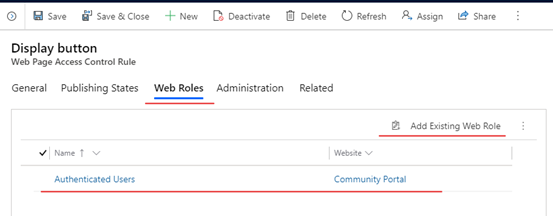
1. create a new rule.
Go to Portals > a Web Page Access Control Rules and click new button.

2. select Website and Web Page that you want.
3.select Web Roles tab and click Add Existing Role button.
Add web roles that named Authenticated Users.
4.Test.
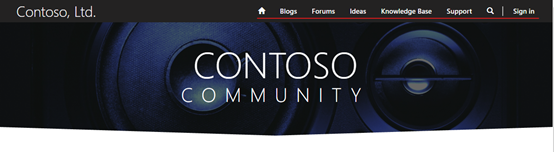
Before:
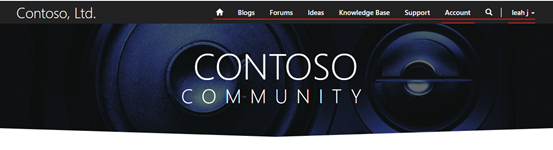
After:
Regards,
Clofly


