web
You’re offline. This is a read only version of the page.
close
Skip to main content

Announcements

No record found.

News and Announcements icon
Community site session details

Community site session details

Session Id :
Small and medium business | Business Central, N...
Answered

In General Ledger entries, under Document no., how do you know whether they came from which journal in Navision 2018?

(0) ShareShare
ReportReport
Posted on by 5,027

Hi Community,

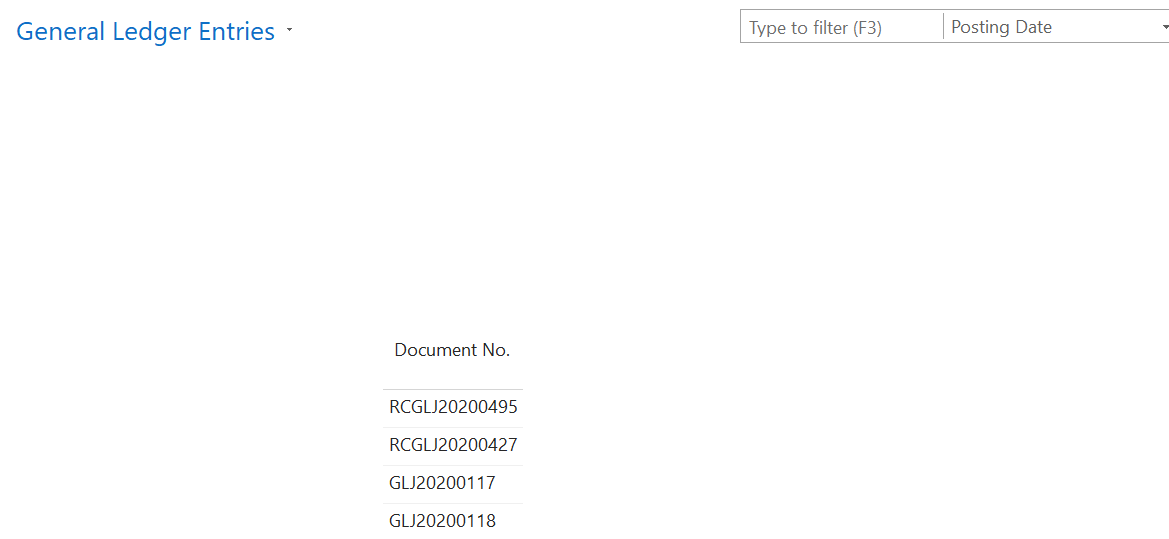
I would like to find out, in General Ledger entries, under Document no., how do you know whether they came from which journal in Navision 2018?

While I understand that entries with Prefix "GLJ" came from General Ledger Journal. the document no. RCGLJXXXXXXX, I don't see it in the number series, but I kept seeing it in the General Ledger entries. So not sure which journal does it came from.

Please advise, Thank you!
pastedimage1647502720969v1.png

I have the same question (0)
  • Verified answer
    divyeshchitte Profile Picture
    970 on at

    Table should have Source Type and Source Document No.

    Kindly Check for that.

    Or you can check it from GL Register

  • Suggested answer
    Nitin Verma Profile Picture
    21,794 Moderator on at

    Hi Josh,

    please try to find out Source no. It automatically inset when you create gen. lines and transfer to posted entries like gl ledger entries etc.

    hope it will help you 

  • Verified answer
    YUN ZHU Profile Picture
    99,968 Super User 2026 Season 1 on at

    Hi, you can use Source Code field.

    pastedimage1647559697234v1.png

    pastedimage1647559720634v2.png

    And you can find source code list in Source Code page.

    pastedimage1647559767437v3.png

    Hope this will help.

    Thanks.

    ZHU

  • Verified answer
    Community Member Profile Picture
    on at

    Josh,

    You have a few ways to determine where an entry came from. First, you have the Source Type and Source Document No. These 2 fields, when displayed, tell you the Source Type (i.e. Customer, Vendor, Bank Account, Fixed Asset) of the entry and the Source Document No. would equal which Customer, Vendor, Bank Account, Fixed Asset generated the entry. Also, you can look at Source Code to tell you what type of transaction recorded the entry (i.e. Sales, Purchases, PaymentJNL, etc..).

    Using these 3 fields you can determine where the entries Source was from. Now always remember the Document No., which is driven from the posted transaction, comes from the No. Series you have setup for the journal or transaction. So GLJxxxx could be General Journals, and RCGLxxx could be Recurring General Journals.

    Hope this helps.

    Thanks

    Steve

Under review

Thank you for your reply! To ensure a great experience for everyone, your content is awaiting approval by our Community Managers. Please check back later.

Helpful resources

Quick Links

Introducing the 2026 Season 1 community Super Users

Congratulations to our 2026 Super Stars!

Meet the Microsoft Dynamics 365 Contact Center Champions

We are thrilled to have these Champions in our Community!

Congratulations to the March Top 10 Community Leaders

These are the community rock stars!

Leaderboard > Small and medium business | Business Central, NAV, RMS

#1
OussamaSabbouh Profile Picture

OussamaSabbouh 1,969 Super User 2026 Season 1

#2
YUN ZHU Profile Picture

YUN ZHU 1,143 Super User 2026 Season 1

#3
Khushbu Rajvi. Profile Picture

Khushbu Rajvi. 688 Super User 2026 Season 1

Last 30 days Overall leaderboard

Featured topics

Product updates

Dynamics 365 release plans
