web
You’re offline. This is a read only version of the page.
close
Skip to main content

Notifications

Announcements

No record found.

Community site session details

Community site session details

Session Id :
Microsoft Dynamics 365 | Integration, Dataverse...
Answered

Open web resource url link as a new browser tab

(0) ShareShare
ReportReport
Posted on by 27

Hi everyone,


I have the following web resource added to my Solution. It is basic external HTML link to a SharePoint site:
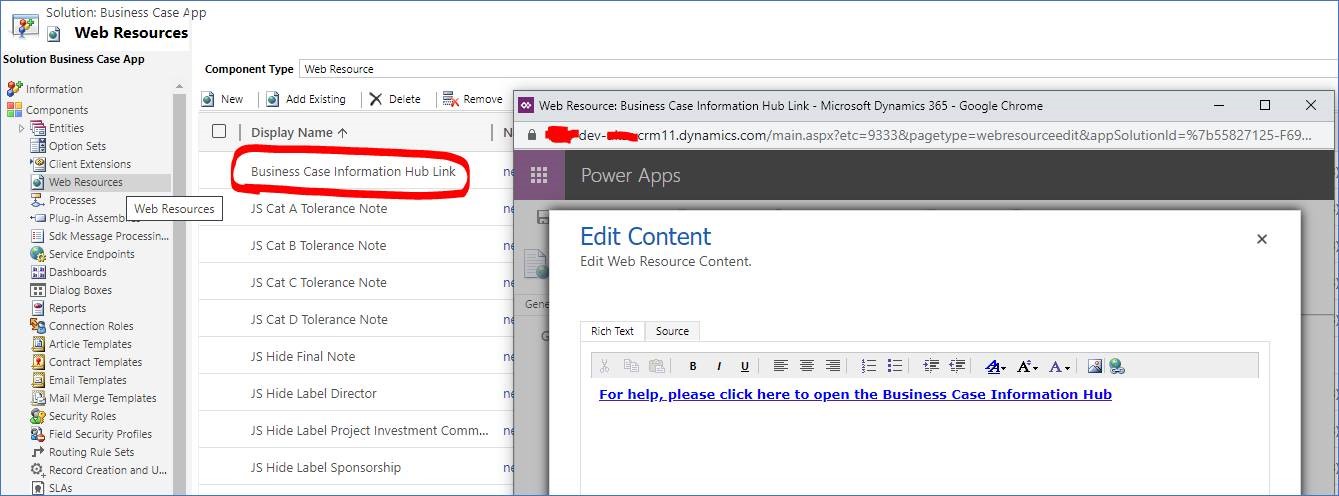

web-resource.jpg

I have added the web resource to my form. However, the URL link opens inside the model driven app itself rather than launching as a new tab in the browser. Could you anyone share any advice on how to open a new tab in the current browser when clicking on an external URL link?
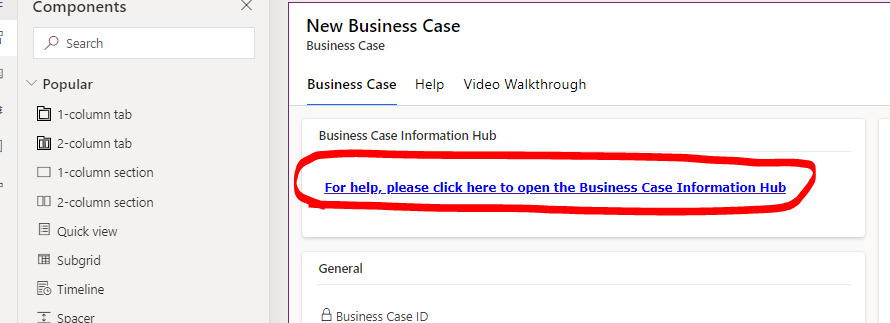
3157.form.png

best regards,

Imran-Ami

I have the same question (0)
  • Verified answer
    a33ik Profile Picture
    84,331 Most Valuable Professional on at

    Hello,

    Can you please provide the code behind that url?

    I believe adding of the attribute target="_blank" should solve your issues. Check this - www.w3schools.com/.../att_a_target.asp

  • Ami K Profile Picture
    27 on at

    Hi a33ik ,

    Thanks for the quick response!

    Below is the HTML:

    <html>
    <head>
    <meta>
    <meta>
    <meta>
    </head>
    <body onfocusout="parent.setEmailRange();" style="overflow-wrap: break-word;">
    <p style="font-family: undefined;"></p>
    <p class="MsoNormal" style="font-family: undefined;">
    <b style="">
    <a href=xxxxx.sharepoint.com/.../Business-Cases.aspx style="">
    <font face="Verdana" size="2" color="#0000ff">For help, please click here to open the Business Case Information Hub</font>
    </a>
    </b>
    </p>
    <p style="font-family: undefined;"></p>
    </body>
    </html>

    As image:

    2451.HTML.png

  • Verified answer
    a33ik Profile Picture
    84,331 Most Valuable Professional on at

    As I mentioned, include target="_blank" tag in your url tag. Good luck.

  • Ami K Profile Picture
    27 on at

    Thank you!

    Final HTML:

    <html>
    <head>
    <meta>
    <meta>
    <meta>
    <meta>
    </head>
    <body onfocusout="parent.setEmailRange();" style="overflow-wrap: break-word;">
    <p style="font-family: undefined;"></p>
    <p class="MsoNormal" style="font-family: undefined;">
    <b style="">
    <a href=xxxxx.sharepoint.com/.../Business-Cases.aspx target="_blank" style="">
    <font face="Verdana" size="2" color="#0000ff">For help, please click here to open the Business Case Information Hub</font>
    </a>
    </b>
    </p>
    <p style="font-family: undefined;"></p>
    </body>
    </html>

  • Suggested answer
    a33ik Profile Picture
    84,331 Most Valuable Professional on at

    Hello,

    If my reply (or replies) answers your question take a minute and verify the answer. You can do it by clicking "Yes" at the top of the reply (or replies) under the label "Does this answer your question?"

Under review

Thank you for your reply! To ensure a great experience for everyone, your content is awaiting approval by our Community Managers. Please check back later.

Helpful resources

Quick Links

Responsible AI policies

As AI tools become more common, we’re introducing a Responsible AI Use…

Neeraj Kumar – Community Spotlight

We are honored to recognize Neeraj Kumar as our Community Spotlight honoree for…

Leaderboard > Microsoft Dynamics 365 | Integration, Dataverse, and general topics

#1
Siv Sagar Profile Picture

Siv Sagar 93 Super User 2025 Season 2

#2
#ManoVerse Profile Picture

#ManoVerse 76

#3
Martin Dráb Profile Picture

Martin Dráb 64 Most Valuable Professional

Last 30 days Overall leaderboard

Product updates

Dynamics 365 release plans
