web
You’re offline. This is a read only version of the page.
close
Skip to main content

Notifications

Announcements

No record found.

Community site session details

Community site session details

Session Id :
Supply chain | Supply Chain Management, Commerce
Answered

How to add custom fields during data export for entities?

(0) ShareShare
ReportReport
Posted on by 167

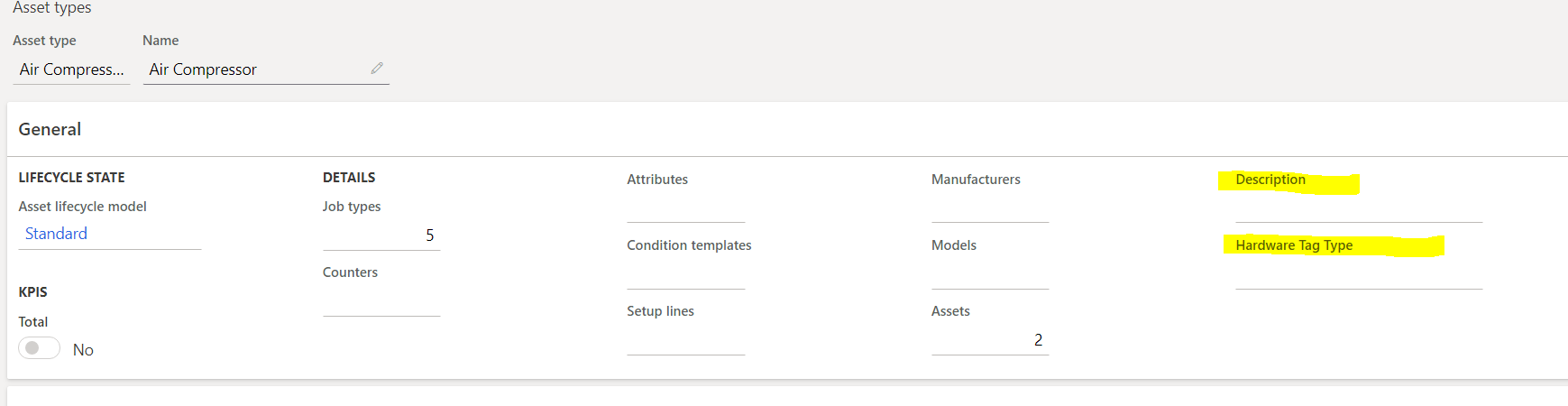
I have added the following custom fields to the AssetType form: 'Description' and 'HardwareTagType'.  I did this via right clicking and personalizing the form.
Untitled.png

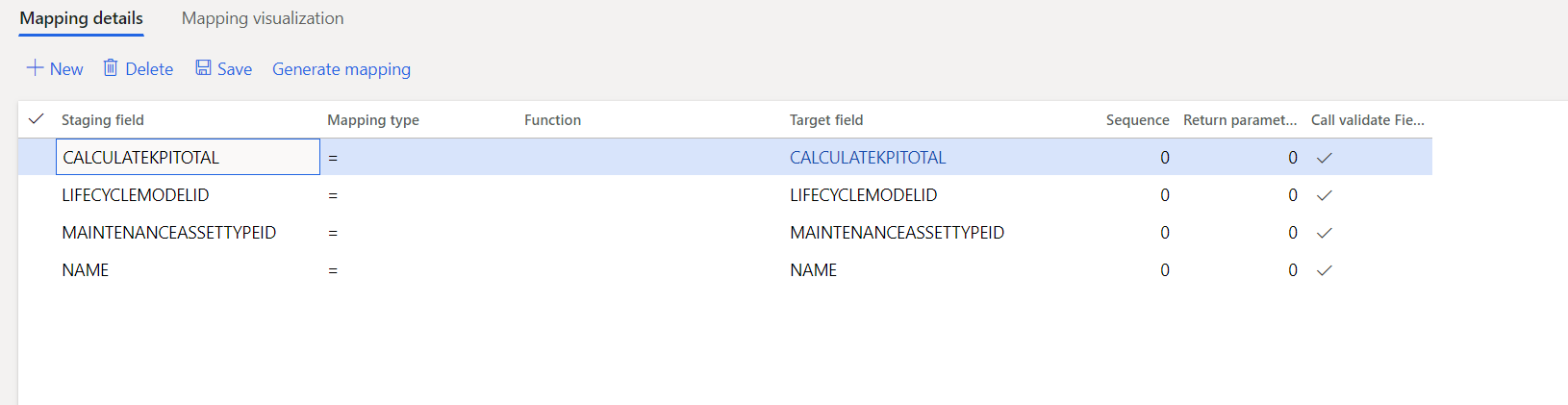
I would like to be able to export these fields in my data export. However when I go to data export  only the following fields are being mapped: 
pastedimage1579296778380v2.png

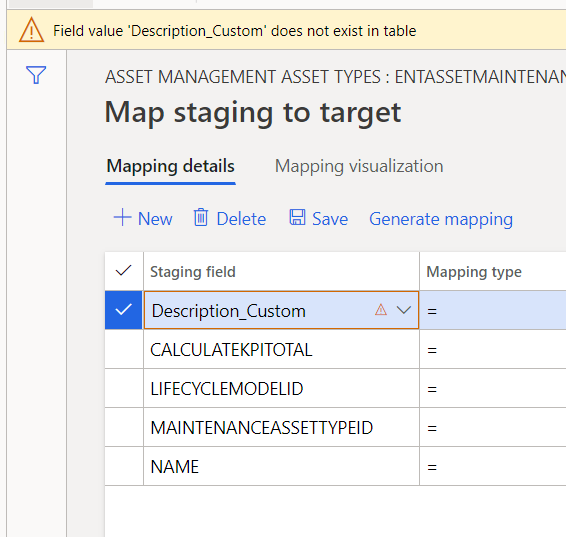
I try to add my description field but it doesn't seem to exist:
pastedimage1579296895089v3.png

What have I done wrong? 

I have the same question (0)
  • Verified answer
    Mea_ Profile Picture
    60,284 on at

    Have you completed these steps docs.microsoft.com/.../user-defined-fields to expose them on the entity?

  • tayapr Profile Picture
    167 on at

    This documentation is for Dynamics 365 commerce and I am using Dynamics 365 Finance and Operations? I am super confused by this... is this documentation actually valid for finance and operations?(now supply chain)

    When I go to the system admin page... I don't see an option for "custom fields":
    pastedimage1579637848642v1.png

    I was able to find a "custom fields" page by directly searching for it... took a while of messing with the UI but was able to finally get at my table (I had to select a table first) and enable the custom fields. I then applied the changes.

    After enabling my custom field, I then went back to Data Export to my export project. I clicked on the entity and modified the target mapping. (I used generate mapping). I can see my custom field in the mapping now.

    The mapping is now like below:
    pastedimage1579639238513v2.png

    I was able to export this data now! Thank you again for the help- still curious to know on weather or no 365 Commerce docs are 1:1 for finance and operations processes. 

  • Mea_ Profile Picture
    60,284 on at

    If your issue is solved you can mark answer that helped you as verified to close this thread. 

    Re commerce, docs are messed up a bit, but part of Commerce is just FnO with configuration keys disabled, so it is applicable to Commerce, Finance or SCM. For example, this article sits under Finance docs.microsoft.com/.../user-defined-fields but its the same. 

Under review

Thank you for your reply! To ensure a great experience for everyone, your content is awaiting approval by our Community Managers. Please check back later.

Helpful resources

Quick Links

Responsible AI policies

As AI tools become more common, we’re introducing a Responsible AI Use…

Neeraj Kumar – Community Spotlight

We are honored to recognize Neeraj Kumar as our Community Spotlight honoree for…

Leaderboard > Supply chain | Supply Chain Management, Commerce

#1
Siv Sagar Profile Picture

Siv Sagar 266 Super User 2025 Season 2

#2
Laurens vd Tang Profile Picture

Laurens vd Tang 213 Super User 2025 Season 2

#3
André Arnaud de Calavon Profile Picture

André Arnaud de Cal... 140 Super User 2025 Season 2

Last 30 days Overall leaderboard

Featured topics

Product updates

Dynamics 365 release plans
