web
You’re offline. This is a read only version of the page.
close
Skip to main content

Announcements

No record found.

News and Announcements icon
Community site session details

Community site session details

Session Id :
Small and medium business | Business Central, N...
Answered

Document No. field on the Post Application page

(0) ShareShare
ReportReport
Posted on by 35

Hi,

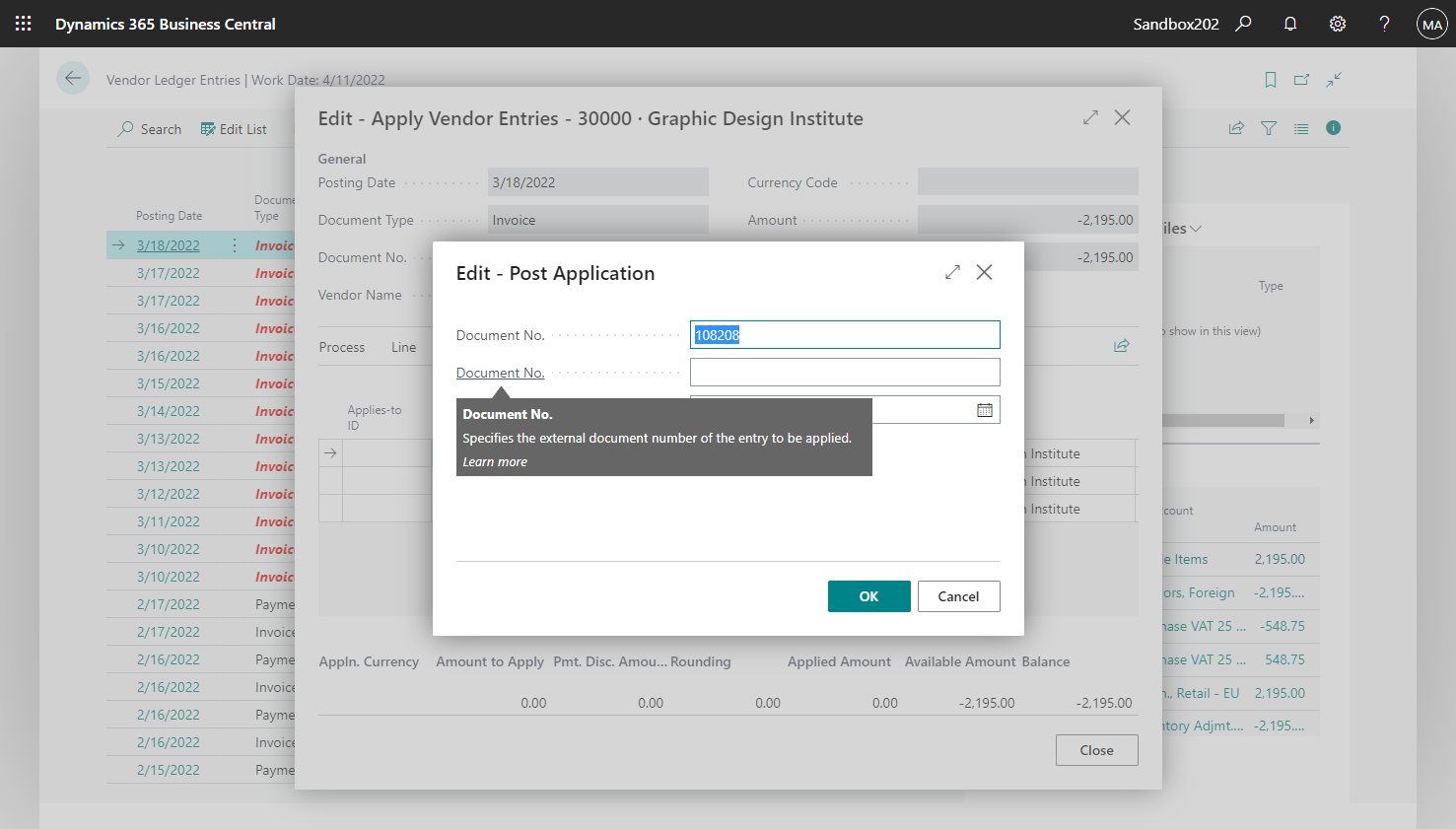
There was added second Documetn No. field on the Post Application page.

pastedimage1656942597500v1.png

I can see in description that this field is for external document no. but is it moved or used somewhere else in the system? Does anyone know what is its purpose?

Regards, 

I have the same question (0)
  • Suggested answer
    Tabrez Ajaz Profile Picture
    787 on at

    Hi aleksandra_w,

    It is still the External Document No. in Post Application: 
    pastedimage1656966500786v1.png

    Make sure to check with your development team, or development partner for any reason if anyone updated the caption of the page field ExtDocNo


    For your reference:
    pastedimage1656967267731v2.png

  • Suggested answer
    YUN ZHU Profile Picture
    101,414 Super User 2026 Season 1 on at

    Hi, aleksandra_w, I confirmed the same phenomenon as you in BC20.2 w1 SaaS.
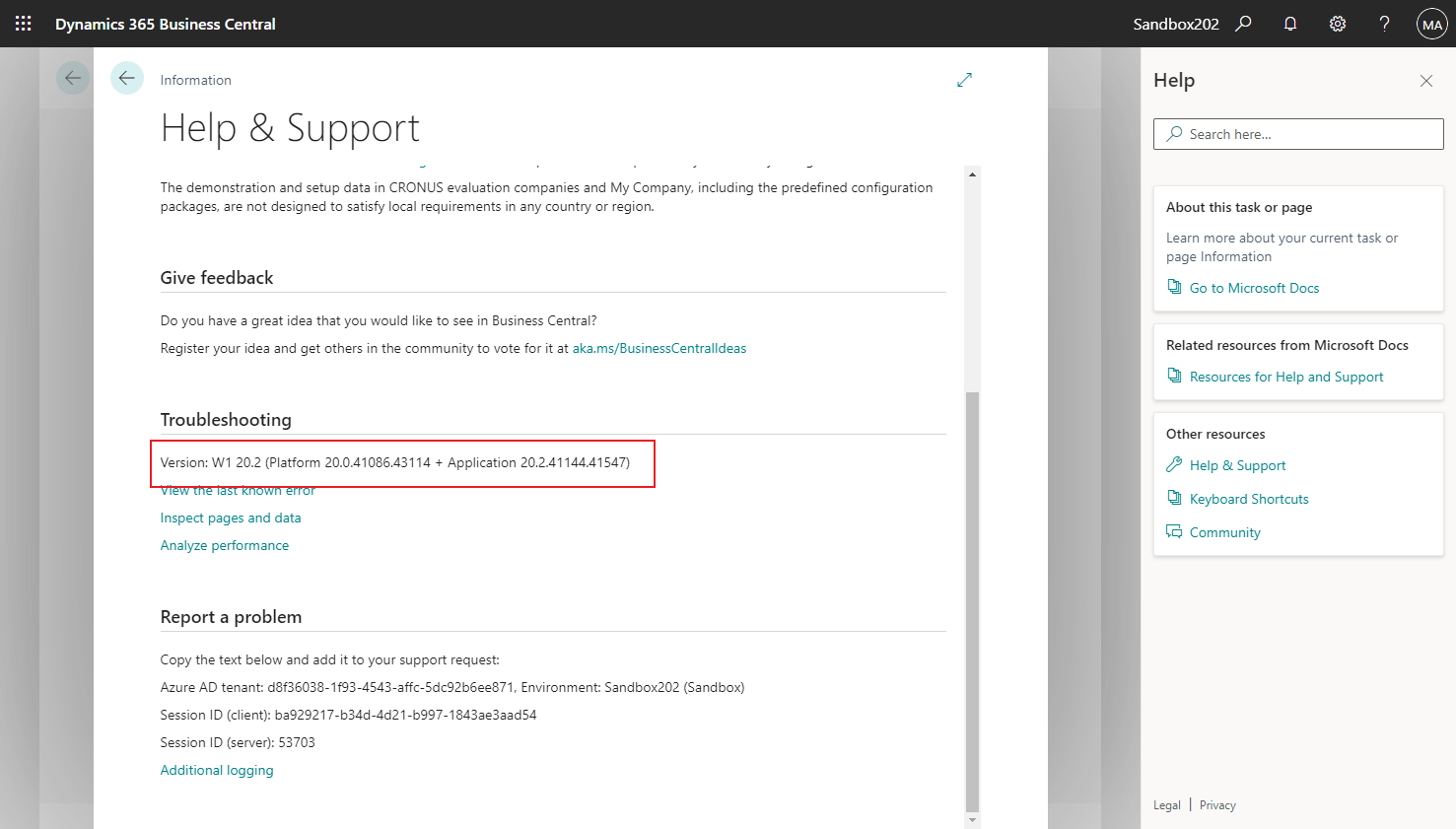
    pastedimage1656979849212v2.png

    pastedimage1656979838752v1.png

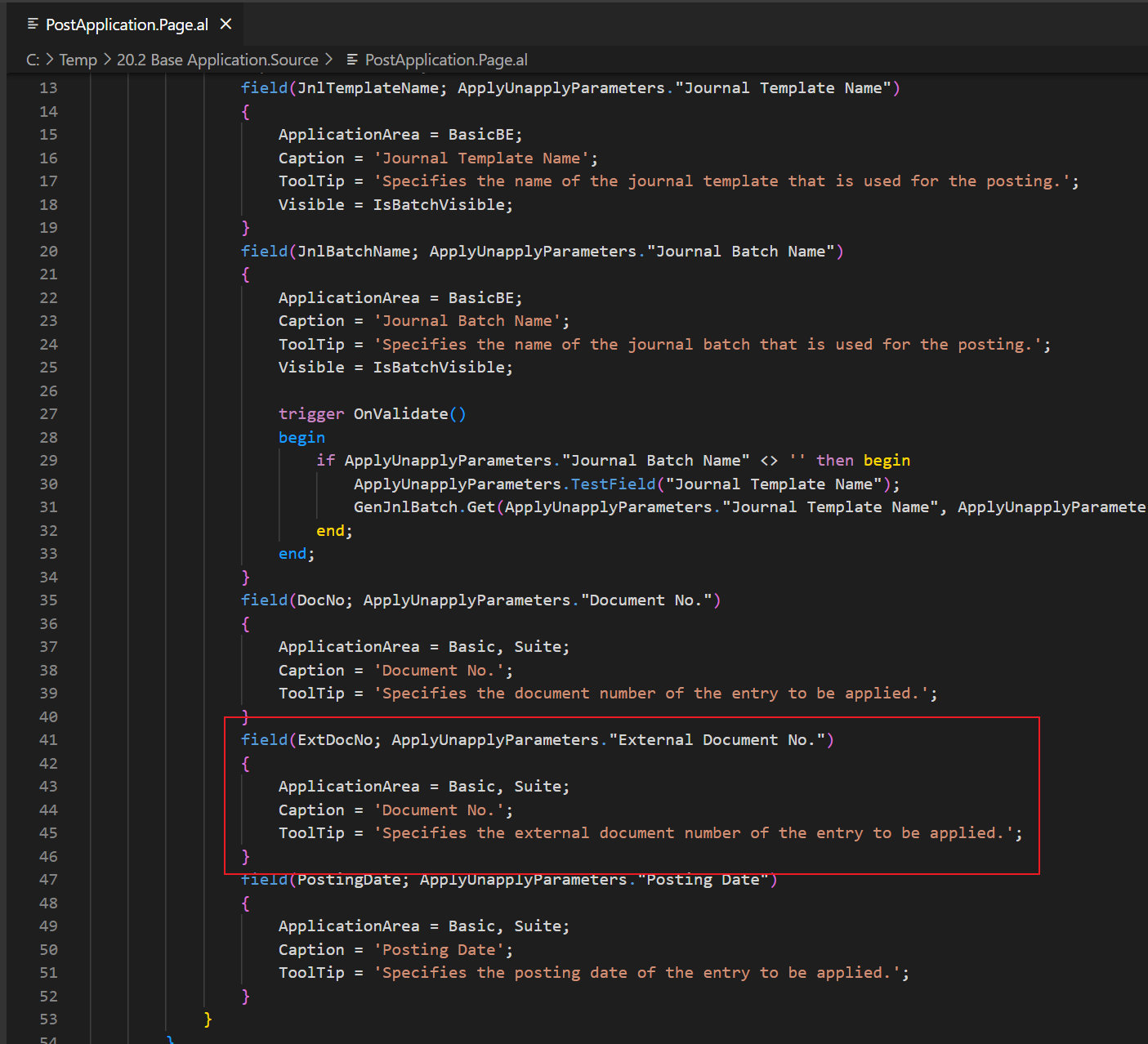
    I also confirm the standard source code, This should be "External Document No.". But Caption is wrong.

    ApplyUnapplyParameters."External Document No."
    pastedimage1656979938236v3.png

    This should be a standard bug, maybe Microsoft will fix it in the next version.

    Hi, Marco Mels , have you noticed this small problem?

    Thanks.

    ZHU

  • Suggested answer
    Marco Mels Profile Picture
    Microsoft Employee on at

    Hello yzhums,

    This is a bug. I will report it internally so it can be corrected in a next minor.

    Thank you.

  • Suggested answer
    YUN ZHU Profile Picture
    101,414 Super User 2026 Season 1 on at

    Hi, , thanks for your quick response.

    Got it.

  • Verified answer
    aleksandra_w Profile Picture
    35 on at

    Hi, yzhums thank you very much for your help.

    Now it is all clear.

    Regards

Under review

Thank you for your reply! To ensure a great experience for everyone, your content is awaiting approval by our Community Managers. Please check back later.

Helpful resources

Quick Links

Introducing the 2026 Season 1 community Super Users

Congratulations to our 2026 Super Stars!

Meet the Microsoft Dynamics 365 Contact Center Champions

We are thrilled to have these Champions in our Community!

Congratulations to the April Top 10 Community Leaders

These are the community rock stars!

Leaderboard > Small and medium business | Business Central, NAV, RMS

#1
OussamaSabbouh Profile Picture

OussamaSabbouh 2,216 Super User 2026 Season 1

#2
YUN ZHU Profile Picture

YUN ZHU 1,471 Super User 2026 Season 1

#3
AndrewThomas81 Profile Picture

AndrewThomas81 1,369

Last 30 days Overall leaderboard

Featured topics

Microsoft Training Manuals

Product updates

Dynamics 365 release plans