web
You’re offline. This is a read only version of the page.
close
Skip to main content

Announcements

No record found.

News and Announcements icon
Community site session details

Community site session details

Session Id :
Microsoft Dynamics CRM (Archived)

Power BI showing "Record" or "Table" no data to report on...

(0) ShareShare
ReportReport
Posted on by

 Hello Everyone,


I just started using Power BI, when I loaded the Dynamics CRM data I started trying to play with it and I noticed fields were missing when I went into the query editor and notice I have a bunch of fields that have no data. The say either "Record" or "Table". I'm not sure what this means or how to fix this problem.  Any advice would be greatly appreciated.
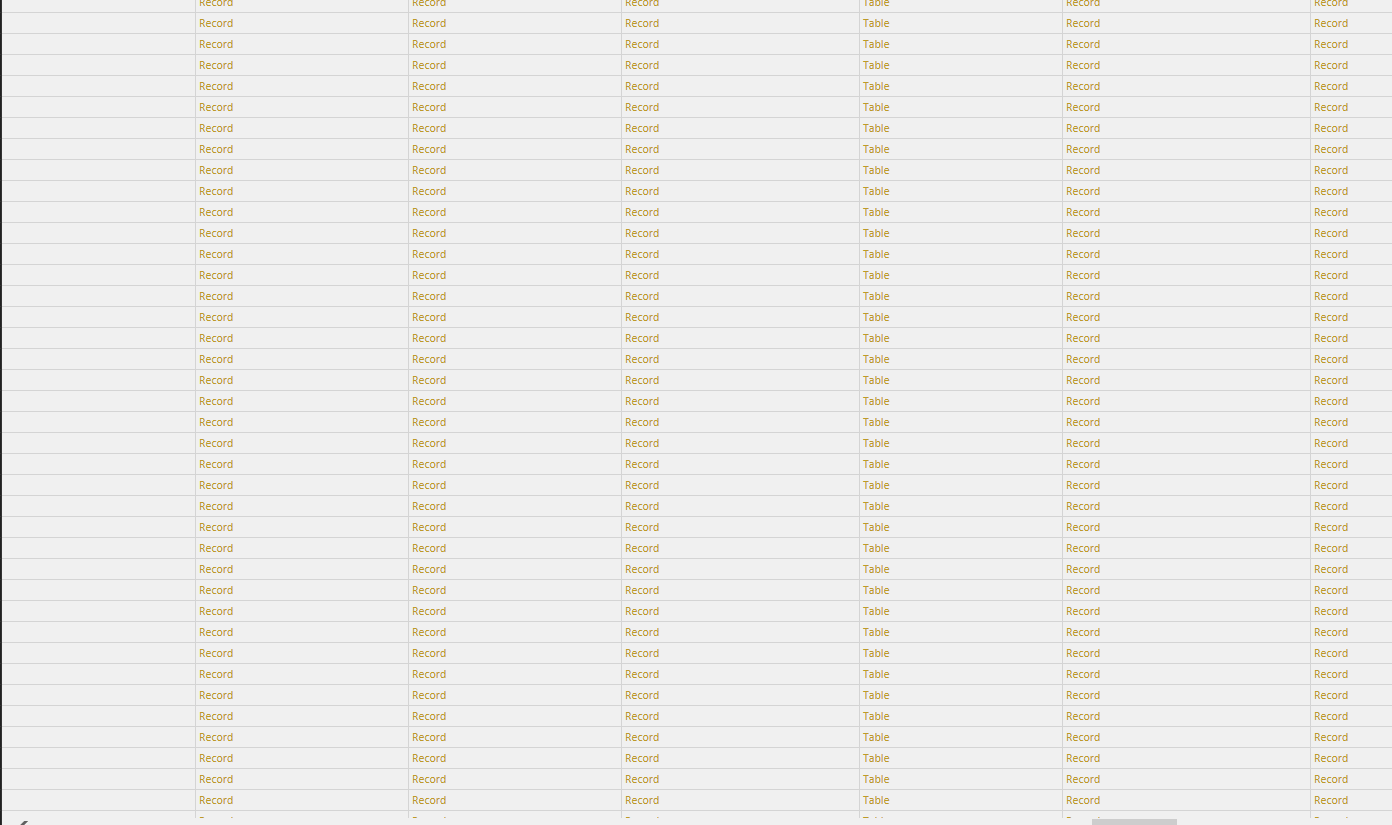
2016_2D00_06_2D00_07_5F00_13_2D00_18_2D00_12.png

*This post is locked for comments

I have the same question (0)
  • Verified answer
    Community Member Profile Picture
    on at

    New to it too, but, this might help. click on the 2 arrows button in the column header (the one I'm using is in the opportunityset - OwnerID). Select only Name and click OK and it will retrieve the owner's name in the column. Instead of just displaying "Record".

  • Helweh Profile Picture
    on at

    Yes! This worked! I had to load the data into the columns I wanted to view. Thank you so much! :)

Under review

Thank you for your reply! To ensure a great experience for everyone, your content is awaiting approval by our Community Managers. Please check back later.

Helpful resources

Quick Links

Introducing the 2026 Season 1 community Super Users

Congratulations to our 2026 Super Stars!

Meet the Microsoft Dynamics 365 Contact Center Champions

We are thrilled to have these Champions in our Community!

Congratulations to the April Top 10 Community Leaders

These are the community rock stars!

Leaderboard > 🔒一 Microsoft Dynamics CRM (Archived)

Last 30 days Overall leaderboard

Featured topics

Product updates

Dynamics 365 release plans
