web
You’re offline. This is a read only version of the page.
close
Skip to main content

Notifications

Announcements

No record found.

Community site session details

Community site session details

Session Id :
Microsoft Dynamics CRM (Archived)

Date format settings...

(0) ShareShare
ReportReport
Posted on by

Hi All,

My first question here in the community, and it may be a little bit of a silly one, but I can't seem to work out how to change the fate formatting for my country. If I navigate to:

Settings -> Administration -> System Settings -> Formats

The format is what I want it to be:
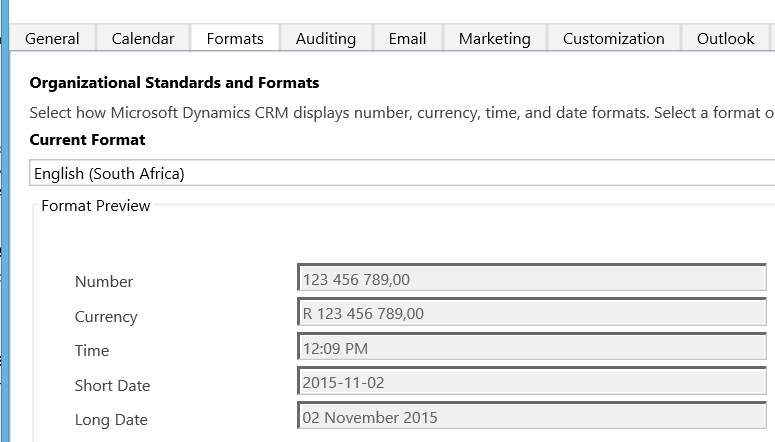
format.PNG

So for short date YYYY-MM-DD, and for long date DD MMM YYYY (which is the default selection apparently for South Africa).

but when I open up an opportunity (or anything I have tested so far), it always displays like this:5621.Display.PNG
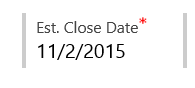
So MM/DD/YYY.

How do I update this? I have tried customizing it in the Format section, but it gives me no options to do that:
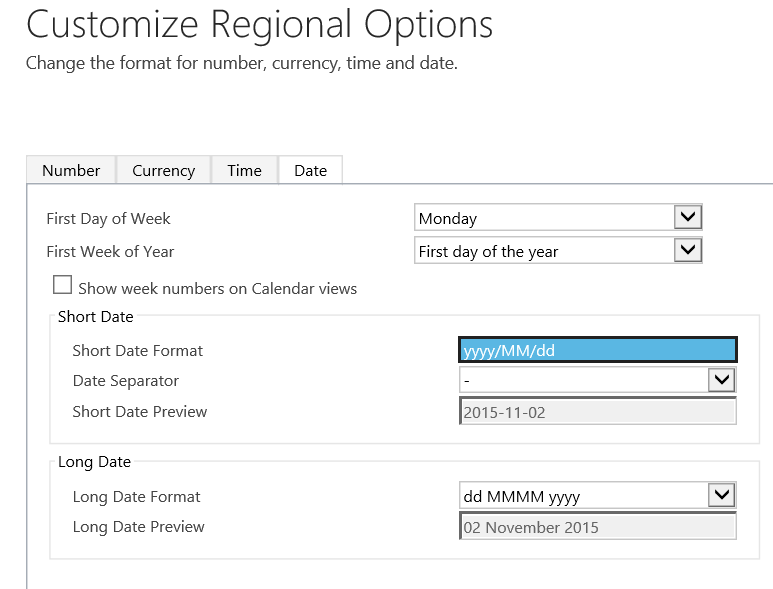
Customize.png

Ie. Clicking on the date format only has the one option.

In terms of permissions, I have system administration rights.

I am completely stumped - any help would be really appreciated!

*This post is locked for comments

I have the same question (0)
  • Verified answer
    Aiden Kaskela Profile Picture
    19,696 on at

    Hi Jacob,

    You updated the system settings, but all the dates you see are going to be set to your User's settings. Edit your User's personal options from the gear next to your user image and set that to English (South Africa) and you'll see the updates immediately.

    Hope this helps! I'd appreciate if you'd mark this as the Verified answer.

    Thanks,

      Aiden

    options.png

  • Community Member Profile Picture
    on at

    Hi Aiden,

    Thank you very much for the quick response! That did indeed fix my problem.

    Thanks again!

Under review

Thank you for your reply! To ensure a great experience for everyone, your content is awaiting approval by our Community Managers. Please check back later.

Helpful resources

Quick Links

Responsible AI policies

As AI tools become more common, we’re introducing a Responsible AI Use…

Neeraj Kumar – Community Spotlight

We are honored to recognize Neeraj Kumar as our Community Spotlight honoree for…

Leaderboard > 🔒一 Microsoft Dynamics CRM (Archived)

#1
SA-08121319-0 Profile Picture

SA-08121319-0 4

#1
Calum MacFarlane Profile Picture

Calum MacFarlane 4

#3
Alex Fun Wei Jie Profile Picture

Alex Fun Wei Jie 2

Last 30 days Overall leaderboard

Featured topics

Product updates

Dynamics 365 release plans
