web
You’re offline. This is a read only version of the page.
close
Skip to main content

Notifications

Announcements

Community site session details

Community site session details

Session Id :
Small and medium business | Business Central, N...
Suggested Answer

Error 403 when attempting GP migration to BC

(0) ShareShare
ReportReport
Posted on by 75,852 Moderator

After configuring the SHIR for a GP migration I am getting the message that configuration failed and in the Event Viewer there are no errors but 3 warnings about error code 403. Could this be what is causing the migration setup to fail? How do I get the migration to continue successfully?

I have the same question (0)
  • Richard Wheeler Profile Picture
    75,852 Moderator on at

    Is there anyway to completely start over? There is nothing there of value.  If there is a way to completely delete this tenant let me know.

  • Richard Wheeler Profile Picture
    75,852 Moderator on at

    We are a GP partner not a BC partner. I can try to log into PartnerSource and see if there is a way to open a BC support case.

  • Suggested answer
    Microsoft Dynamics 365 Business Central Profile Picture
    on at

    Hi Richard,

    if you follow the steps in the below links and still facing issues, you can ask your partner to open a support request with Microsoft supporting team

    docs.microsoft.com/.../migration-tool

    community.dynamics.com/.../starting-the-migration-process-from-gp-to-business-central

  • Richard Wheeler Profile Picture
    75,852 Moderator on at

    Could this issue be due to the fact that I am using a free cloud server? Am I missing certain options since this is a free version? I am reading many BC articles and then see options that I do not have, such as setting intelligent cloud status to true. I am stuck right now and can go no further.

  • Suggested answer
    Microsoft Dynamics 365 Business Central Profile Picture
    on at

    please try to remove it from the

    power shell

    docs.microsoft.com/.../remove-navcompany

  • Richard Wheeler Profile Picture
    75,852 Moderator on at

    OK, I have now tried this from two computers and it fails both times. Here is my connection string. Is there anything wrong with this?

    Server=myServer;Database=myDataBase;User Id=sa;Password=myPassword;

  • Richard Wheeler Profile Picture
    75,852 Moderator on at

    Setup Cloud Migration -> Accept Privacy Warning -> Select Dynamics GP as the  product -> Enter connection string and Integration Runtime Name -> It will say “Working on it” and then I sit and wait and get the message “Failed to enable your replication” and looking through the logs there are no errors but these warnings.
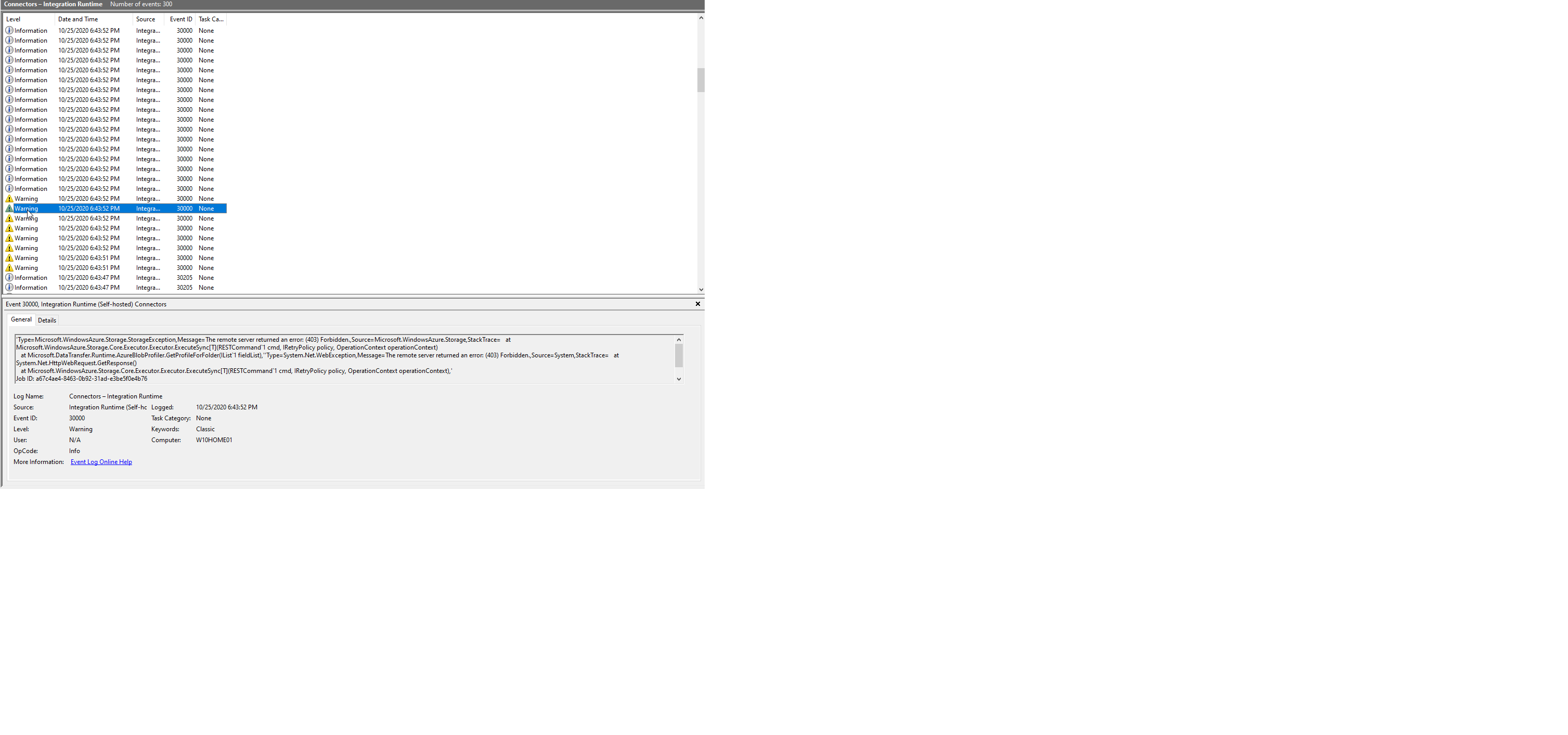
    Deploy_2D00_Error.png

    I have checked all of these:

    The Self-Hosted Integration Runtime Diagnostics tests the connection successfully

    The SQL compatibility level is SQL 2019(150)

    The provided connection string is correct.

  • Richard Wheeler Profile Picture
    75,852 Moderator on at

    Here is a thought. I originally followed the steps to create a sandbox environment. When I did that it created the Cronos company. Could my problem be that I am trying to migrate the TWO company into a company that already exists? How can I delete that company and start over with a blank slate?

  • Richard Wheeler Profile Picture
    75,852 Moderator on at

    I spent all day yesterday following all these steps over and over again. I have set the SQL compatibility level, turned on change tracking and followed every step in every KB I can find. Not one mentions this 403 issue. I even watched a video which shows the exact spot where I get this issue. In the video they are successful.

  • Suggested answer
    Microsoft Dynamics 365 Business Central Profile Picture
    on at

    Hi Richard

    Could you please follow the mentioned steps in the below link

    community.dynamics.com/.../starting-the-migration-process-from-gp-to-business-central

Under review

Thank you for your reply! To ensure a great experience for everyone, your content is awaiting approval by our Community Managers. Please check back later.

Helpful resources

News and Announcements

Season of Giving Solutions is Here!

Quick Links

Responsible AI policies

As AI tools become more common, we’re introducing a Responsible AI Use…

Neeraj Kumar – Community Spotlight

We are honored to recognize Neeraj Kumar as our Community Spotlight honoree for…

Leaderboard > Small and medium business | Business Central, NAV, RMS

#1
OussamaSabbouh Profile Picture

OussamaSabbouh 1,457

#2
Khushbu Rajvi. Profile Picture

Khushbu Rajvi. 742 Super User 2025 Season 2

#3
YUN ZHU Profile Picture

YUN ZHU 669 Super User 2025 Season 2

Last 30 days Overall leaderboard

Featured topics

Product updates

Dynamics 365 release plans
