web
You’re offline. This is a read only version of the page.
close
Skip to main content

Announcements

No record found.

News and Announcements icon
Community site session details

Community site session details

Session Id :
Small and medium business | Business Central, N...
Suggested Answer

Export and modify base report of Microsoft BC on Docker

(0) ShareShare
ReportReport
Posted on by 100

Dear community,

I recently downloaded Microsoft BC Sandbox to my Docker where I hoped to be able to export base reports from Microsoft BC
in order to modify the fields/dataset in the base reports.

But how do I "extract"/export the base reports of Microsoft BC (for instance, report-ID 1304) to AL?
How do I "find" the base reports?

I have read the following posts but they do not seem to give me the full answer I am searching for:

http://thinkaboutit.be/2019/02/how-do-i-add-fields-to-a-report-in-business-central/
-
 https://community.dynamics.com/business/f/dynamics-365-business-central-forum/296054/how-to-modify-existing-report-in-business-central

Please list the information you need from me in order to be able to help me.

Thank you for your help.

I have the same question (0)
  • Suggested answer
    srttel Profile Picture
    Microsoft Employee on at

    A more easier way to extract that report from the Docker image could be to simply download the equivalent cumulative update as DVD from support.microsoft.com/.../released-updates-for-microsoft-dynamics-365-business-central-2020

    and extract the zip file for the base app DVD\Applications\BaseApp\Source\Base Application.Source.

    There you will then find:

    StandardSalesQuote.Report.al

    StandardSalesQuote.rdlc

    StandardSalesQuote.docx

    The DVD and all the files should be as well in the docker container but takes some powershell skills to get them copied to your host system.

  • Marcus Halbauer Profile Picture
    100 on at

    Thank you for your answer, Sebastian.

    I managed to find the above files (but for Standard Sales Order).

    However, it did not solve my problem:

    In the StandardSalesOrder.Report.al-file (with my ID 50200), I added columns for "Shipping Agent Code" and "Shipping Agent Service Code", since these are not included in the standard dataset of the report.

    I added the XML-tags in StandardSalesOrder.docx and published it to the Sandbox. I also updated the report layout of report ID 1305 (= Standard Sales Order) in the Sandbox. But when I run the report, no information for "Shipping Agent Code" and "Shipping Agent Service Code" is generated. If I export the Word-document, the XML-fields of "Shipping Agent Code" and "Shipping Agent Service Code" have been removed.

    Any idea why this is happening? Am I doing something wrong?

    Thank you for your help.

  • Suggested answer
    Dan Kinsella Profile Picture
    468 on at

    Hi Marcus,

    When you download symbols in VS Code, you'll get a copy of the base app in the alpackages folder. This is a Zip archive which can be extracted (with 7zip for example) and contains all the base objects.

    You can't (or shouldn't) modify a base report directly, but you can copy the existing report and renumber it to add additional fields to the dataset.

    Alternatively, another way to open a base object is to create a variable in custom al object referencing the object you want, then right click on the object name and go to definition.

    Hope that helps,

    Dan

  • Dan Kinsella Profile Picture
    468 on at

    Have you tried letting VS Code generate the layout instead of adding the XML tags manually?

    [quote user="Marcus Halbauer"]

    Thank you for your answer, Sebastian.

    I managed to find the above files (but for Standard Sales Order).

    However, it did not solve my problem:

    In the StandardSalesOrder.Report.al-file (with my ID 50200), I added columns for "Shipping Agent Code" and "Shipping Agent Service Code", since these are not included in the standard dataset of the report.

    I added the XML-tags in StandardSalesOrder.docx and published it to the Sandbox. I also updated the report layout of report ID 1305 (= Standard Sales Order) in the Sandbox. But when I run the report, no information for "Shipping Agent Code" and "Shipping Agent Service Code" is generated. If I export the Word-document, the XML-fields of "Shipping Agent Code" and "Shipping Agent Service Code" have been removed.

    Any idea why this is happening? Am I doing something wrong?

    Thank you for your help.

    [/quote]
  • Marcus Halbauer Profile Picture
    100 on at

    Yes and no.

    I copied the original Word- and RDLC-documents into my project folder and then rebuilt the project, so that the XML-fields were inserted in the Word-document.

    To give you a bit more information, please see the code I have entered below.

    I have given my report ID 50200 and the name "Sales Order Confirmation".

    report 50200 "Sales Order Confirmation"
    {
        RDLCLayout = '.vscode/SalesOrderConf/SalesOrderConf.rdlc';
        WordLayout = '.vscode/SalesOrderConf/SalesOrderConf.docx';
        Caption = 'Sales - Confirmation';
        DefaultLayout = Word;
        PreviewMode = PrintLayout;
        WordMergeDataItem = Header;
    
        dataset
        {
            dataitem(Header; "Sales Header")
            {
            ...

    It is almost exactly the same as the original report (1305), but I have added some columns in the dataset:

                ...
                column(Shipping_Agent_Code; "Shipping Agent Code") { }
    
                column(Shipping_Agent_Code_Lbl; FieldCaption("Shipping Agent Code")) { }
                column(Shipping_Agent_Service_Code; "Shipping Agent Service Code") { }
    
                column(Shipping_Agent_Service_Code_Lbl; FieldCaption("Shipping Agent Service Code")) { }
                ...

    When I build the project, the added columns are inserted in the Word-document as XML-fields.
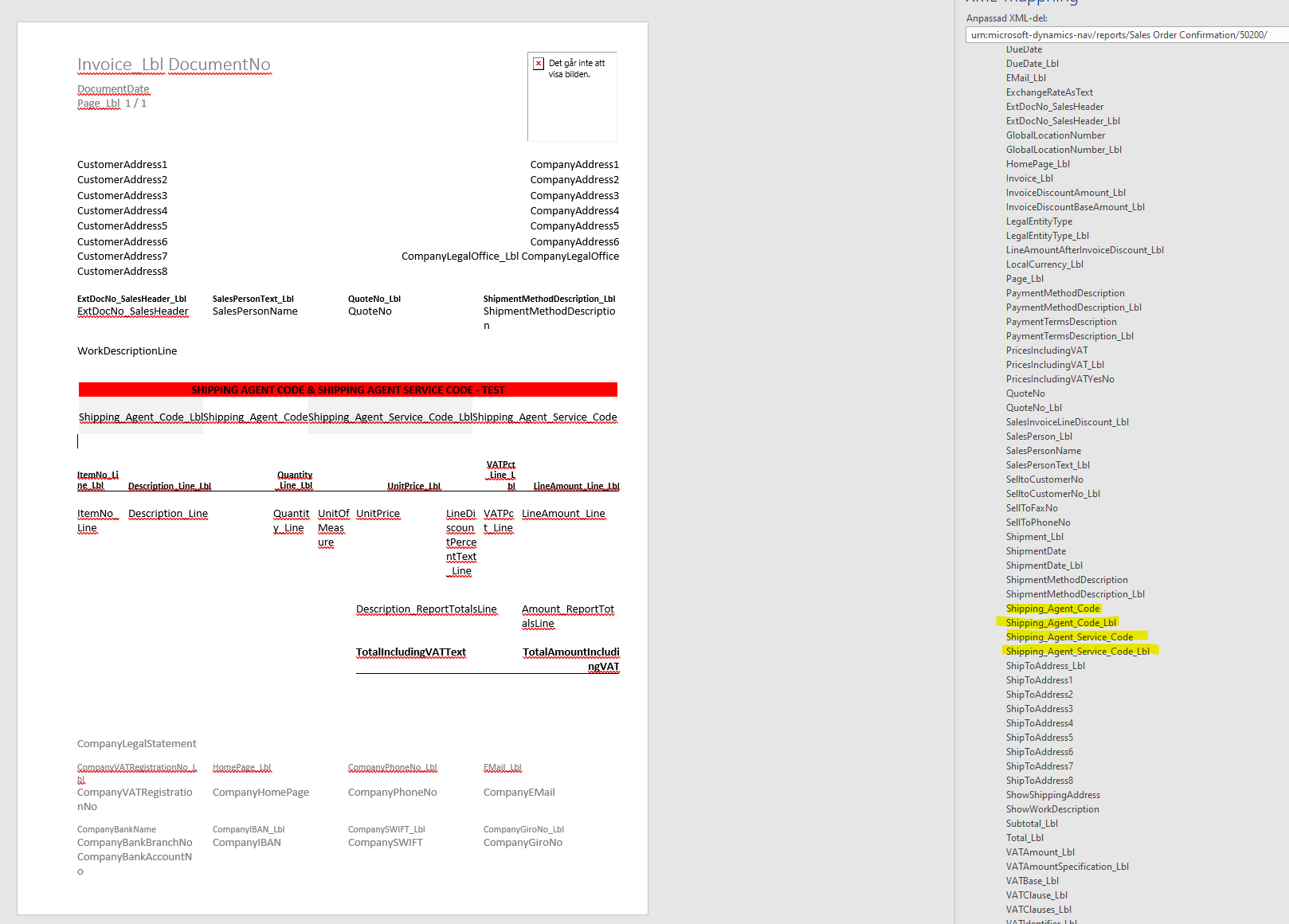
    Before-importing-to-BC-Sandbox_2C00_-SalesOrderConf_2C00_-Word_2D00_document.png

    When I publish the project to the Sandbox and try to import the Word-document to report 1305, I get the following error message.
    This is understandable as the report ID of my custom report is 50200.
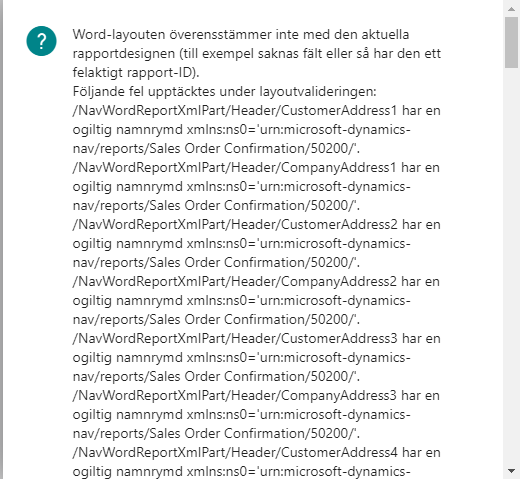
    Importing-to-BC-Sandbox_2C00_-error_2D00_message.png

    However, when I generate the report with my custom report, all the fields except for the added fields are inserted correctly.
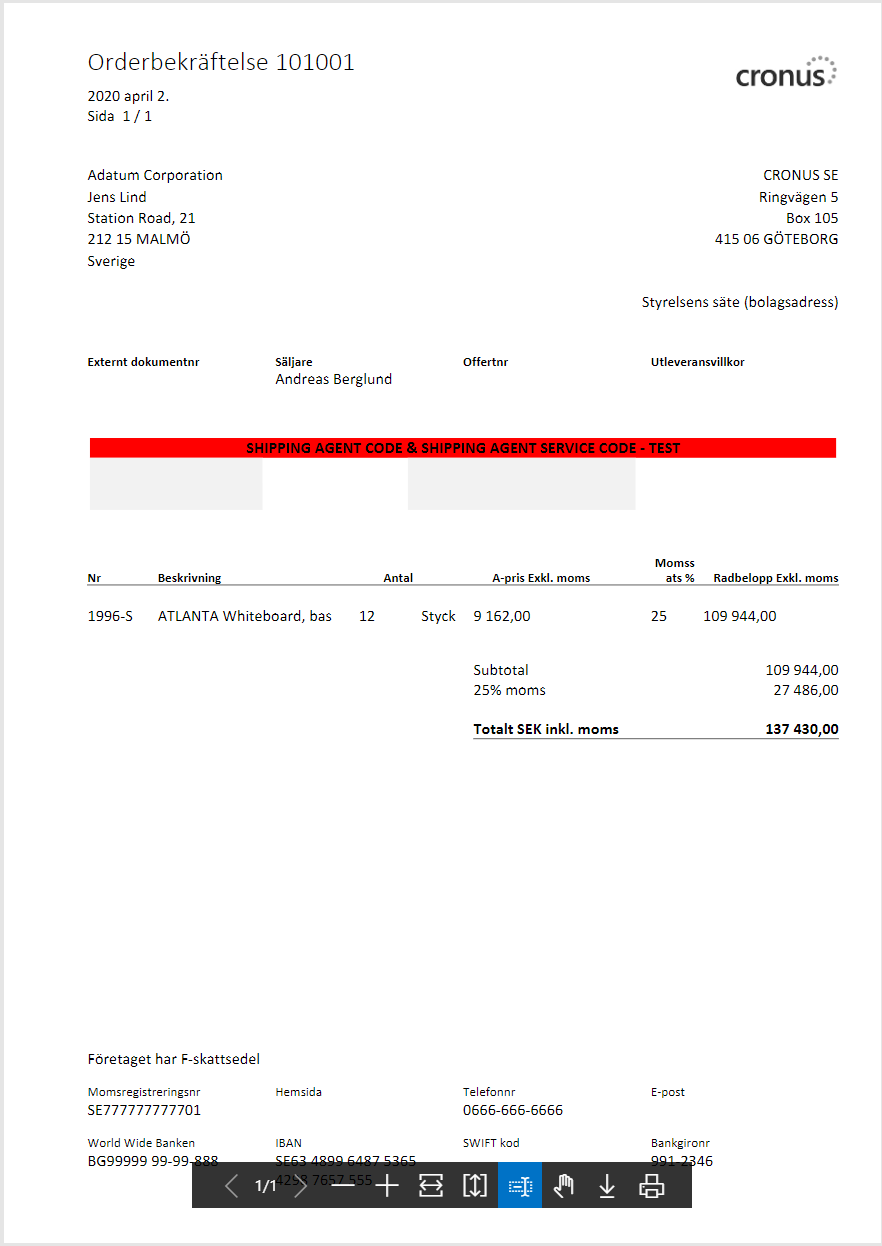
    Generated-report_2C00_-BC-Sandbox.png

    And when I export the Word-document, my added XML-fields are gone.

    Sorry for the long post, but how can this be?

  • Dan Kinsella Profile Picture
    468 on at

    I'm not sure about copying into your project word layout generated for another object, I would have thought you'd need to start from scratch to ensure it's created properly for your new report.

    I'd try removing both layouts from the project and have VS Code generate a clean version specific to your report. The layout from the original could then be copy & pasted into your new docx file while it's open in MS Word.

  • Marcus Halbauer Profile Picture
    100 on at

    Hello Dan,

    Thank you for your suggestion.

    I tried generating the layout-files from scratch using the AL-report object. I then inserted some of the "old"/base report XML-fields along with the new ones which I added. I then ran the project i Microsoft BC Sandbox and imported the layout file to report ID 1305.

    However, when I run the report, the information for the "old"/base report XML-fields are generated, but the fields for the newly added XML-fields are empty. When I export my new layout from Microsoft BC, I can see that my newly added fields have been removed.

  • Suggested answer
    srttel Profile Picture
    Microsoft Employee on at

    Hi Marcus,

    not sure if this problem is still an issue, but I would like to give you an example on this one.

    Test was done on a current 16.4 sandbox environment.

    I’m using Visual Studio AL Object Designer from https://marketplace.visualstudio.com/items?itemName=martonsagi.al-object-designer to open the existing Report 1305

    We get a DAL file with the source code.

    Copy & paste code from the DAL into new myReprt.al file

    Change report id.

    Run AL Package to generate docx and rdlc

    I changed RDLCLayout = './MyStandardSalesOrderConf.rdlc';

    I change WordLayout = './MyStandardSalesOrderConf.docx';

    I changed the caption of the report.

    I added Shipping Agent Code as new column to the dataset.

    I added Shipping Agent Service Code as new column to the dataset.

    Publish app to the sandbox.

    In BC in went to Report selection sales

    Configured the system to use for the orders my new report 50101.

    I went to “Custom Report Layout” and create a new layout for report 50101 - Insert Word Layout

    I exported the layout.

    Added my fields.

    Imported the word doc layout again.

    I tested the report in the “Custom Report Layout”, Progress – Run report.

    I opened “Report Layout Selection” and select my new word layout for report

  • Marcus Halbauer Profile Picture
    100 on at

    Hello Sebastian,

    Thank you for your reply in trying to solve my problem.

    I have kind of given up on this issue but will try again using your thorough description.

Under review

Thank you for your reply! To ensure a great experience for everyone, your content is awaiting approval by our Community Managers. Please check back later.

Helpful resources

Quick Links

Introducing the 2026 Season 1 community Super Users

Congratulations to our 2026 Super Stars!

Meet the Microsoft Dynamics 365 Contact Center Champions

We are thrilled to have these Champions in our Community!

Congratulations to the April Top 10 Community Leaders

These are the community rock stars!

Leaderboard > Small and medium business | Business Central, NAV, RMS

#1
OussamaSabbouh Profile Picture

OussamaSabbouh 1,948 Super User 2026 Season 1

#2
YUN ZHU Profile Picture

YUN ZHU 936 Super User 2026 Season 1

#3
Teagen Boll Profile Picture

Teagen Boll 616 Super User 2026 Season 1

Last 30 days Overall leaderboard

Featured topics

Product updates

Dynamics 365 release plans
