web
You’re offline. This is a read only version of the page.
close
Skip to main content

Notifications

Announcements

Community site session details

Community site session details

Session Id :
Small and medium business | Business Central, N...
Answered

Account schedule Cost types with cost centers / objects as columns

(0) ShareShare
ReportReport
Posted on by 187

Hello BC Forum,

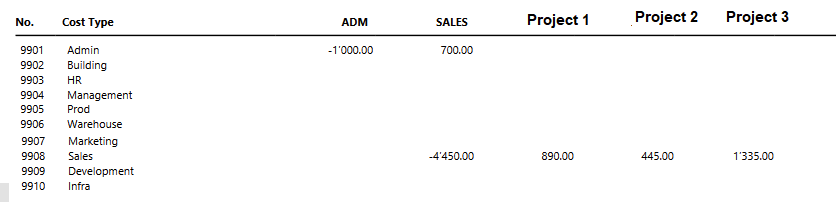
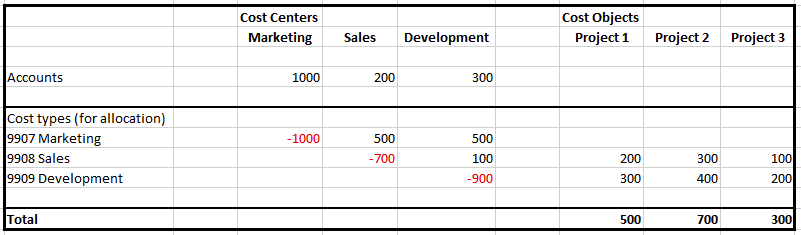
I need a report like printscreen1 shown below.

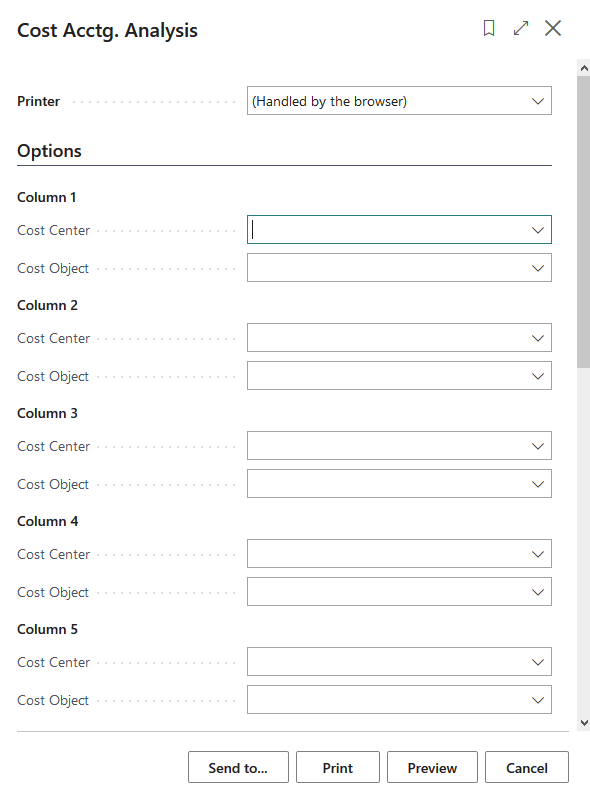
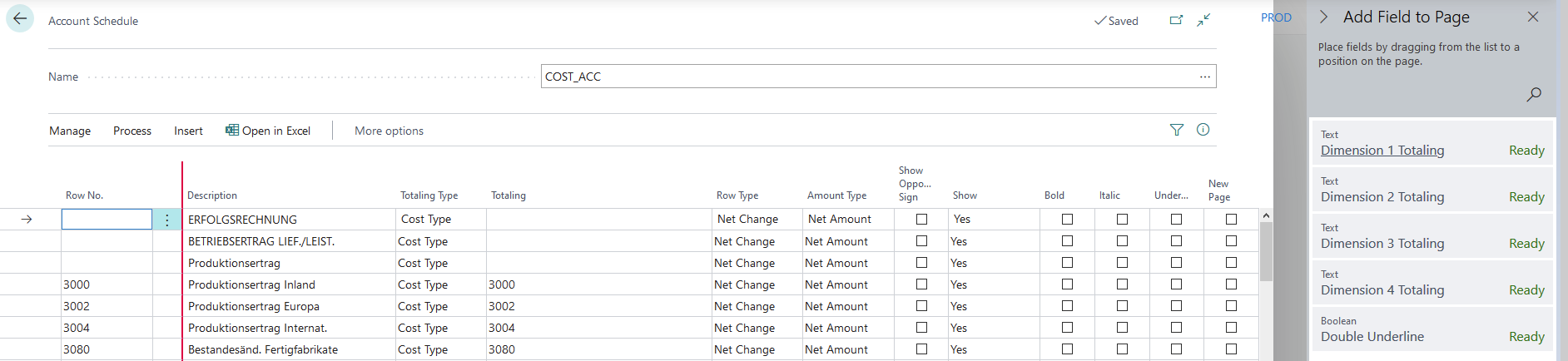
I tried the default possibility in BC: cost Acctg. analysis (as seen in printscreens 2 and 3), and it basically does what I want, but you can only choose 8 columns., not more. So I tried to create a customized report via account schedules and with cost types (printscreen 4).

Somehow I do not find how to create columns of cost centers and cost objects. Also personalization gives me 4 columns with dimensions. I need cost objects / centers.

I have already read all the necessary MS Docs (so only a link to MS Docs probably does not help me).

Printscreen 1
pastedimage1622805553046v1.png

Printscreen 2 (limited columns)

pastedimage1622806594762v3.png

Printscreen 3

pastedimage1622805897998v2.png

Printscreen 4

pastedimage1622806803736v4.png

Thanks for the reply.

Greetings,

John

I have the same question (0)
  • Verified answer
    Community Member Profile Picture
    on at

    Johnny,

    In the Account Schedule, did you Edit the Column Layout? Here is mine sample:

    pastedimage1622817284558v1.png

    pastedimage1622817455054v2.png

    Hope this helps.

    Thanks,

    Steve

  • Suggested answer
    JohnnyLM Profile Picture
    187 on at

    Hello Steve, 

    thanks for the quick reply. Your answer put me into the right direction.

    I was looking at the wrong place. I had to look in Account Schedules / Process / Edit Column Layout Setup. What I did was go into my new Account Schedule because I thought that's the place to change the columns for this particular Report with personalization.

    pastedimage1622818732763v4.png

    I was looking here:

    pastedimage1622818787485v5.png

    I must say: a little bit confusing and not mentioned in the MS Docs...

    Greetings, 

    John

Under review

Thank you for your reply! To ensure a great experience for everyone, your content is awaiting approval by our Community Managers. Please check back later.

Helpful resources

News and Announcements

Season of Giving Solutions is Here!

Quick Links

Responsible AI policies

As AI tools become more common, we’re introducing a Responsible AI Use…

Neeraj Kumar – Community Spotlight

We are honored to recognize Neeraj Kumar as our Community Spotlight honoree for…

Leaderboard > Small and medium business | Business Central, NAV, RMS

#1
OussamaSabbouh Profile Picture

OussamaSabbouh 1,573

#2
Khushbu Rajvi. Profile Picture

Khushbu Rajvi. 773 Super User 2025 Season 2

#3
YUN ZHU Profile Picture

YUN ZHU 760 Super User 2025 Season 2

Last 30 days Overall leaderboard

Featured topics

Product updates

Dynamics 365 release plans