web
You’re offline. This is a read only version of the page.
close
Skip to main content

Announcements

No record found.

News and Announcements icon
Community site session details

Community site session details

Session Id :
Microsoft Dynamics CRM (Archived)

Marketing List - Error and Unable to Edit Form

(0) ShareShare
ReportReport
Posted on by

Hi,

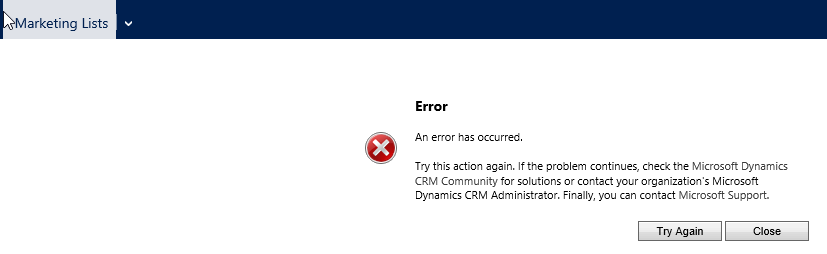
I recently made changes to my Marketing List form and changed the associated view to the sub-grid being displayed and now I am receiving an error message when opening the form. When trying to edit the form through the customization settings, I will also receive the error. We are hosted on CRM Online. Any help with this issue is GREATLY appreciated! Please let me know if you need any additional information. Thank you!
*This post is locked for comments

I have the same question (0)
  • Suggested answer
    PS Profile Picture
    23,577 on at

    can you please rearrange the form like it was before and then try if your form is back without errors

  • Community Member Profile Picture
    on at

    Thanks Prashant for responding. I'm not able to edit the form anymore. When trying to opening the form editor (Entities > Marketing List > Forms), I get the same error message. This goes with any of the forms: Marketing List, Information, and Information (Mobile). Even when trying to create a new form I will get the error as well.

  • Community Member Profile Picture
    on at

    What Browser and Version are you using.

    Try a different browser

  • Community Member Profile Picture
    on at

    I am using Internet Explorer 11. I have also tried Chrome and Firefox per your suggestion but still run into the same error message.

  • Community Member Profile Picture
    on at

    Was problem ever solved and if so how? (Have same problem, for marketing list.)

  • Community Member Profile Picture
    on at

    Hello Andreas:

    I can send you a image of my marketing list form I'm using 2015.

    Some advice, Make a copy of the form you're going to work on. I did the same thing with the Case Entity I was luck someone on this form give me a snap shot of what it looked liked. As for the view just take out the fields that you think that you added.

    You can also try to open the form within the Market List Record Window

    Worse case you can always call customer support and they might be able to help you in the back end. Make a support ticket with Office 365.

  • Community Member Profile Picture
    on at

    Hi Damon, I saw you response to Andreas regarding the marketing list form. Would it be possible for you to send the image for me as well? I still have not found a fix for this issue. Thanks!

  • Community Member Profile Picture
    on at

    mnguy024:

    Sure

    4024.market-list.PNG

    4024.market-list.PNG

  • Nishant Rana Profile Picture
    11,325 Microsoft Employee on at

    We are also facing the same issue.. 

    Any solution ?

Under review

Thank you for your reply! To ensure a great experience for everyone, your content is awaiting approval by our Community Managers. Please check back later.

Helpful resources

Quick Links

Introducing the 2026 Season 1 community Super Users

Congratulations to our 2026 Super Stars!

Meet the Microsoft Dynamics 365 Contact Center Champions

We are thrilled to have these Champions in our Community!

Congratulations to the March Top 10 Community Leaders

These are the community rock stars!

Leaderboard > 🔒一 Microsoft Dynamics CRM (Archived)

#1
JS-09031509-0 Profile Picture

JS-09031509-0 3

#2
AS-17030037-0 Profile Picture

AS-17030037-0 2

#2
Mark Eckert Profile Picture

Mark Eckert 2

Last 30 days Overall leaderboard

Featured topics

Product updates

Dynamics 365 release plans
