web
You’re offline. This is a read only version of the page.
close
Skip to main content

Notifications

Announcements

No record found.

Community site session details

Community site session details

Session Id :
Microsoft Dynamics CRM (Archived)

Refresh Form

(0) ShareShare
ReportReport
Posted on by

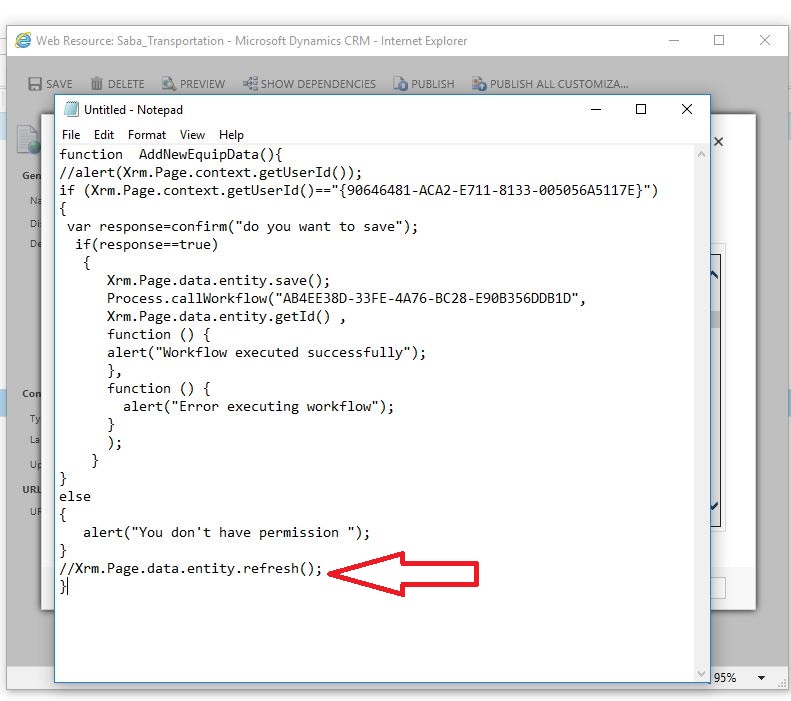
Hi , I have custom button which run workflow step and the result of this workflow is create some record , i need to refresh my form after finish this process

because i want show subgrid  with new created record quickly and also show result of some field that change in workflow step(some field clear in  workflow step but after i click  f5 i can see those field changes) . 

i try some javascript code like      Xrm.Page.data.refresh(); but its not work .  

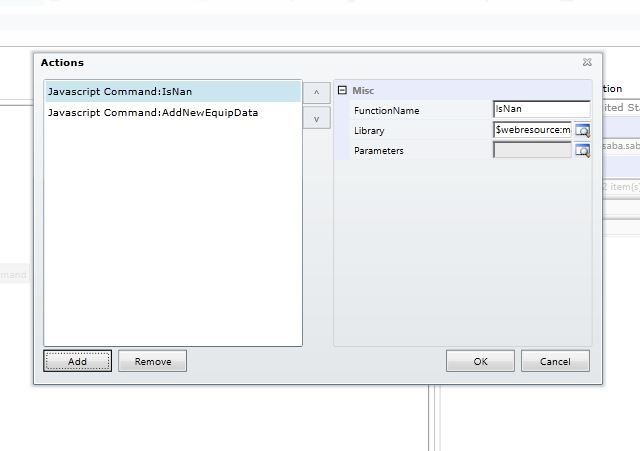
i send my custom button code in bellow 
5460.Capture1.JPG

6567.Capture2.JPG

*This post is locked for comments

I have the same question (0)
  • Suggested answer
    Dynamics365 Rocker Profile Picture
    7,755 on at

    It is an issue. You have to refresh manually or change your workflow to real time then your problem may resolve.

  • Community Member Profile Picture
    on at

    yaa its true only for my subgrid , when i change my workflow to real time my grid fill and show new record , but some fields of this entity which changed in workflow , didn't have any change until i click into refresh button

    55611.Capture3.JPG

  • Suggested answer
    gdas Profile Picture
    50,091 Moderator on at

    Hi Somayeh,

    Write the refresh method inside success call back ( where you are showing alert) of the workflow instead of outside. See how its goes.

  • Suggested answer
    Shidin Haridas Profile Picture
    3,497 on at

    As a workaround, insert the below two lines of code after the success alert to force-refresh the sub-grid.

    var subgrid = Xrm.Page.ui.controls.get("yourSubgridName");
    subgrid.refresh();

    If my answer helps you, please mark it as verified.

  • Verified answer
    gdas Profile Picture
    50,091 Moderator on at

    For refresh you can also write below code  it will be refresh loaded whole page . Make sure you put the code inside workflow success call back method.

    Xrm.Utility.openEntityForm(Xrm.Page.data.entity.getEntityName(), Xrm.Page.data.entity.getId());

    If you want to refresh only grid  , then write below code  -

    var gridcontrol= Xrm.Page.ui.controls.get("SubgridName");
    gridcontrol.refresh();
  • Community Member Profile Picture
    on at

    thanks ,its done correctly  

  • rath.amit38@gmail.com Profile Picture
    2 on at

    @somayeh: Which approach suggested by Gautam resolved your issue: 1st one, 2nd one or both?

  • Community Member Profile Picture
    on at

    hi , the second one worked for me

    Xrm.Utility.openEntityForm(Xrm.Page.data.entity.getEntityName(), Xrm.Page.data.entity.getId());

Under review

Thank you for your reply! To ensure a great experience for everyone, your content is awaiting approval by our Community Managers. Please check back later.

Helpful resources

Quick Links

Responsible AI policies

As AI tools become more common, we’re introducing a Responsible AI Use…

Neeraj Kumar – Community Spotlight

We are honored to recognize Neeraj Kumar as our Community Spotlight honoree for…

Leaderboard > 🔒一 Microsoft Dynamics CRM (Archived)

#1
SA-08121319-0 Profile Picture

SA-08121319-0 4

#1
Calum MacFarlane Profile Picture

Calum MacFarlane 4

#3
Alex Fun Wei Jie Profile Picture

Alex Fun Wei Jie 2

Last 30 days Overall leaderboard

Featured topics

Product updates

Dynamics 365 release plans