web
You’re offline. This is a read only version of the page.
close
Skip to main content

Announcements

No record found.

News and Announcements icon
Community site session details

Community site session details

Session Id :
Microsoft Dynamics CRM (Archived)

How to constrain the portal search filter to "Knowledge Articles" instead of "All"

(0) ShareShare
ReportReport
Posted on by 35

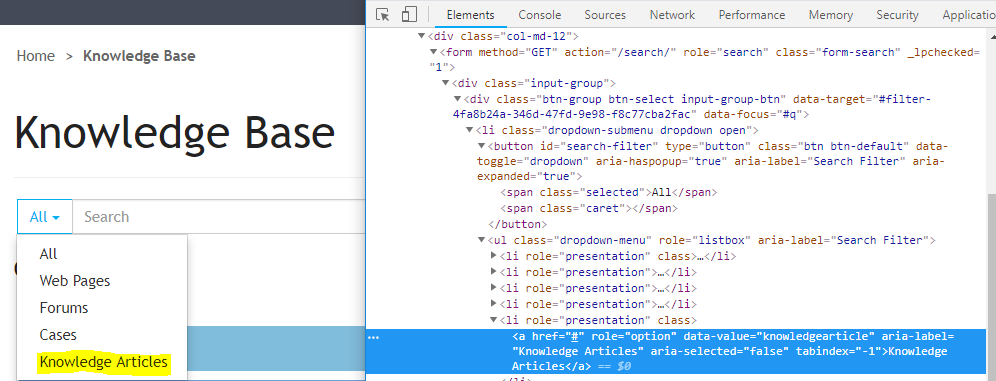
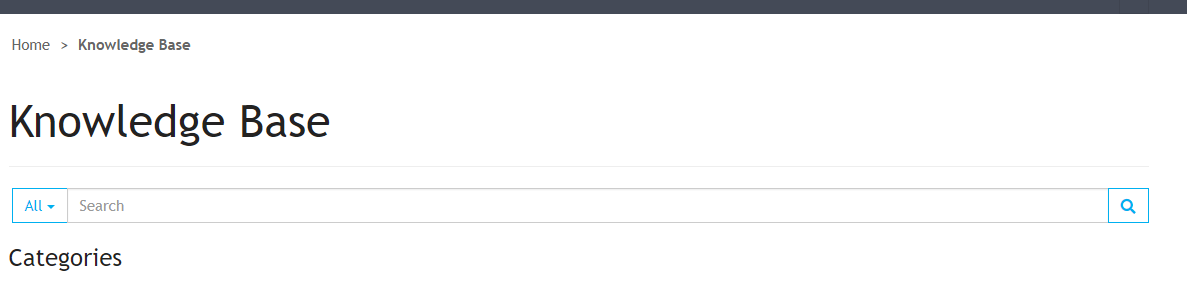
I have embed the {% include 'Search' %} into the Knowledge Base Home Web Template. I am wanting the default filter to be "Knowledge Articles" not "All"

See screenshots below for the Console + Web Page specifics
30171.1.PNG

7804621.2.PNG

*This post is locked for comments

I have the same question (0)
  • Suggested answer
    RaviKashyap Profile Picture
    55,410 Moderator on at

    Hi,

    This is controlled by site setting "Search/Filters". By default, this settign has all teh relevant entities, if you remove all and just leave knowledgearticle, this shoudl work.

    Refer this:

    docs.microsoft.com/.../search

    Note that this is a global setting so this will be changed for your entire portal.

    Hope this helps.

  • micahclifford Profile Picture
    35 on at

    Hey Ravi!

    Thanks for that! Although I am only looking at doing it for a specific web page. I do not want to make a site-wide setting hence why I am want to edit the HTML / Liquid for the embed. 

Under review

Thank you for your reply! To ensure a great experience for everyone, your content is awaiting approval by our Community Managers. Please check back later.

Helpful resources

Quick Links

Introducing the 2026 Season 1 community Super Users

Congratulations to our 2026 Super Stars!

Meet the Microsoft Dynamics 365 Contact Center Champions

We are thrilled to have these Champions in our Community!

Congratulations to the April Top 10 Community Leaders

These are the community rock stars!

Leaderboard > 🔒一 Microsoft Dynamics CRM (Archived)

Last 30 days Overall leaderboard

Featured topics

Product updates

Dynamics 365 release plans