web
You’re offline. This is a read only version of the page.
close
Skip to main content

Announcements

No record found.

News and Announcements icon
Community site session details

Community site session details

Session Id :
Microsoft Dynamics 365 | Integration, Dataverse...
Suggested Answer

Populating Multiselect dropdown with entity list table values

(0) ShareShare
ReportReport
Posted on by

Hi,

I have a requirement where I want to populate the Multiselect dropdown with the values from the entity list table which is displayed on the Powerapps Portal. I have created the multi select dropdown using custom javascript on a web page. I want to populate the option values in this dropdown with the entity list table rows from another web page. Is there a way to achieve this?

Any help is greatly appreciated.

Thanks,

SG

I have the same question (0)
  • LeoAlt Profile Picture
    16,331 Moderator on at

    Hi partner,

    Could you share more details with screenshot about your requirement?

    Entity list shows all records of the entity on page, and how to populate the row data into multi select dropdown?

    Regards,

    Leo

  • Community Member Profile Picture
    on at

    Hi,

    Thanks for the reply. I have rendered the entity list which displays the list of organization in the organizations web page  as shown below.

    Org.png

    I want to bind the values of the organizations from the above table in the multi select dropdown which is present in another web page as shown below.

    dropdown.png

    I have added static values in the dropdown. Instead I want to bind the values from the organization table into the dropdown so that any changes in the entity list displaying the organization will be reflected in the dropdown. Is there a way to achieve this?

    Thanks,

    SG

  • Community Member Profile Picture
    on at

    Hi,

    Thanks for the reply. I have rendered the entity list which displays the list of organization in the organizations web page  as shown below.

    3755.Org.png

    I want to bind the values of the organizations from the above table in the multi select dropdown which is present in another web page as shown below.

    0841.dropdown.png

    I have added static values in the dropdown. Instead I want to bind the values from the organization table into the dropdown so that any changes in the entity list displaying the organization will be reflected in the dropdown. Is there a way to achieve this?

    Thanks,

    SG

  • Suggested answer
    LeoAlt Profile Picture
    16,331 Moderator on at

    Hi partner,

    So the organization is a custom entity in  your D365 right?

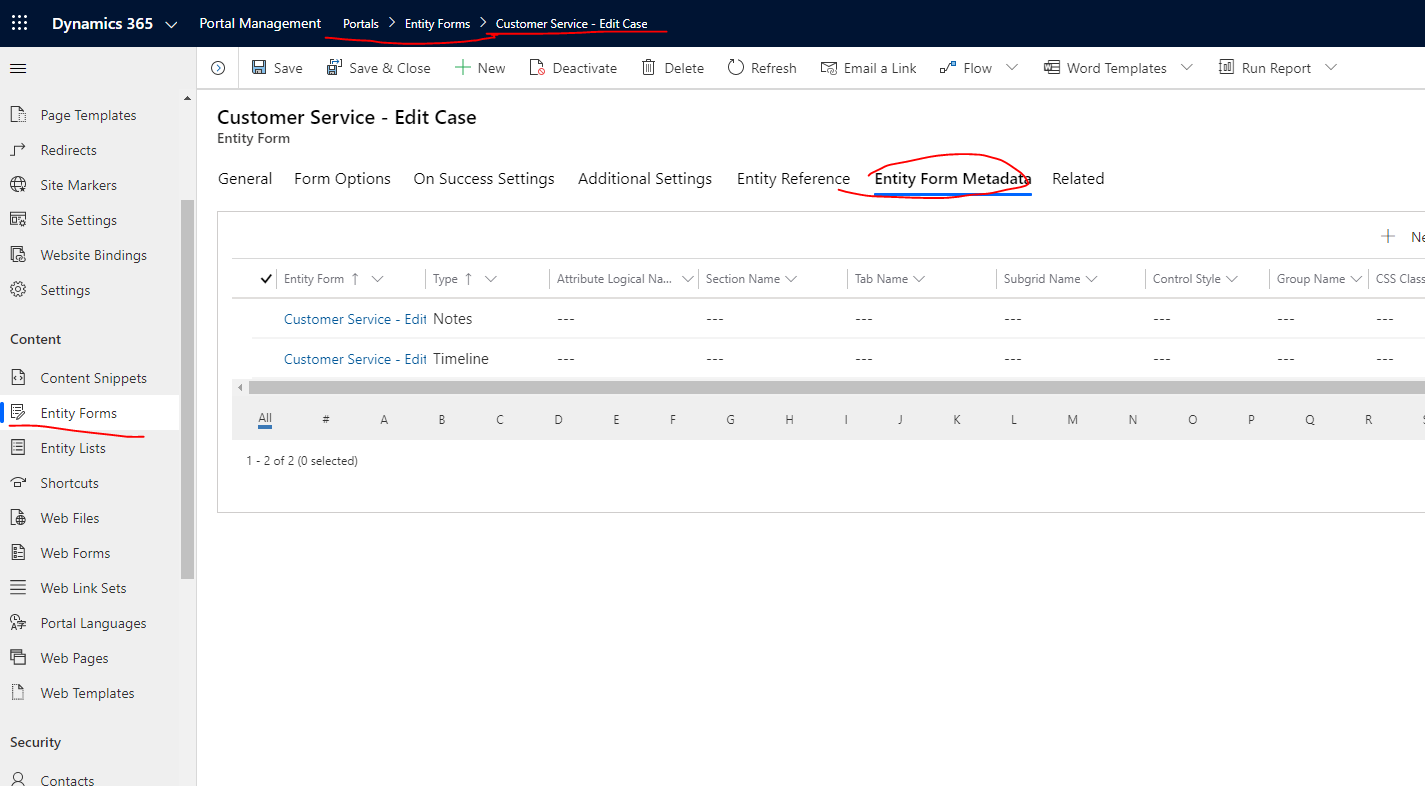
    If so, I recommend you to add an organization  look up field on your account form, and then go to Dynamics 365 portals->Entity Form, find your account create and edit forms, new an "Entity Form Metadata".
    pastedimage1590721560554v1.png

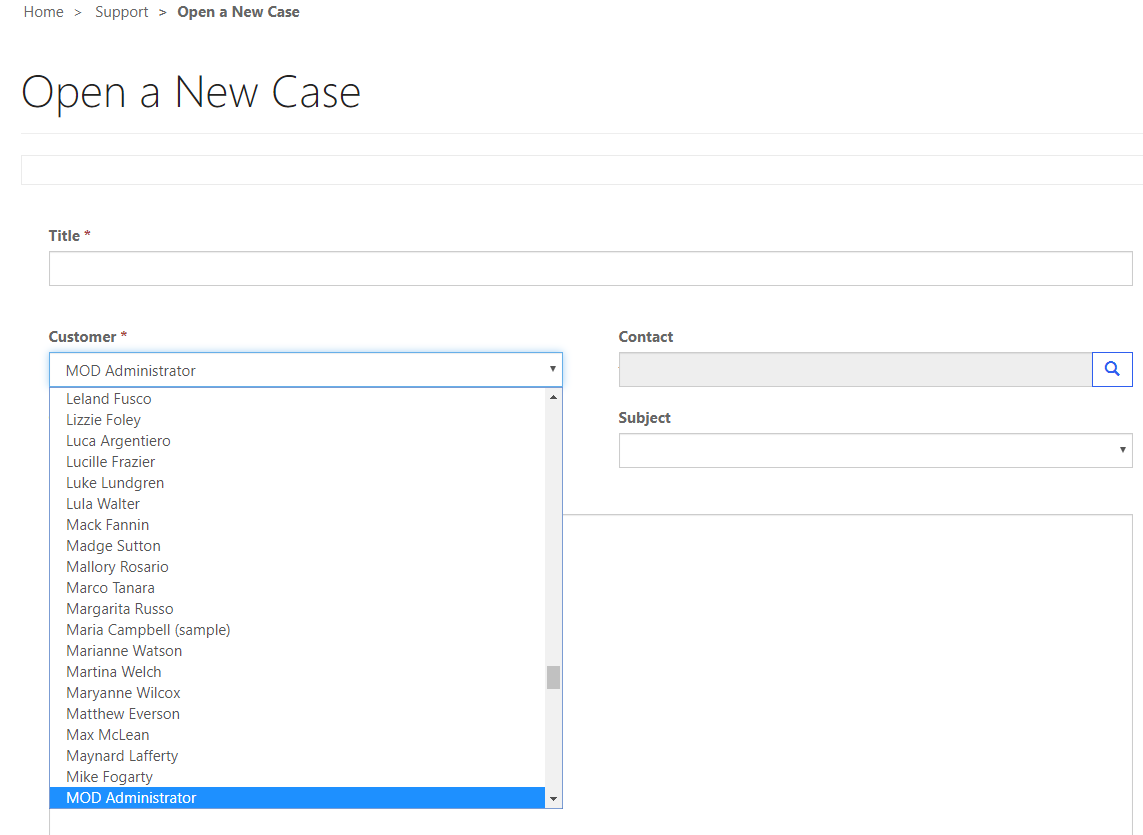
    Select type to Attribute, and choose your organization lookup field, in my example I used the customer field on case form. 

    And choose the Control style you need.

    pastedimage1590721664160v2.png

    pastedimage1590721698100v3.png

    pastedimage1590722133567v4.png

    Best Regards,

    Leo

  • Community Member Profile Picture
    on at

    Hi,

    Thank you for the reply. I tried the steps mentioned above using entity form metadata. But I need the control style as a Multiple Choice field which is not getting displayed even after selecting the Control Style as Multiple Choice. Even Option sets are not displayed. It only gets displayed as a dropdown. I need this to be displayed as the Multiple choice set so that I can select multiple organization for the User. Is there a way to do this?

    Thanks

    SG

Under review

Thank you for your reply! To ensure a great experience for everyone, your content is awaiting approval by our Community Managers. Please check back later.

Helpful resources

Quick Links

Introducing the 2026 Season 1 community Super Users

Congratulations to our 2026 Super Stars!

Meet the Microsoft Dynamics 365 Contact Center Champions

We are thrilled to have these Champions in our Community!

Congratulations to the April Top 10 Community Leaders

These are the community rock stars!

Leaderboard > Microsoft Dynamics 365 | Integration, Dataverse, and general topics

#1
11manish Profile Picture

11manish 122

#2
CP04-islander Profile Picture

CP04-islander 57

#2
André Arnaud de Calavon Profile Picture

André Arnaud de Cal... 57 Super User 2026 Season 1

Last 30 days Overall leaderboard

Product updates

Dynamics 365 release plans