Hi,
I have created a Custom button that behaves likes Standard "Print quote for customer" button using Ribbon workbench.
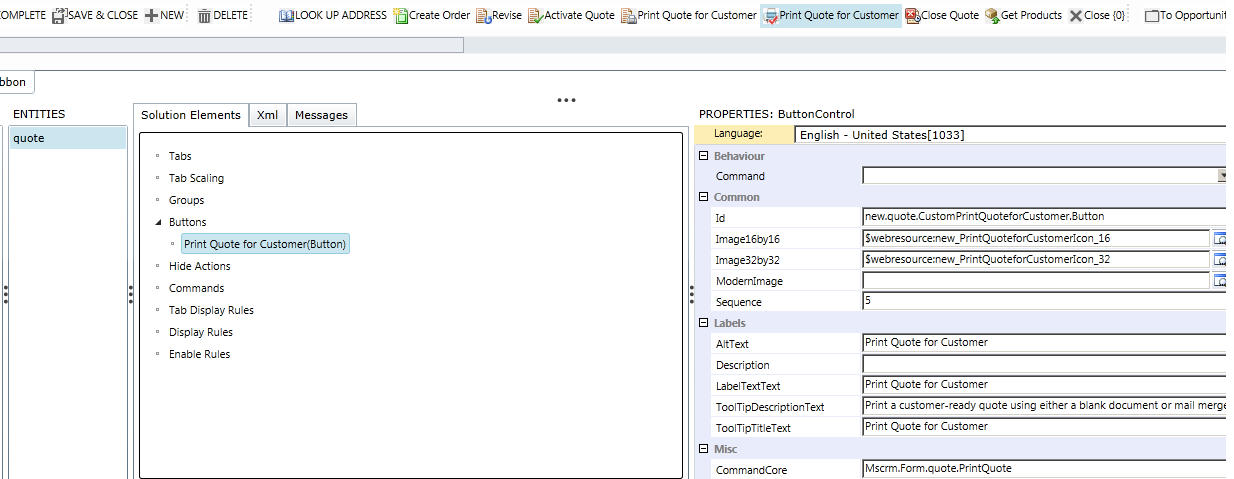
I want this button to be enabled only for users with "System administrator" or "system customizer" role.
1. Can i create an enable rule for command "Mscrm.Form.quote.PrintQuote" ?
2. Can i use "Custom Javascript function" step in enable rule for the function below ?
function HidePrintQuoteforCustomerButton(){
if(UserHasRole("System Administrator")||UserHasRole("Delegate"))
return false;
else
return true;
}
When i am doing this, the form ribbon stops working.
Please guide, how to enable security based display on this button?
*This post is locked for comments
I have the same question (0)


