web
You’re offline. This is a read only version of the page.
close
Skip to main content

Notifications

Announcements

No record found.

Community site session details

Community site session details

Session Id :
Small and medium business | Business Central, N...
Suggested Answer

NAV App for Android disappears after a device update

(5) ShareShare
ReportReport
Posted on by

Because of policy updates, the NAV app may disappear from the list of apps after updating Android to its latest version.
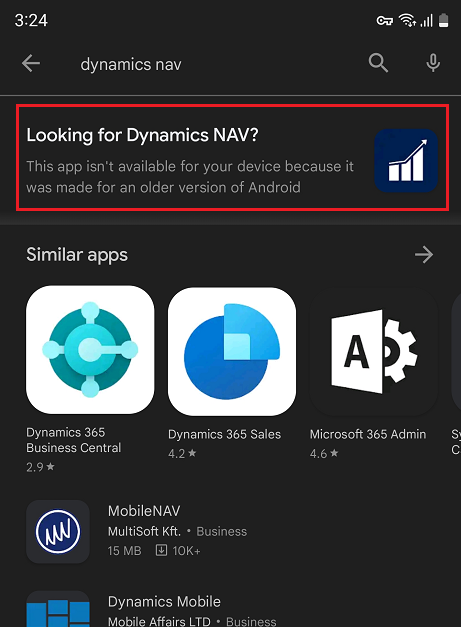
pastedimage1680260834575v1.png

If Microsoft were to update the main app, then this would affect all current users who are running fine on an older version of Android. Instead, as a workaround, Microsoft has shared this app version (3.0.3234) in the beta ring on Google Play Store, which is compatible with the newest Android versions for phone and tablet:

https://aka.ms/DynamicsNAVmobileAndroid13

Note: this app is working with all supported versions of Dynamics NAV, but as we are not able to properly test this app with your own on-premises installation of Dynamics NAV we are happy to hear your feedback – hoping the problem is solved. Please channel such feedback to Microsoft Support or add comments below.

I have the same question (0)
  • Suggested answer
    YUN ZHU Profile Picture
    95,729 Super User 2025 Season 2 on at

    Thanks for sharing information.

    I checked the version in Google Play and it is indeed very old.......

    https://play.google.com/store/apps/details?id=com.microsoft.dynamics.nav&hl=en_US

    pastedimage1680477521864v1.png

    pastedimage1680477825441v3.png

  • Lars Lohndorf-Larsen Profile Picture
    on at

    Just a few additional comments to this:

    Dynamics NAV is out of mainstream support which is another reason for not forcing updates on existing installed apps.

    Also note that this problem is that the app disappears from the store, so it should only affect new installs of the app. Existing apps should just continue to work. So only for new installations of the app, use the link above.

  • jiri.adamec Profile Picture
    7 on at

    But using Samsung A54 (Android 13) it doesn't work...but using Samsung S21 (Android 13) it works well...

  • AG-01051957-0 Profile Picture
    4 on at
    Is there a way to install the beta version via Intune (Fully Managed Devices)? 
     
  • Suggested answer
    YUN ZHU Profile Picture
    95,729 Super User 2025 Season 2 on at
    As far as I know it is possible if you still have the old installation package.....
    In any case, the support period for NAV is very short, please upgrade to BC as soon as possible.
     
     
    Thanks.
    ZHU
  • Gerardo Rentería García Profile Picture
    25,268 Most Valuable Professional on at

    Hi, good day
    You can search for the previous apk of the nav application

    Best Regards
    Gerardo

Under review

Thank you for your reply! To ensure a great experience for everyone, your content is awaiting approval by our Community Managers. Please check back later.

Helpful resources

Quick Links

Responsible AI policies

As AI tools become more common, we’re introducing a Responsible AI Use…

Neeraj Kumar – Community Spotlight

We are honored to recognize Neeraj Kumar as our Community Spotlight honoree for…

Leaderboard > Small and medium business | Business Central, NAV, RMS

#1
OussamaSabbouh Profile Picture

OussamaSabbouh 2,135

#2
YUN ZHU Profile Picture

YUN ZHU 733 Super User 2025 Season 2

#3
Sumit Singh Profile Picture

Sumit Singh 612

Last 30 days Overall leaderboard

Featured topics

Product updates

Dynamics 365 release plans
