web
You’re offline. This is a read only version of the page.
close
Skip to main content

Announcements

No record found.

News and Announcements icon
Community site session details

Community site session details

Session Id :
Microsoft Dynamics CRM (Archived)

Audit History not displaying data

(0) ShareShare
ReportReport
Posted on by 365

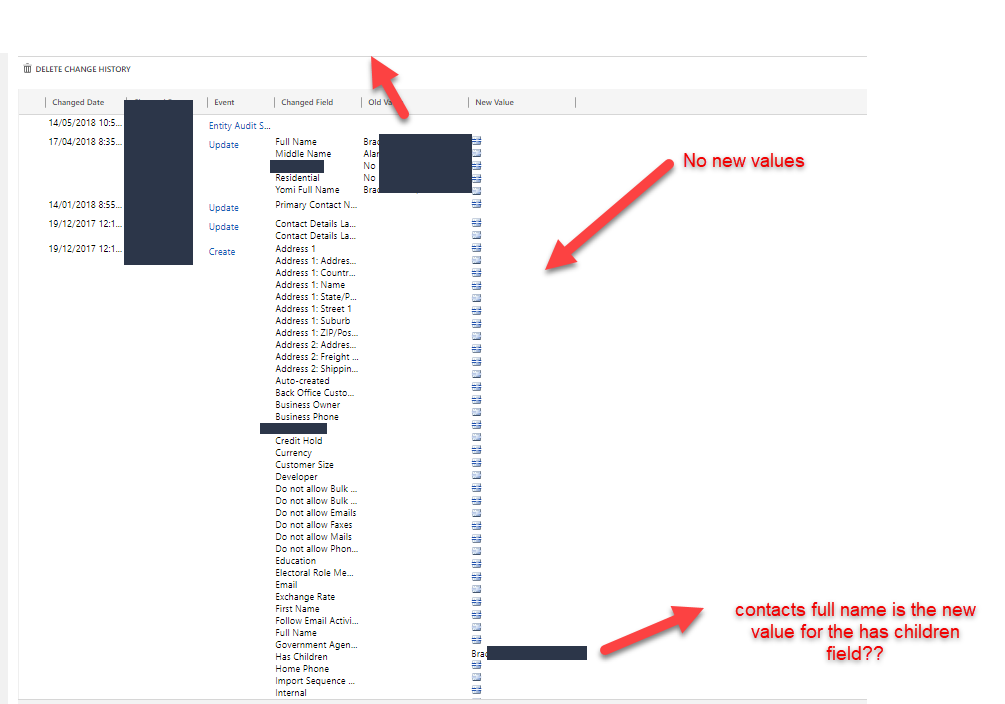
Some of my audit log data is not showing any data as per the screen shot below.

To the best of my knowledge auditing has been enabled for the contact entity and fields.

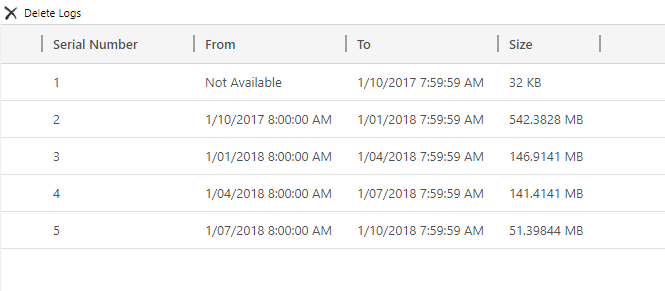
Additionally the audit log files have not been deleted. 

Can anyone explain what is happening here?
2018_2D00_07_2D00_27_5F00_9_2D00_51_2D00_22.png2018_2D00_07_2D00_27_5F00_10_2D00_01_2D00_57.png

*This post is locked for comments

I have the same question (0)
  • Suggested answer
    gdas Profile Picture
    50,091 Moderator on at

    As you mentioned audit record  has not been deleted , so  might be auditing was disable for the particular field or in the organization during that time .

  • Suggested answer
    RaviKashyap Profile Picture
    55,410 Moderator on at

    Hi,

    This is a known issue/ behavior. This happens when the auditing is disabled/ enabled. Check the following threads-

    community.dynamics.com/.../150552

    community.dynamics.com/.../153919

    social.microsoft.com/.../ms-dynamics-crm-audit-history-shows-icons-instead-of-values

    Hope this helps.

  • D365 Freelancer Profile Picture
    365 on at

    I am pretty sure I never turned audition off for the contact entity. Can this happen when importing a solution or maybe CRM Upgrade from version 8 to version 9?

  • David Jennaway Profile Picture
    14,065 on at

    Whether auditing is enabled on an entity is configure in the entity metadata. If a solution contains entity metadata (this is an option you get when adding assets of an entity to a solution), then this will override the metadata in the destination. So, yes, importing a solution can turn auditing on or off

Under review

Thank you for your reply! To ensure a great experience for everyone, your content is awaiting approval by our Community Managers. Please check back later.

Helpful resources

Quick Links

Introducing the 2026 Season 1 community Super Users

Congratulations to our 2026 Super Stars!

Meet the Microsoft Dynamics 365 Contact Center Champions

We are thrilled to have these Champions in our Community!

Congratulations to the April Top 10 Community Leaders

These are the community rock stars!

Leaderboard > 🔒一 Microsoft Dynamics CRM (Archived)

Last 30 days Overall leaderboard

Featured topics

Product updates

Dynamics 365 release plans