web
You’re offline. This is a read only version of the page.
close
Skip to main content

Announcements

No record found.

News and Announcements icon
Community site session details

Community site session details

Session Id :
Small and medium business | Business Central, N...
Answered

NEW ITEM creation problem business central

(0) ShareShare
ReportReport
Posted on by 60

Hi,

I have two users who have all the same permission sets in business central but one of the users is not able to create/delete items whereas the other one is.  As can see from the picture below the action "New item" and "Delete" is sort of blured out and not clickable for one of the users. 

pastedimage1630565628280v1.png


I have gone through the permissions of both users and they have the same user groups, same permissions (pic below), same role in the role center, and nothing strange with personalized pages. 
I even thought I might have to add the user as warehouse employee or something, because that was the only setup different from the user for whom the item creation is working, but no luck.
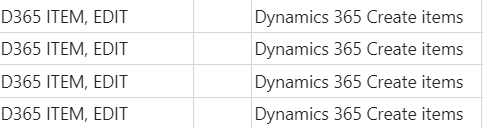
pastedimage1630565799955v2.png
I was wondering if there is anything I am forgetting to check here ?  Has anyone come across similar issues ?

I have the same question (0)
  • Suggested answer
    Community Member Profile Picture
    on at

    KRM,

    The User who cannot add Items, gray out, they are going to the Item List and the New is gray, yes?

    Steve

  • Suggested answer
    YUN ZHU Profile Picture
    101,474 Super User 2026 Season 1 on at

    Hi, Is this a trial Tenant? it seems your trial period has expired.

    More details: https://yzhums.com/6861/

    pastedimage1630629716845v1.png

    Or the license has expired and can only be modified data by the admin?

    For reference only:

    https://docs.microsoft.com/en-us/microsoft-365/commerce/subscriptions/what-if-my-subscription-expires?view=o365-worldwide#what-happens-to-data-when-a-subscription-expires

    pastedimage1630630088164v2.png

    Hope this will help.

    Thanks.

  • Verified answer
    Robert Jolliffe Profile Picture
    890 on at

    Check if both users are Full users or if one is a TEAM Member

Under review

Thank you for your reply! To ensure a great experience for everyone, your content is awaiting approval by our Community Managers. Please check back later.

Helpful resources

Quick Links

Introducing the 2026 Season 1 community Super Users

Congratulations to our 2026 Super Stars!

Meet the Microsoft Dynamics 365 Contact Center Champions

We are thrilled to have these Champions in our Community!

Congratulations to the April Top 10 Community Leaders

These are the community rock stars!

Leaderboard > Small and medium business | Business Central, NAV, RMS

#1
OussamaSabbouh Profile Picture

OussamaSabbouh 2,260 Super User 2026 Season 1

#2
YUN ZHU Profile Picture

YUN ZHU 1,515 Super User 2026 Season 1

#3
AndrewThomas81 Profile Picture

AndrewThomas81 1,373

Last 30 days Overall leaderboard

Featured topics

Microsoft Training Manuals

Product updates

Dynamics 365 release plans
