web
You’re offline. This is a read only version of the page.
close
Skip to main content

Announcements

No record found.

News and Announcements icon
Community site session details

Community site session details

Session Id :
Microsoft Dynamics CRM (Archived)

Sharing Advanced Find Saved View

(0) ShareShare
ReportReport
Posted on by 480

Hi All,

Some of the user are not able to view the shared saved views from advanced find of any entity. All users have basic role assigned but some users have manager role. Sharing needs to happen among these users. My implementation of CRM contains several customized entities . When any user tries to share a view, following options are presented - 
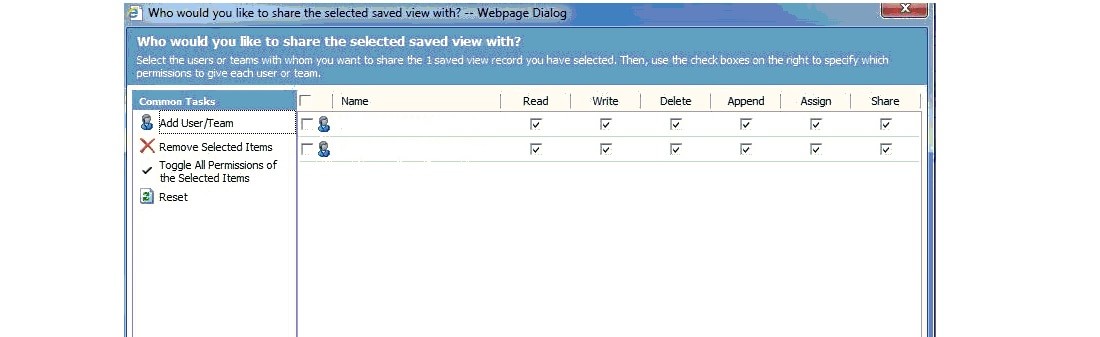
savedviewerror.jpg

When a user  tries to open a saved view shared by another user, he/she is presented with following message -
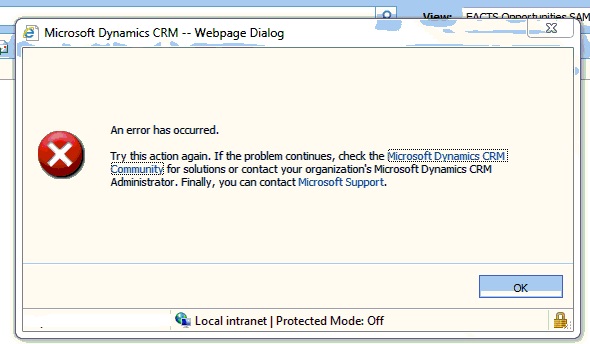
 

I cannot figure out why sharing fails. Kindly provide any suggestion or solution.

*This post is locked for comments

I have the same question (0)
  • Nikhil Kumar Das Profile Picture
    680 on at

    Hi,

    Have you gave the users access to vies through teams ?

    If you have given access to the users via Teams, make sure  the security role of team has the access to the views.

    Check out this post :  www.powerobjects.com/.../creating-and-hiding-shared-views-in-microsoft-dynamics-crm-2011

  • Njyoti88 Profile Picture
    480 on at

    Hi Nikhil,

    I am using customized version of MS CRM4.0. Will the mentioned steps in the link work for CRM 4.0  as steps are mentioned for CRM 2011 ?

  • Nikhil Kumar Das Profile Picture
    680 on at

    Yes it will work. We can share personal views and advanced find views to users via Teams irrespective of any version of CRM

  • Community Member Profile Picture
    on at

    Could you please post filtering conditions for the view? Does it include a filter by Teams? If yes, please make sure that the user is included in several teams (a default Business Unit Team and any other Custom Team). There was a bug in CRM 2011 associated with Teams filtering...

  • Suggested answer
    Prati Profile Picture
    980 on at

    Hello Njyoti88 ,

    Thank you for the post . Please refer to the link for steps :

    1. rc.crm.dynamics.com/.../source_view_share.htm

    Thanks and Regards

    Prashant T

  • Suggested answer
    Mithilesh Kumar Profile Picture
    10,047 on at

    Hi,

    1. Sharing is not failing if the user can see the View name in the list of My Views for that Entity.

    2. Then to access the shared view you need to have Security Roles enabled for Saved View under Core Records Tab.

    3. To view the records in that view you need to have Read Access to the Entity.

    Therefore modify your Security Roles to incorporate above points.

    Hope this helps

    Thanks

  • Royal King Profile Picture
    27,686 on at

    If you think user has right privilege i would suggest enabling trace in the server and that will provide more information about any issue in showing the saved view.

Under review

Thank you for your reply! To ensure a great experience for everyone, your content is awaiting approval by our Community Managers. Please check back later.

Helpful resources

Quick Links

Introducing the 2026 Season 1 community Super Users

Congratulations to our 2026 Super Stars!

Meet the Microsoft Dynamics 365 Contact Center Champions

We are thrilled to have these Champions in our Community!

Congratulations to the April Top 10 Community Leaders

These are the community rock stars!

Leaderboard > 🔒一 Microsoft Dynamics CRM (Archived)

#1
ScottDurow Profile Picture

ScottDurow 2

#2
GJones Profile Picture

GJones 1

Last 30 days Overall leaderboard

Featured topics

Product updates

Dynamics 365 release plans
