web
You’re offline. This is a read only version of the page.
close
Skip to main content

Announcements

No record found.

News and Announcements icon
Community site session details

Community site session details

Session Id :
Small and medium business | Business Central, N...
Suggested Answer

Unit Group Integration/Mapping

(4) ShareShare
ReportReport
Posted on by 34
I am trying to couple the Unit Group from BC to Sales to have one Unit Group for all items, But when I tried mapping it the same error is still I am getting. Is it correct Unit Group is the first I need to couple then UoM and Items?
 
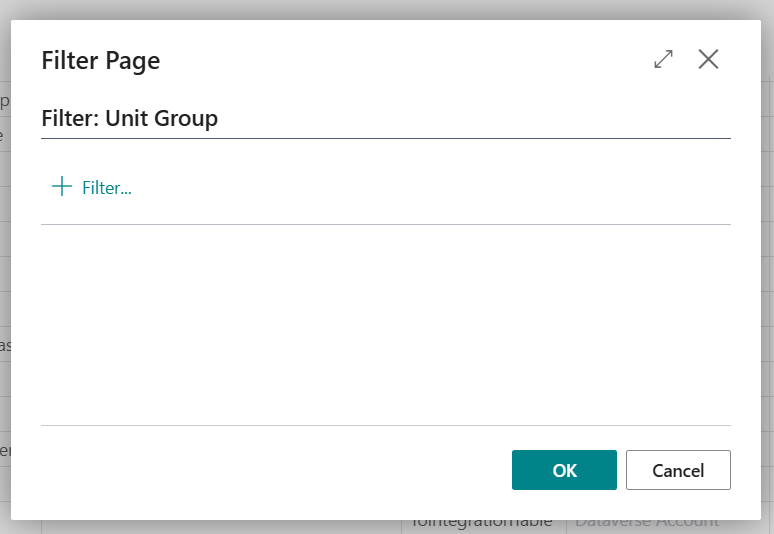
The Filter page: Table Filter:
 
The Filter page: Integration Table Filter:
 
For the Unit Group -Dynamics 365, this are the ones on the list. It created when we save the Items. but I know we should only use one unit group for BC and one unit group for Sales. 
 
I tried coupling the unit group thru the items but when I already couple the one item and get the other item couple error message is the one I'm getting. 
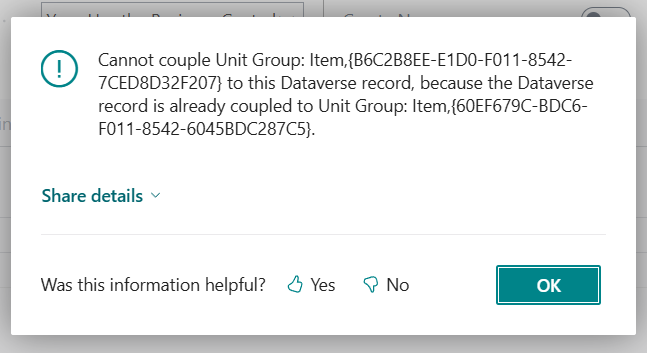
 
I need guidance on how can I create one Sales Unit Group and One BC Unit group. I already tried doing some work around like creating the Unit Group in Sales , but still same error. I can't use one Unit Group for all items. Is there a way creating a Unit Group in BC?
 
**note: Items were already sync in BC from Sales but on the sync job it is on Skipped field. I'm trying to fix this one to have a successful sync in BC.
 
Thank you for your help
I have the same question (0)
  • Suggested answer
    OussamaSabbouh Profile Picture
    10,972 Super User 2026 Season 1 on at
    Hello,
     
    You cannot use one Unit Group for all items when Unit Group Mapping is enabled.
    BC creates one Unit Group per item automatically, and Sales does not allow sharing or changing Unit Groups.
    The error appears because you tried to couple multiple BC Unit Groups to the same Sales Unit Group, this is blocked.
     
    Correct sequence
     
    1. You do not manually create or pick a Unit Group.
     
     
    2. BC auto-creates a Unit Group for each item.
     
     
    3. Each item’s Unit Group → must couple 1:1 to a CRM Unit Group.


    There is NO supported way to have a single shared Unit Group unless you turn off Unit Group Mapping entirely.
     
    Regards,
    Oussama Sabbouh
  • Gianne Mac Profile Picture
    34 on at
    Hi @OussamaSabbouh,
     
    Thank you for the info. If I disabled or deleted the mapping/coupled. Will the BC copy the existing Unit Group used in the Sales? Even though the items are already been coupled to Dynamics Sales.
     
    Thank you

Under review

Thank you for your reply! To ensure a great experience for everyone, your content is awaiting approval by our Community Managers. Please check back later.

Helpful resources

Quick Links

Introducing the 2026 Season 1 community Super Users

Congratulations to our 2026 Super Stars!

Congratulations to our 2025 Community Spotlights

Thanks to all of our 2025 Community Spotlight stars!

Leaderboard > Small and medium business | Business Central, NAV, RMS

#1
OussamaSabbouh Profile Picture

OussamaSabbouh 2,161 Super User 2026 Season 1

#2
YUN ZHU Profile Picture

YUN ZHU 1,046 Super User 2026 Season 1

#3
Dhiren Nagar Profile Picture

Dhiren Nagar 932 Super User 2026 Season 1

Last 30 days Overall leaderboard

Featured topics

Product updates

Dynamics 365 release plans